381
381
Feature Access: BenchPrep Analytics in Console
Feature accesses allow for greater configurability and can be enabled at the tenant, course, or branch level depending on the feature. These features can be turned on/off within Console or BluePrint.
Below please find Feature accesses related to BenchPrep Analytics in Console.
Features can be controlled via Console, and BluePrint. Note that your selections will save and take effect immediately and will update respective admin tools automatically (if a feature access can be controlled in Tenant Dashboard and Console, turning it on via Tenant Dashboard will update its status in Console)
To toggle setting on/off from Console at the tenant level follow instructions found here.
To toggle setting on/off from Console at the branch level follow instructions found here.
To toggle setting on/off from BluePrint Configuration follow instructions found here.
Branch Feature Access
Branch Detail
Description: When enabled in Console the Branch Detail section, along with its subsidiary pages, will be accessible to users with the correct access context. If the the Branch Detail feature is off the sub-features will not be visible. Default State: OFF
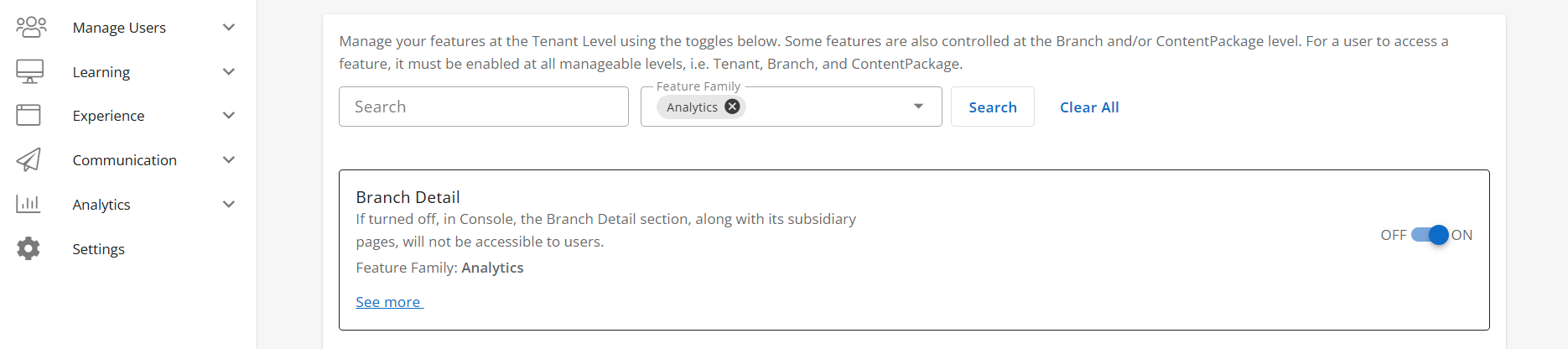
Configuration Level(s): Enabled at the Tenant and Branch level. Configurable by Admins or users with "Update Tenant" permission from Console.
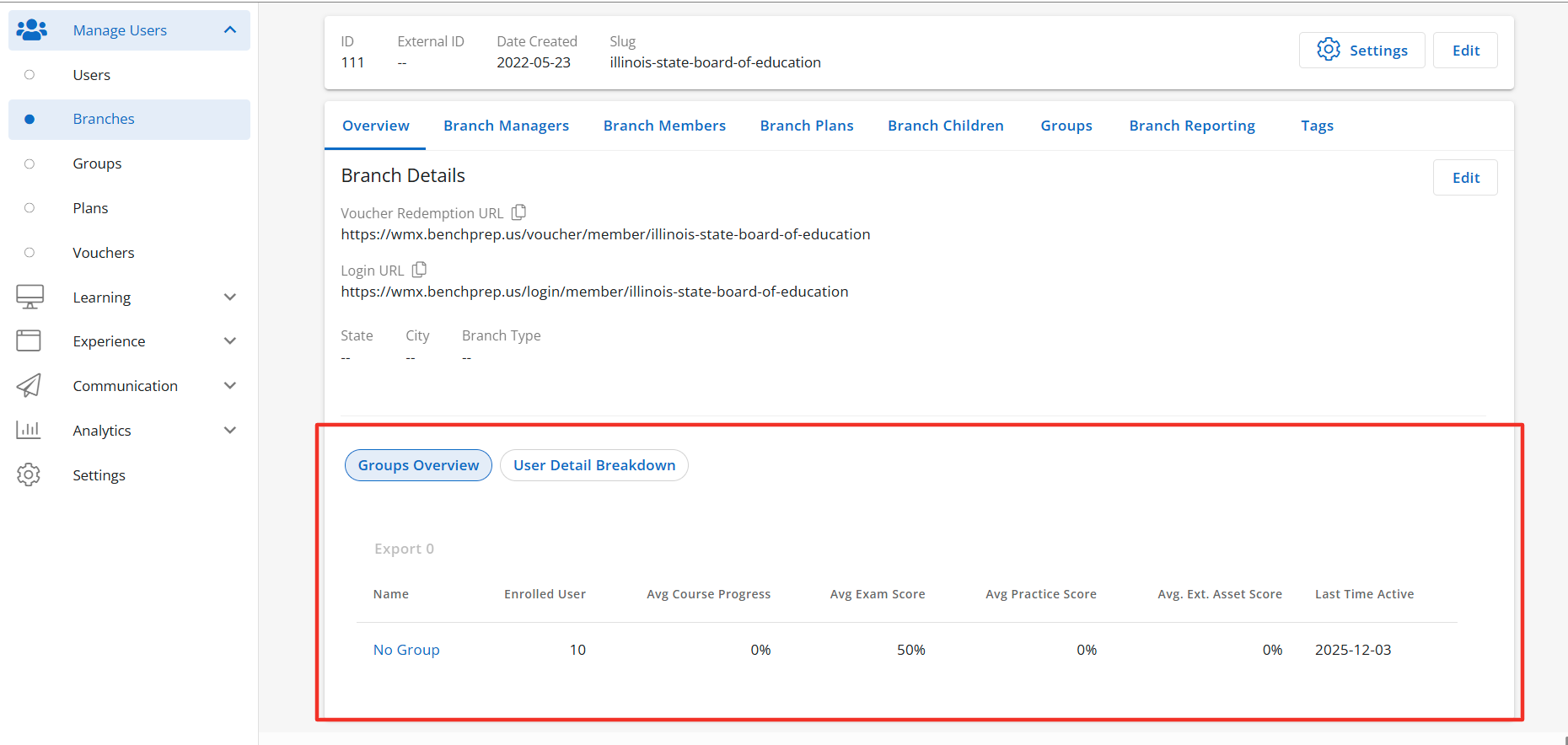
Note: Branch Details includes multiple sub-features designed to further personalize BenchPrep Analytics in Console.
Group Overview Tab
Description: When enabled in Console the Groups Overview tab, along with its subsidiary pages, will be accessible to users with the correct access context. This tab will display a list of groups within the selected branch. Default
State: ON
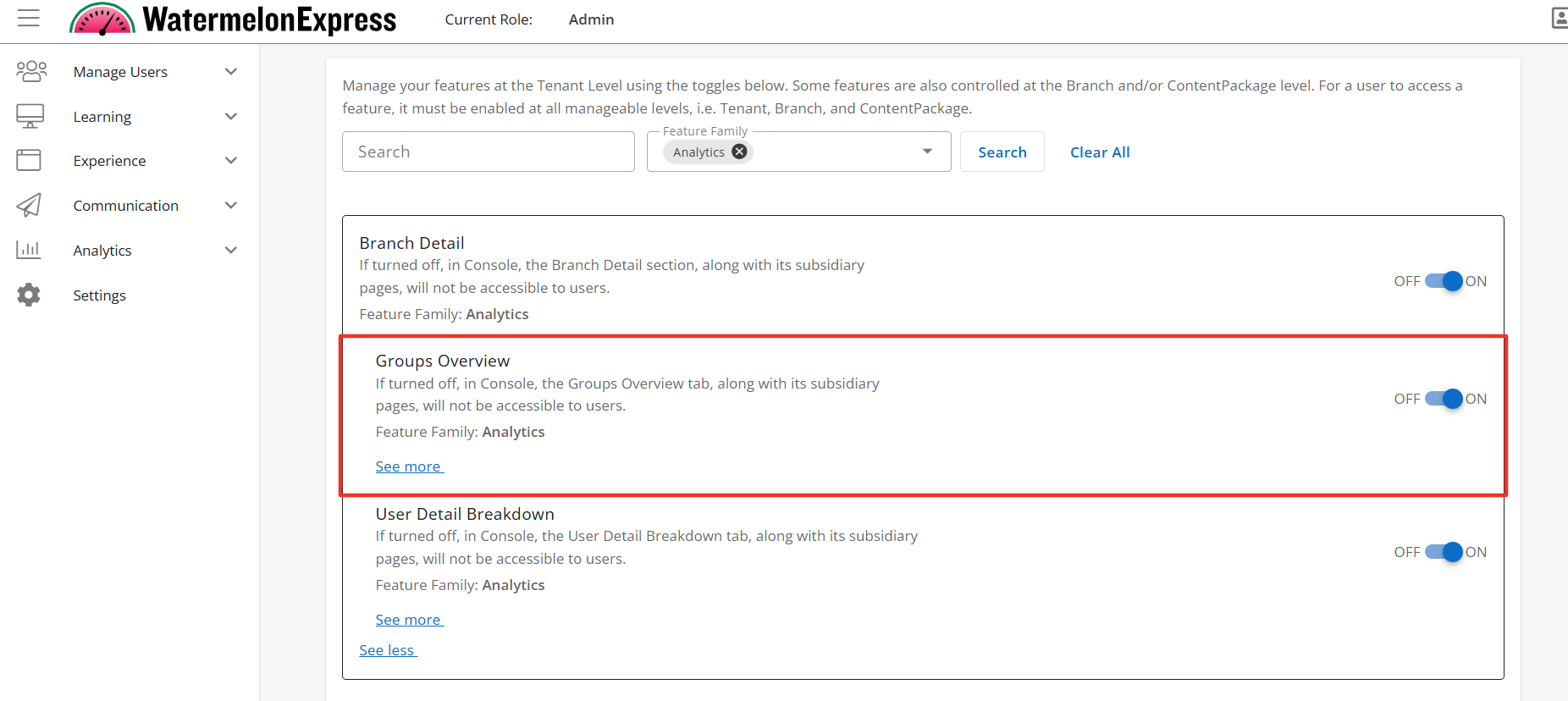
Configuration Level(s): Enabled at the Tenant and Branch level. Configurable by Admins or users with "Update Tenant" permission from Console.
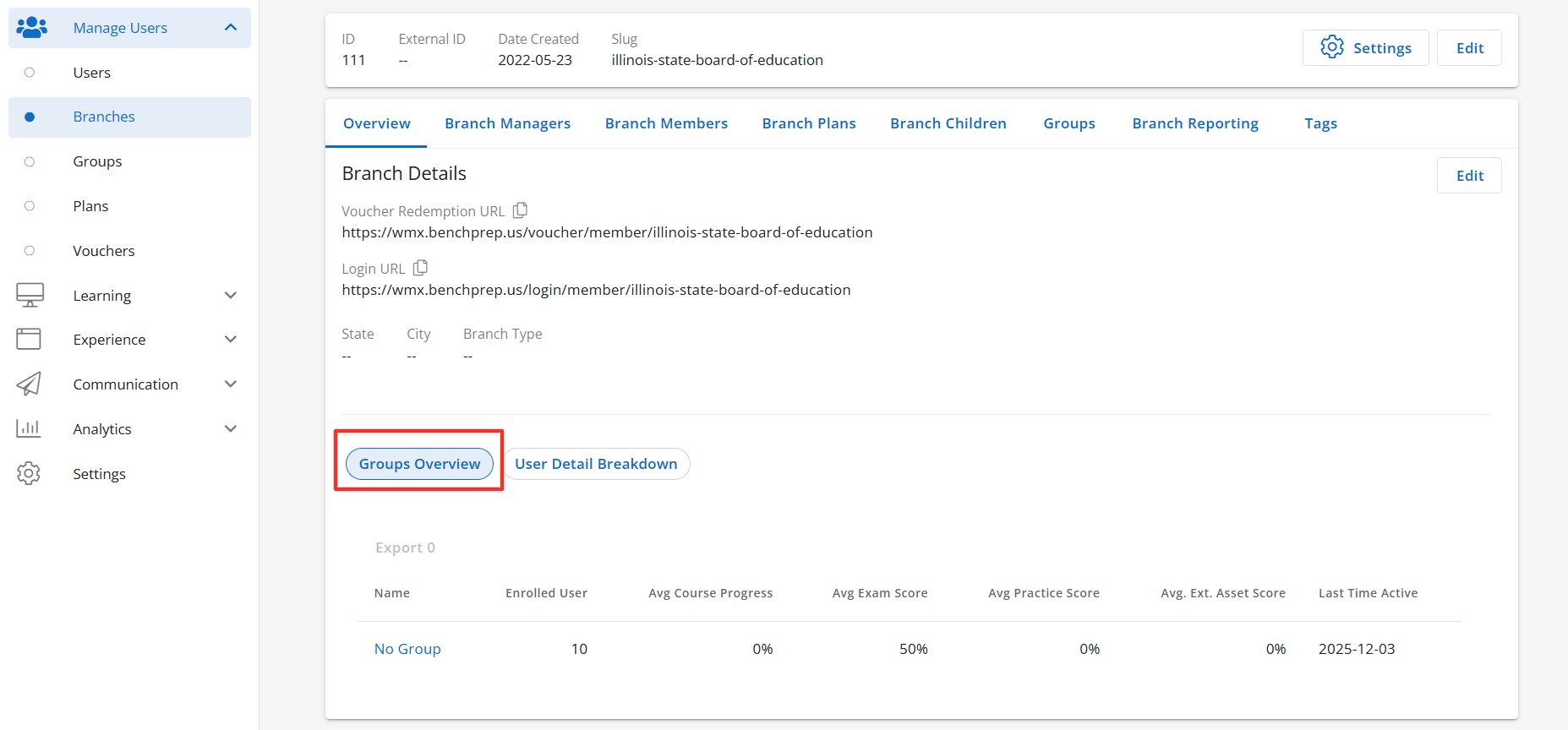
Groups Table
Description: When the Group Overview tab is enabled the sub-feature access Groups Table will display to users with the correct access context. The Groups Table shows the total number of enrolled users in each group and displays the average of multiple data points calculated across all users in the group. Default State: ON
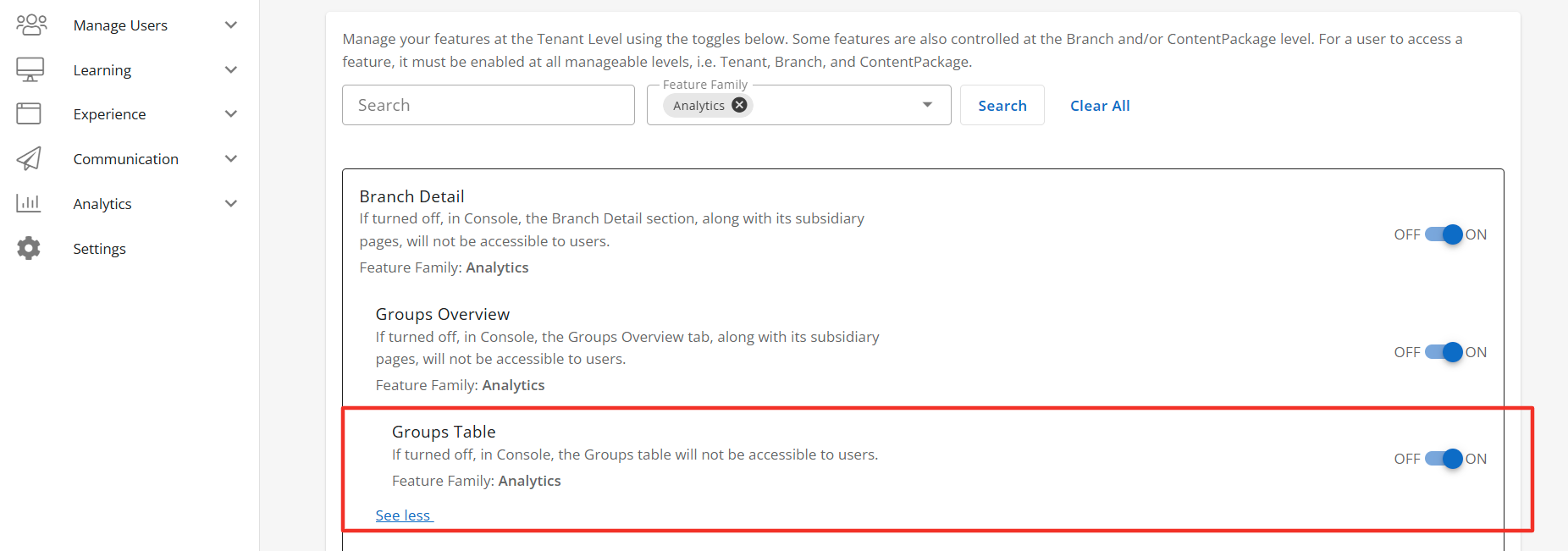
Configuration Level(s): Enabled at the Tenant and Branch level. Configurable by Admins or users with "Update Tenant" permission from Console.
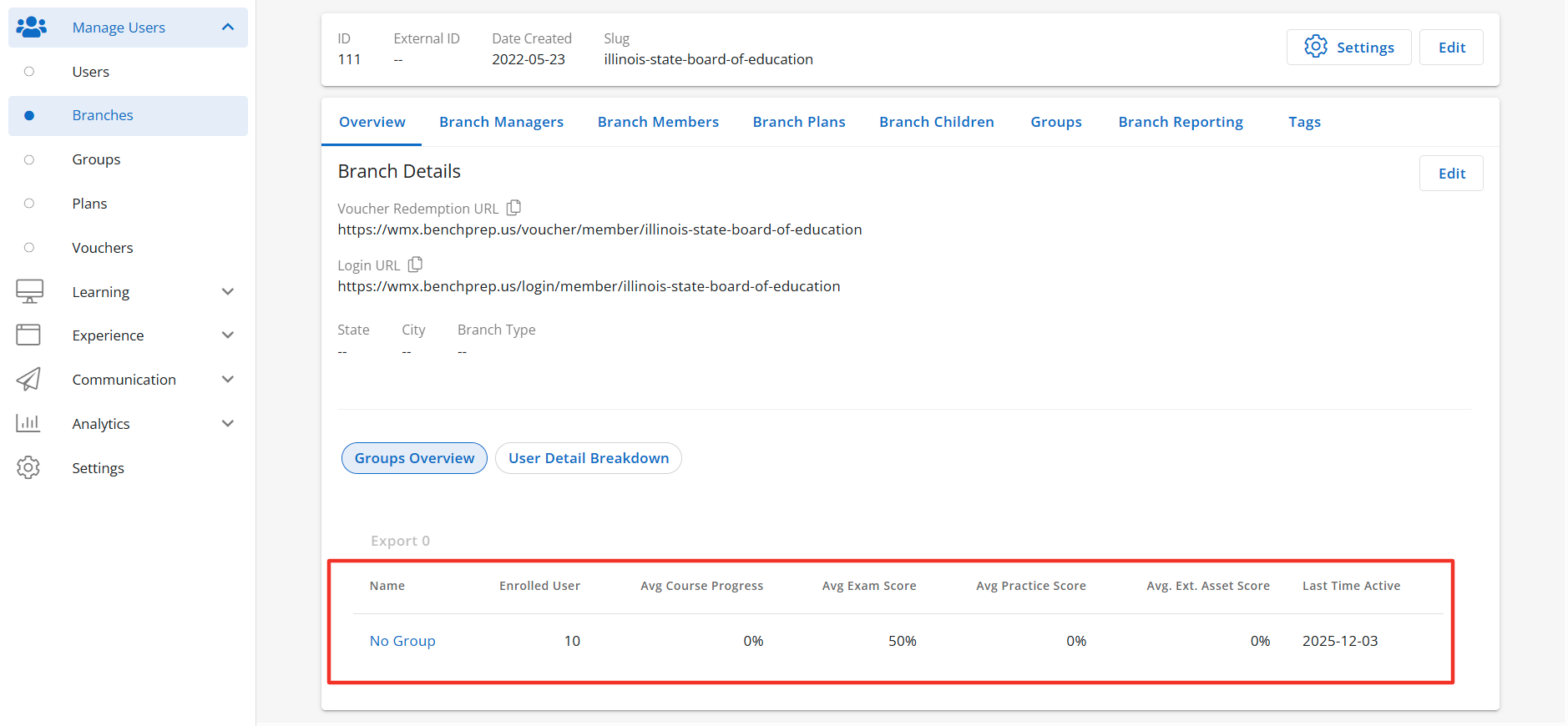
Users Detail Breakdown Tab
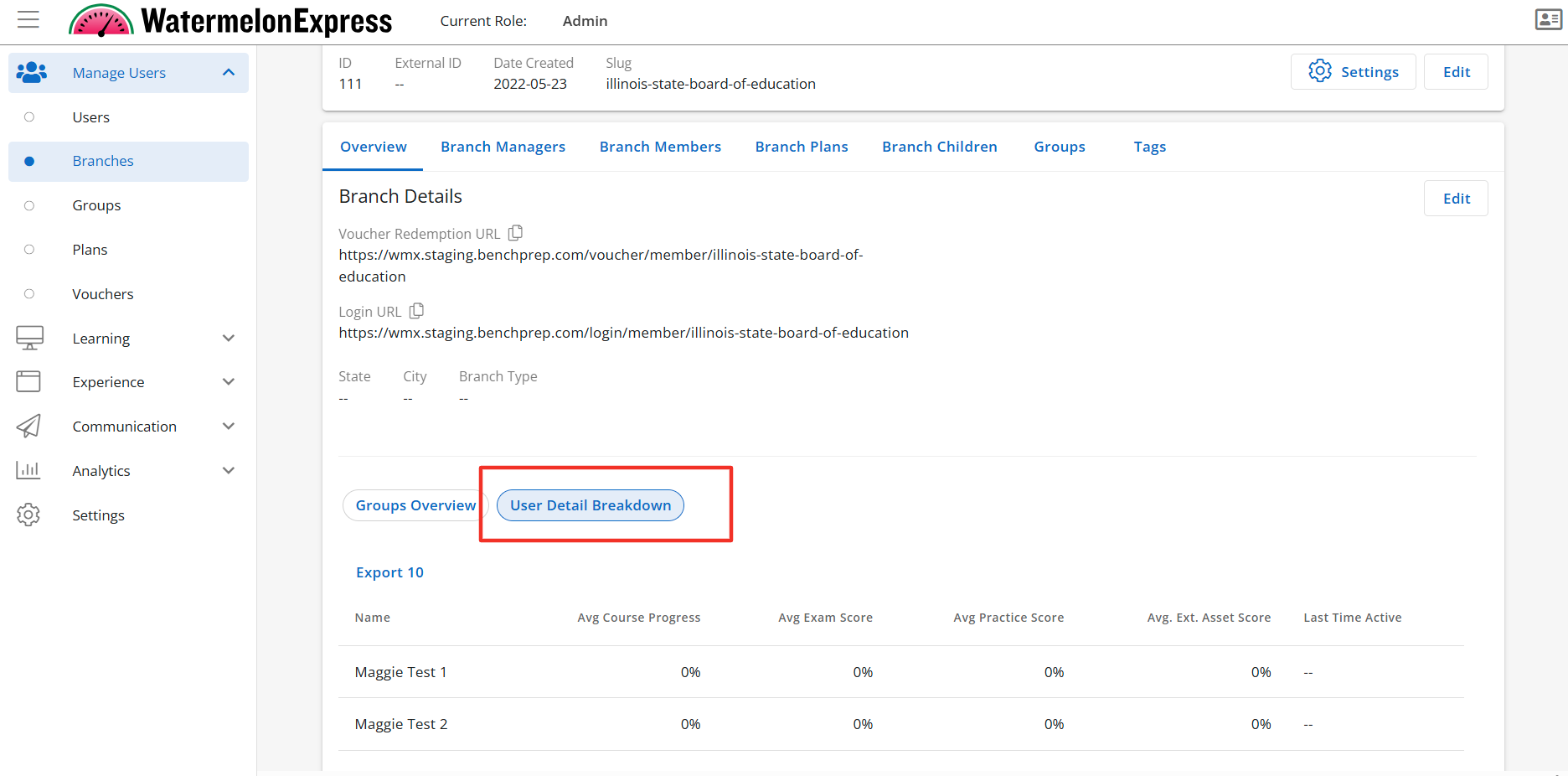
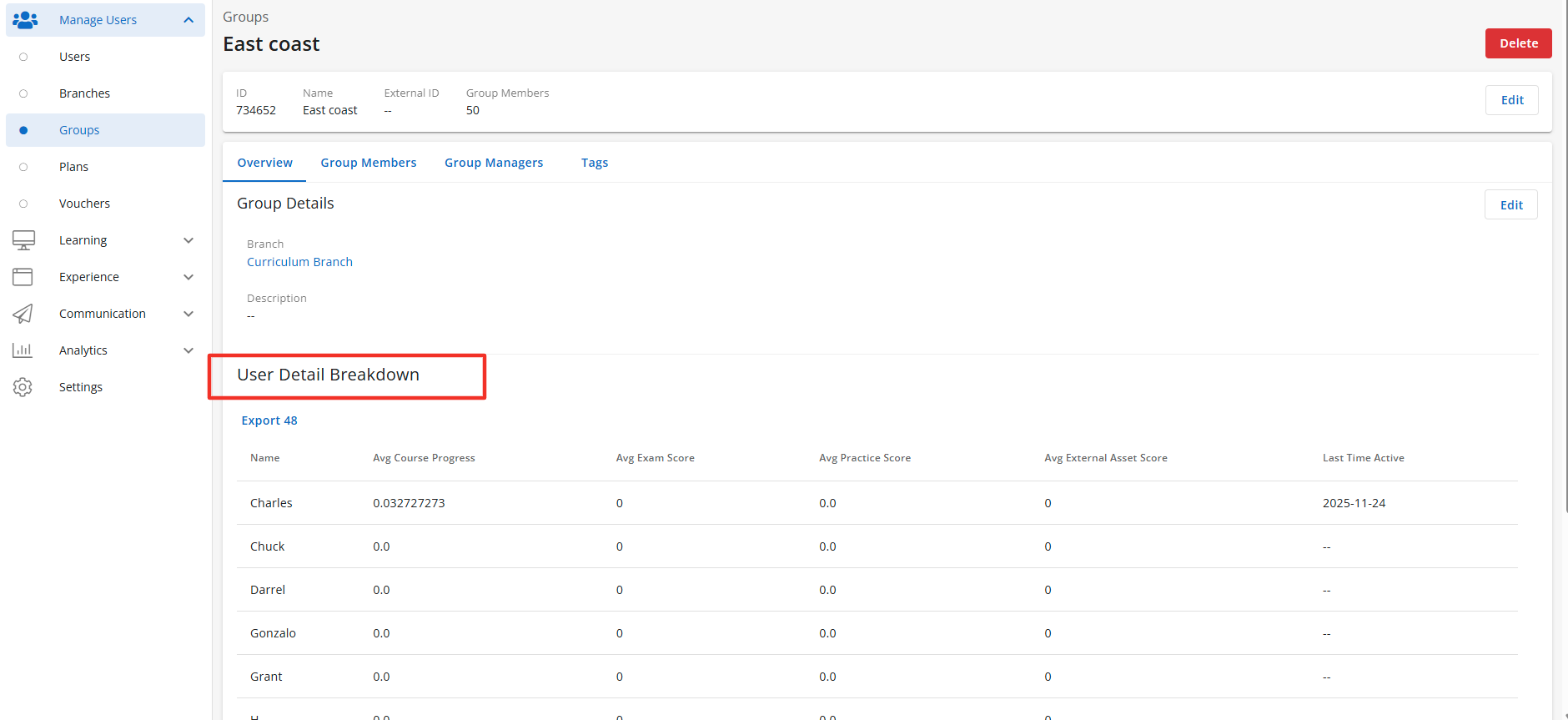
Description: When enabled in Console the User Detail Breakdown tab, along with its subsidiary pages, will be accessible to users with the correct access context. The User Detail Breakdown Tab will display the Users Table when enabled. Default State: ON
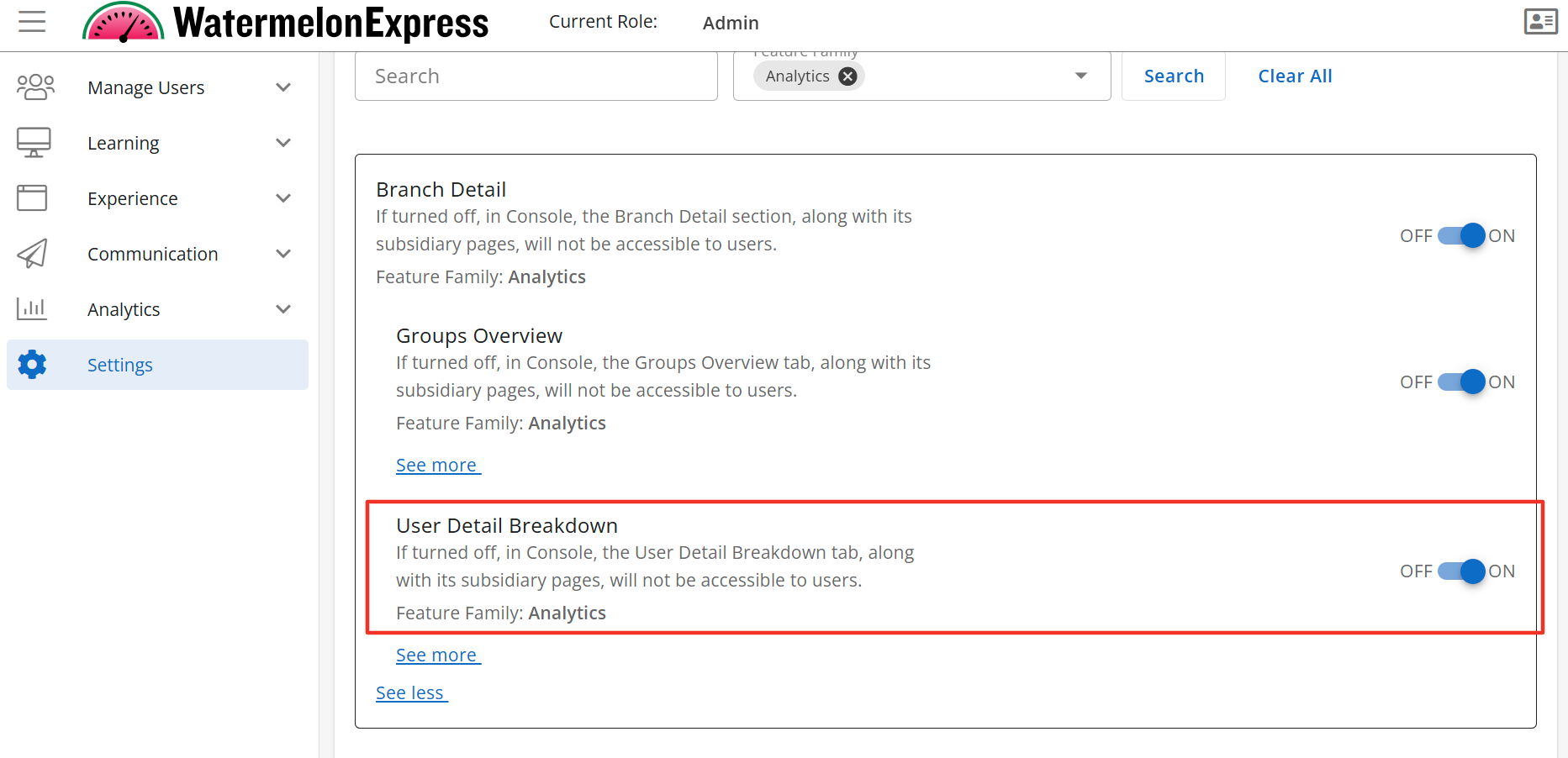
Configuration Level(s): Enabled at the Tenant and Branch level. Configurable by Admins or users with "Update Tenant" permission from Console.
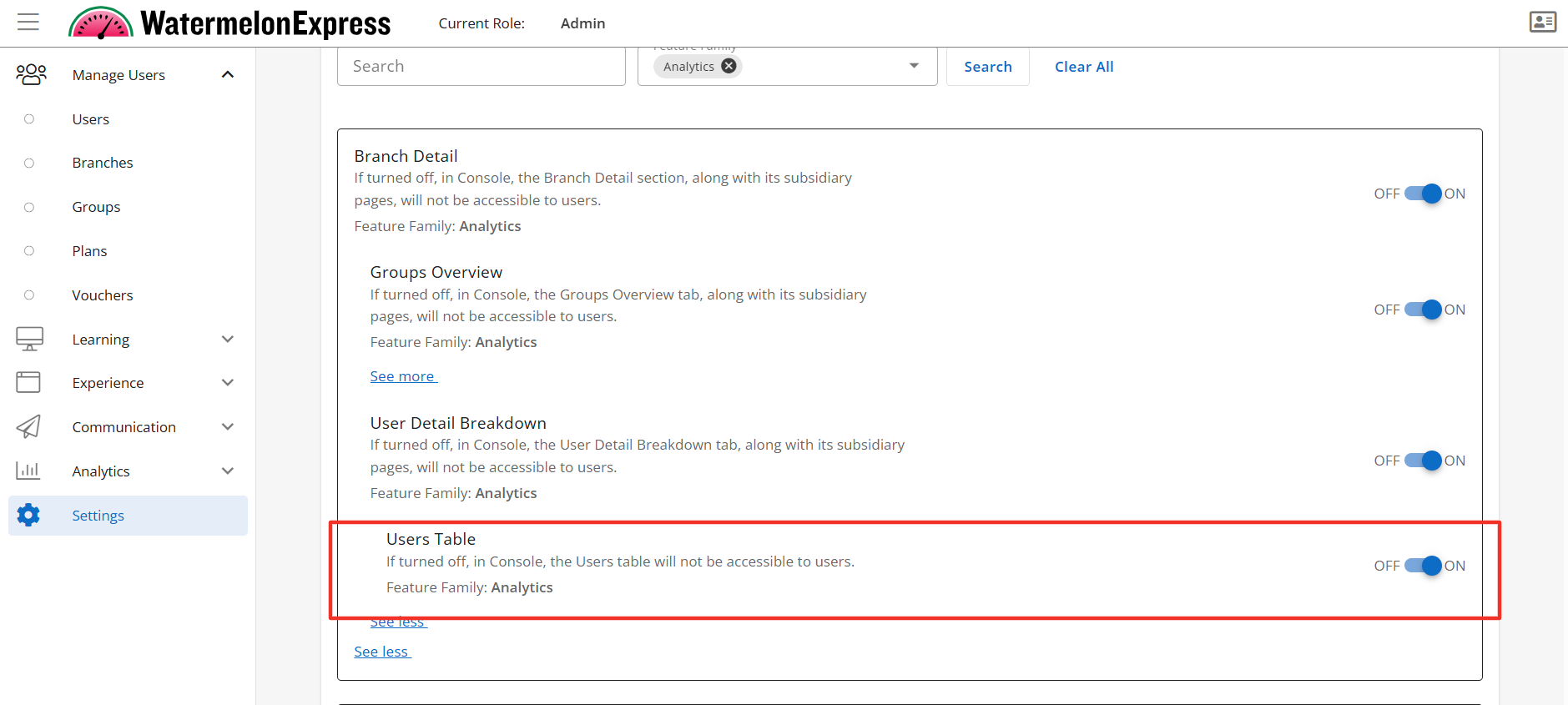
Users Table
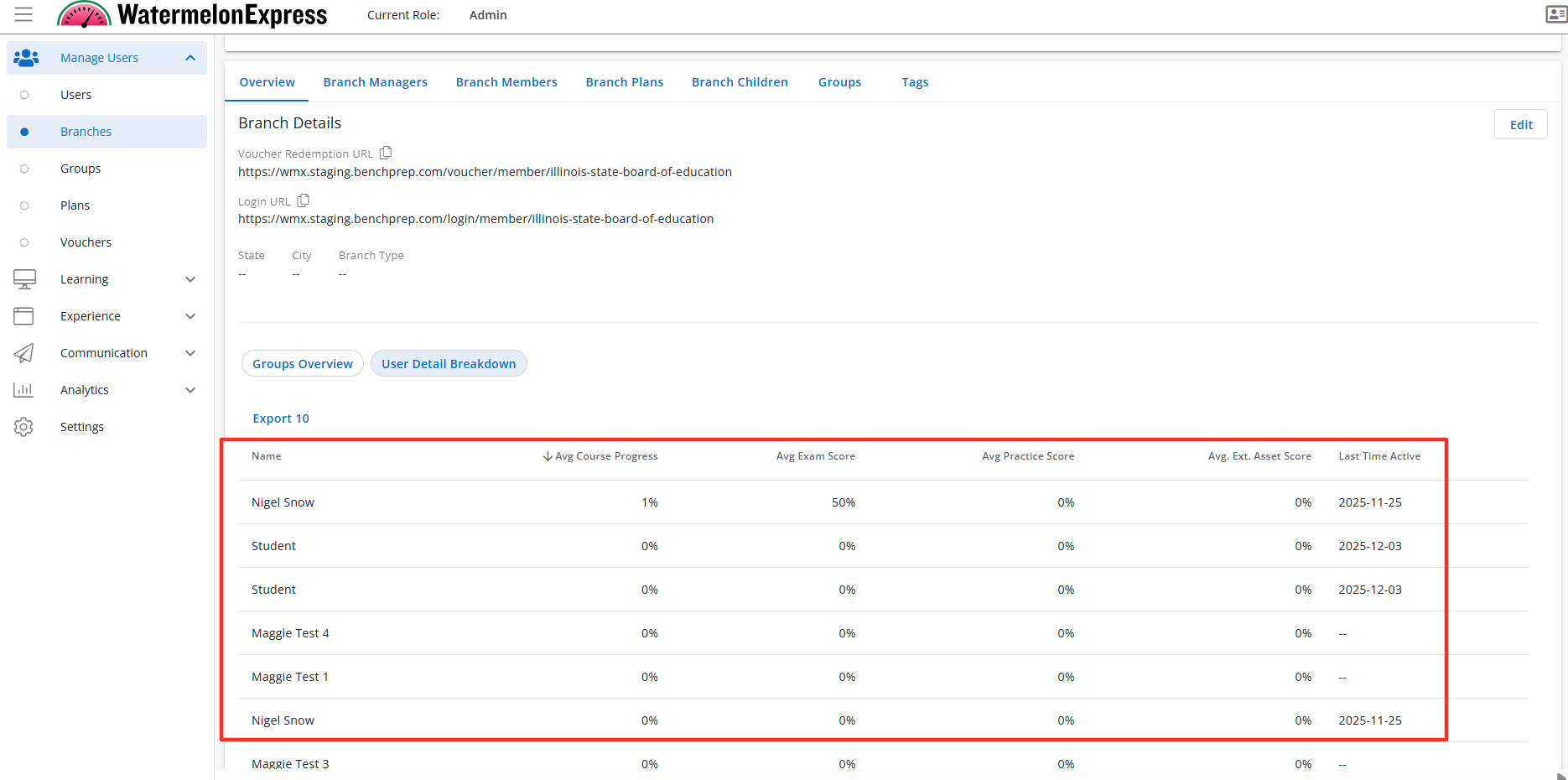
Description: The Users Table is a sub-feature of the User Detail Breakdown tab. When the Users Table is enabled the User Details Breakdown section will display the Users Table. The Users Table lists the names of all enrolled users for the selected Branch and shows the average of multiple data points calculated across each learner’s enrollments. Default State: ON
Configuration Level(s): Enabled at the Tenant and Branch level. Configurable by Admins or users with "Update Tenant" permission from Console.
User Details Feature Access
User Detail
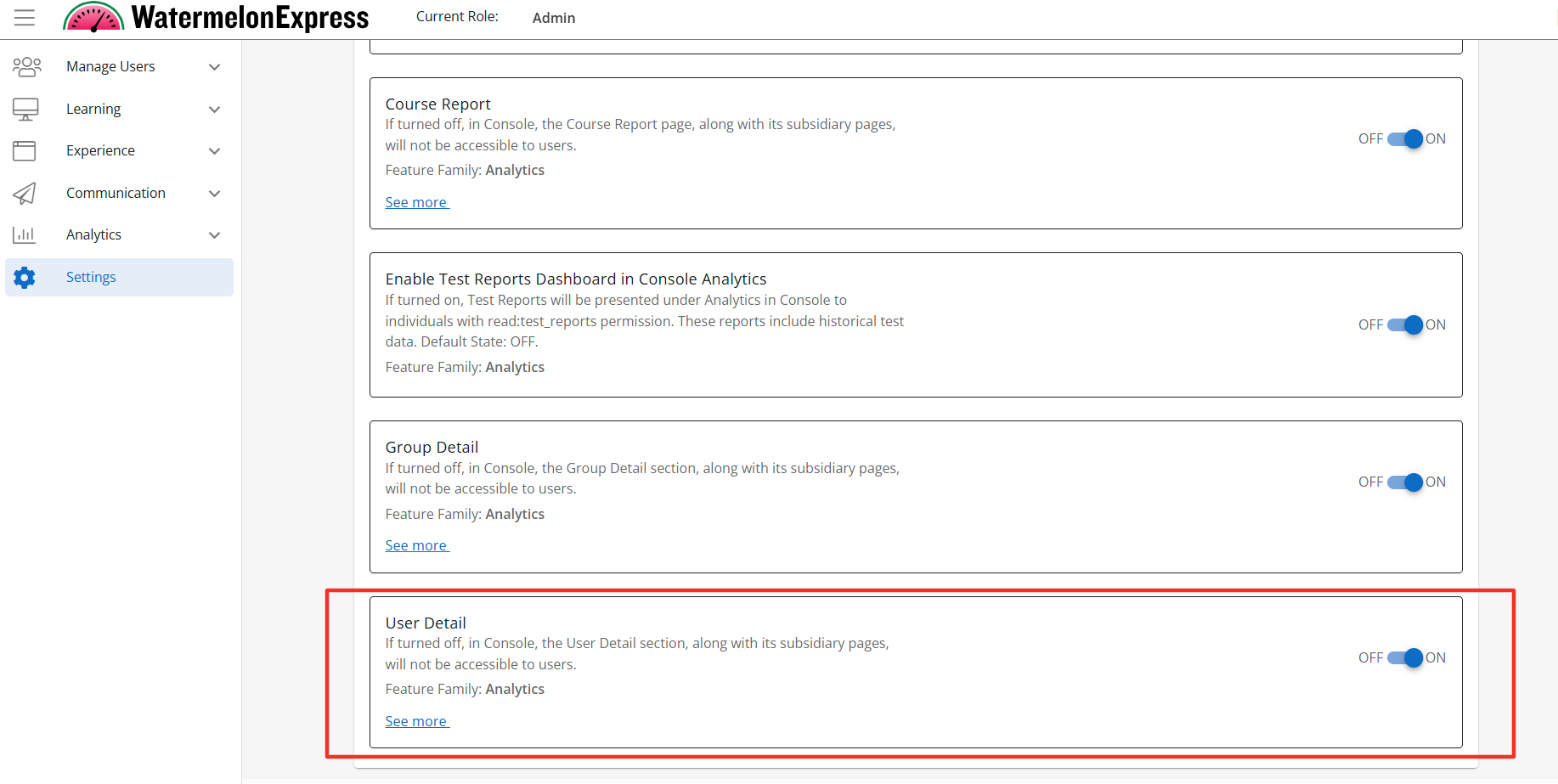
Description: When enabled the User Details section, along with its subsidiary pages, will be accessible to users with the correct access context. The User Detail section will display the Course Overview section when enabled. Default State: OFF
Configuration Level(s): Enabled at the Tenant and Branch level. Configurable by Admins or users with "Update Tenant" permission from Console.
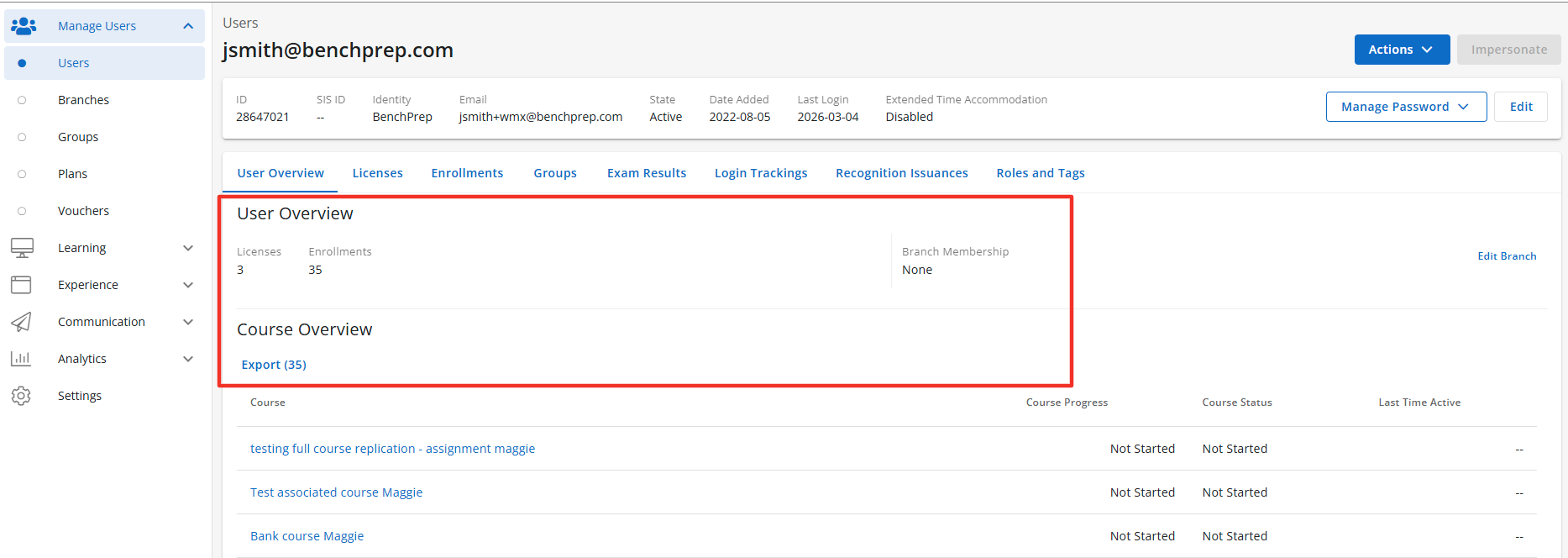
Note: User Details includes multiple sub-features designed to further personalize BenchPrep Analytics in Console.
Course Overview
Description: The Course Overview Tab is a sub-feature of the User Detail feature. When the Course Overview tab is enabled the User Details section will display the Course Overview Tab, along with its subsidiary pages. The Course Overview Tab will display the Course Overview Table when enabled. The Course Over Tab is accessible to users with the correct access context. Default State: ON
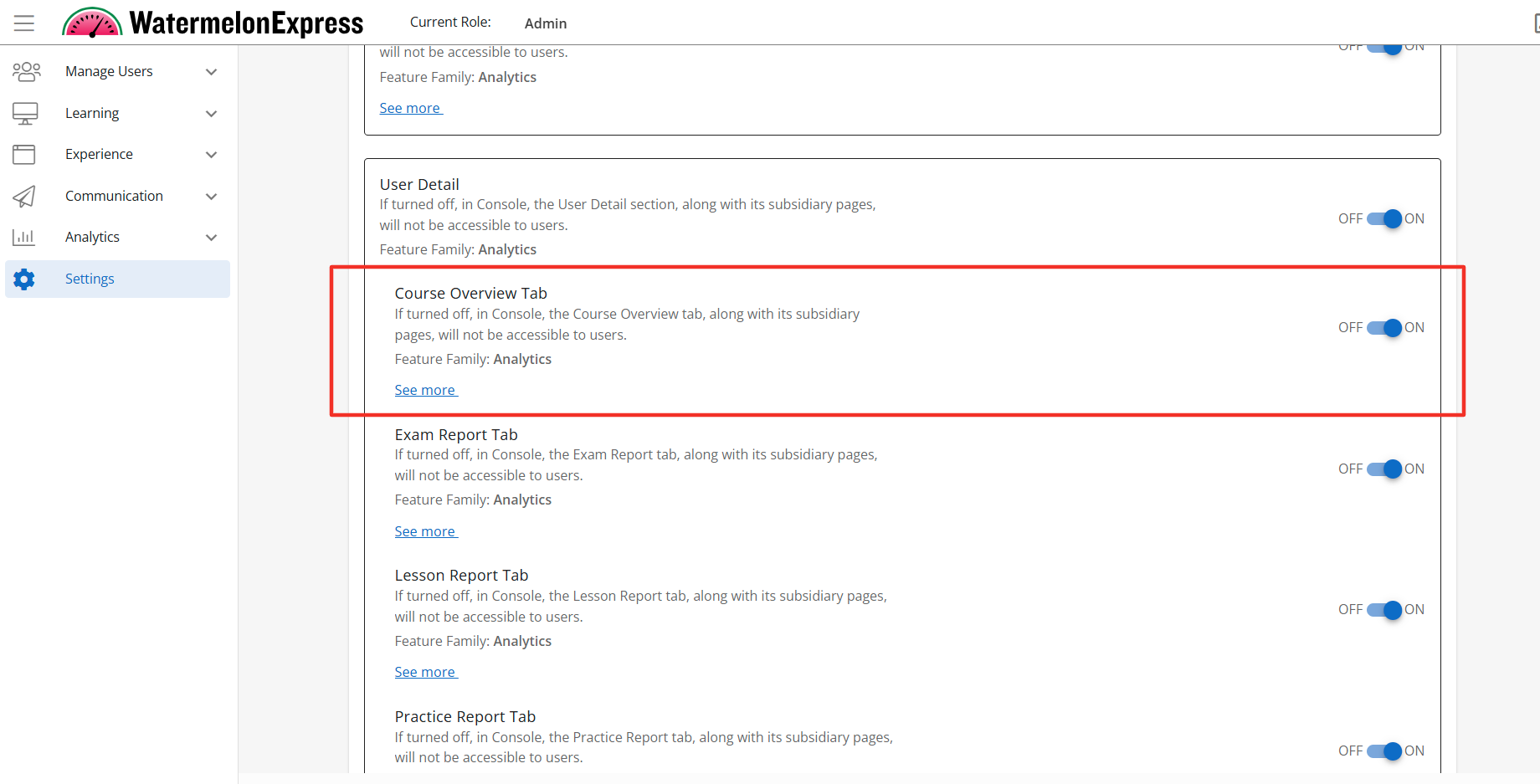
Configuration Level(s): Enabled at the Tenant and Branch level. Configurable by Admins or users with "Update Tenant" permission from Console.
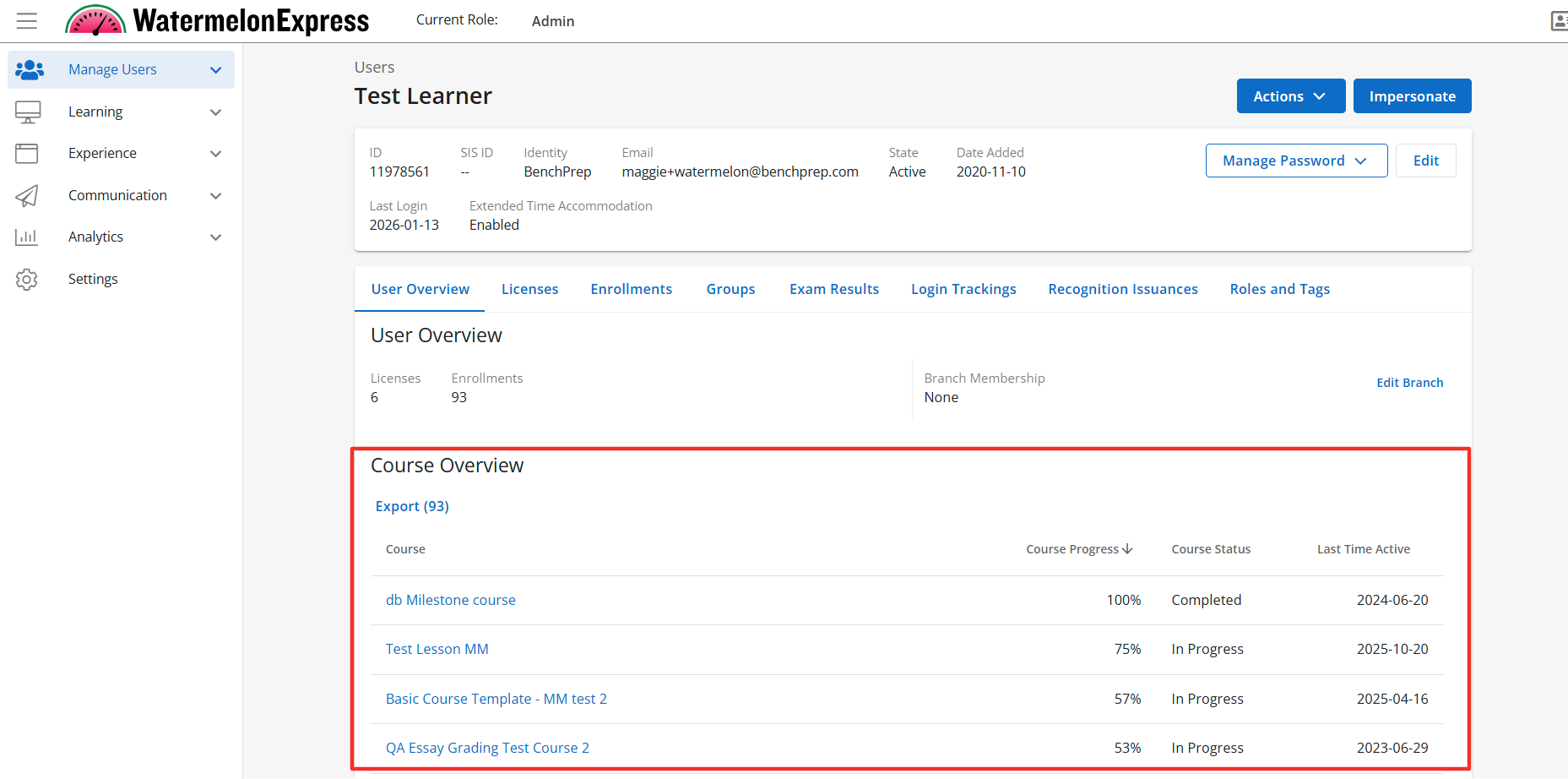
Course Overview Table
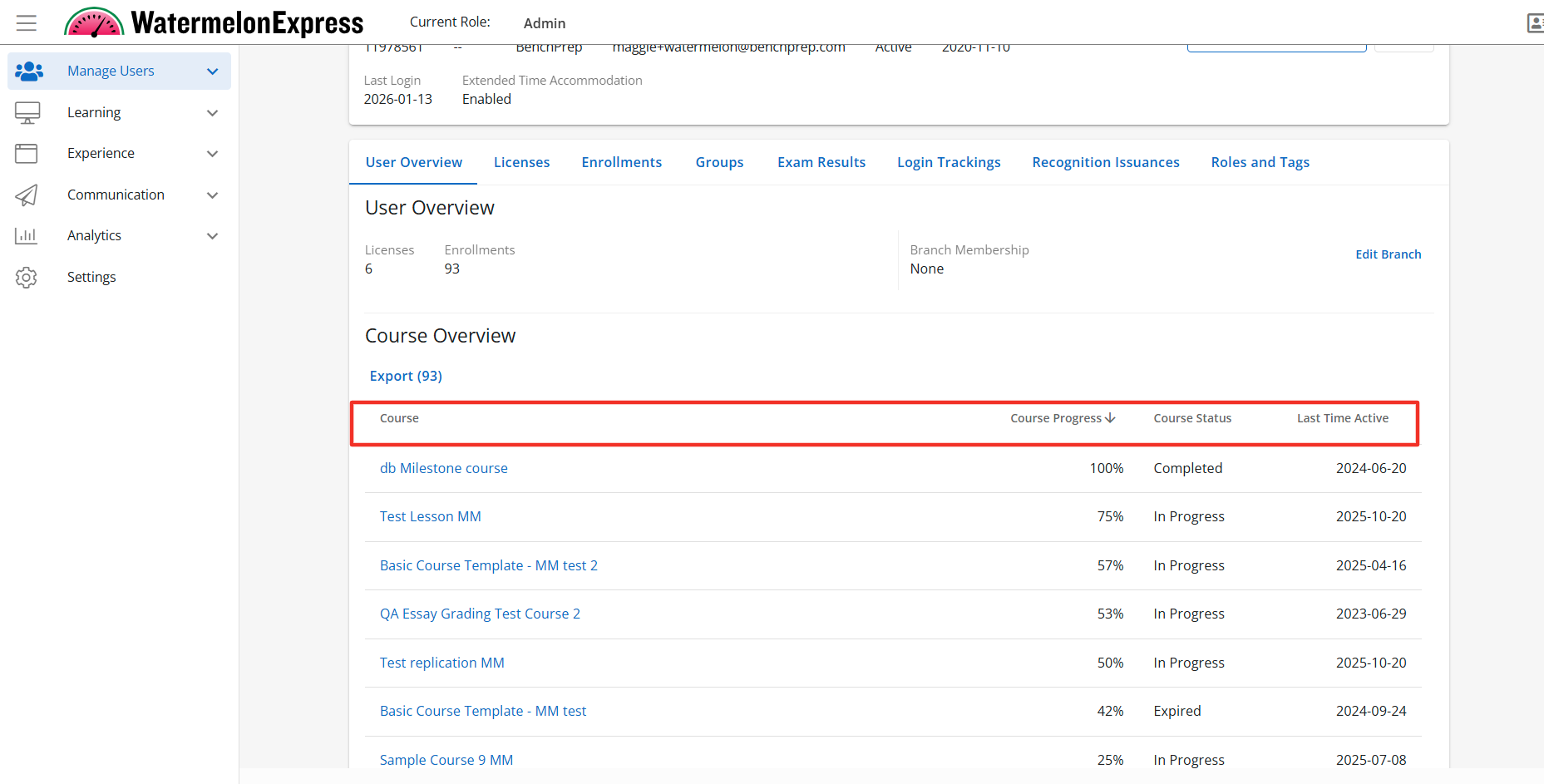
Description: The Course Overview table is a sub-feature of the Course Overview Tab. When the Course Overview Tables is enabled the Course Over Table will display to users with the correct access context. The Course Overview Table will display the Course Name, Avg. course progress Course State, and the last time the learner was active in the course. Default State: ON
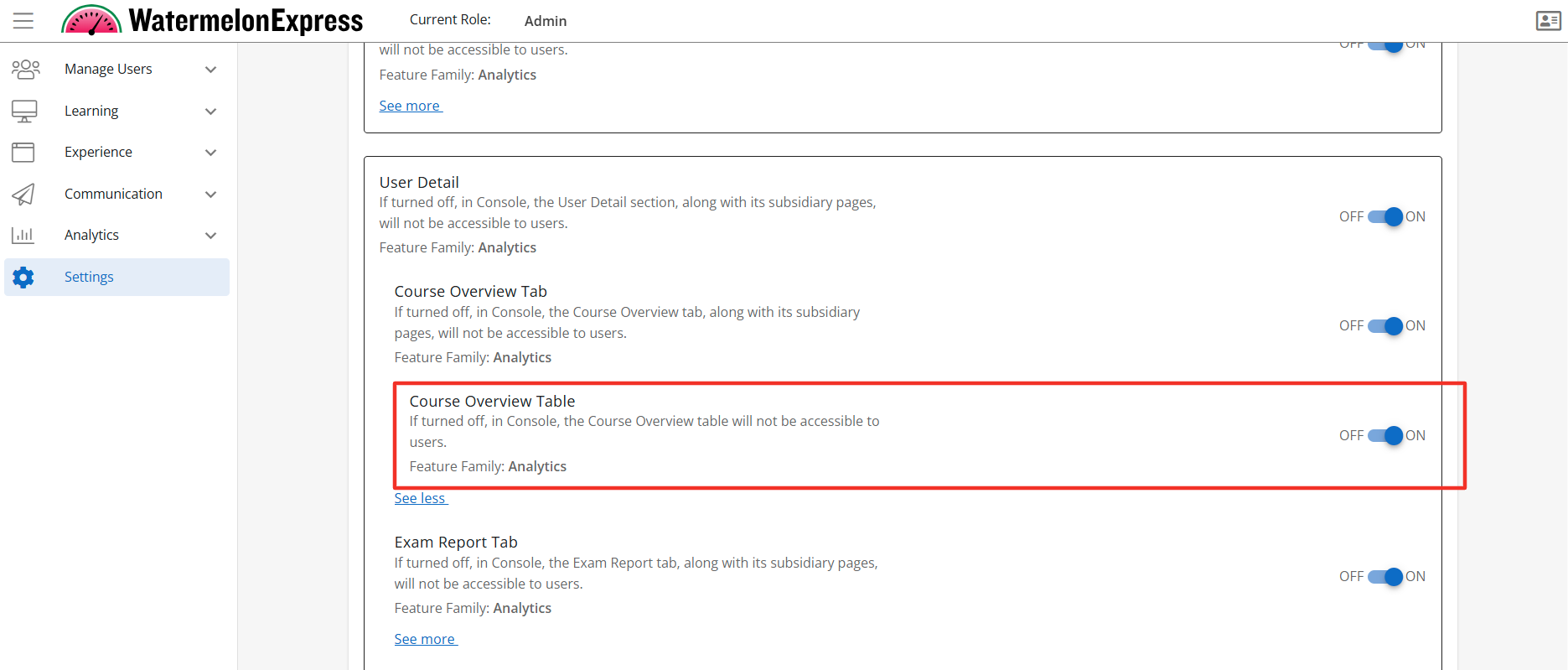
Configuration Level(s): Enabled at the Tenant and Branch level. Configurable by Admins or users with "Update Tenant" permission from Console.
Curriculum Report Tab
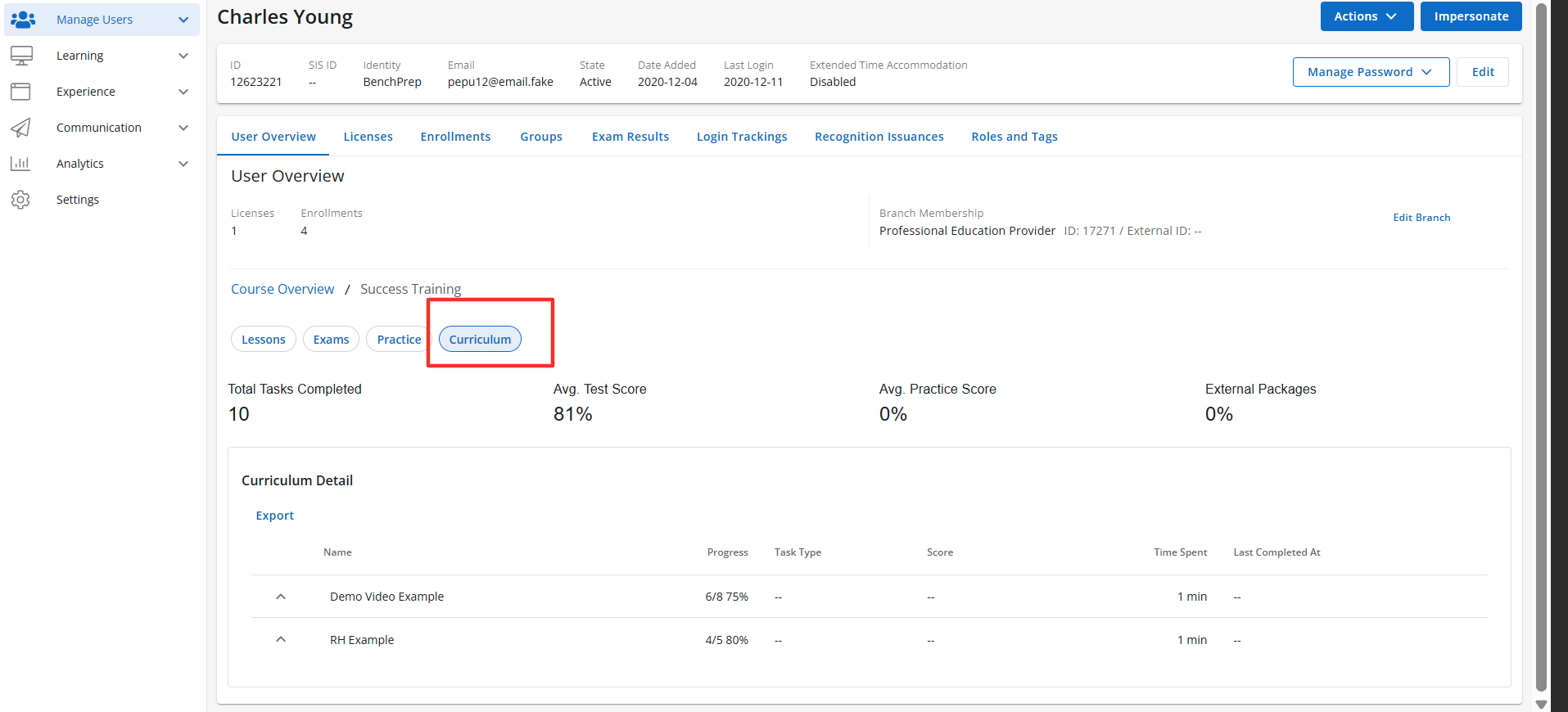
Description: The Curriculum Report tab is a sub-feature of the User Detail feature and appears once you have selected a course from the Course overview page. When enabled the User Details section will display the Curriculum Report tab, along with its subsidiary pages. The Curriculum Report tab is accessible to users with the correct access context. The Curriculum Tab will display multiple data points pertaining to the curriculum assigned to the learner. Default State: ON
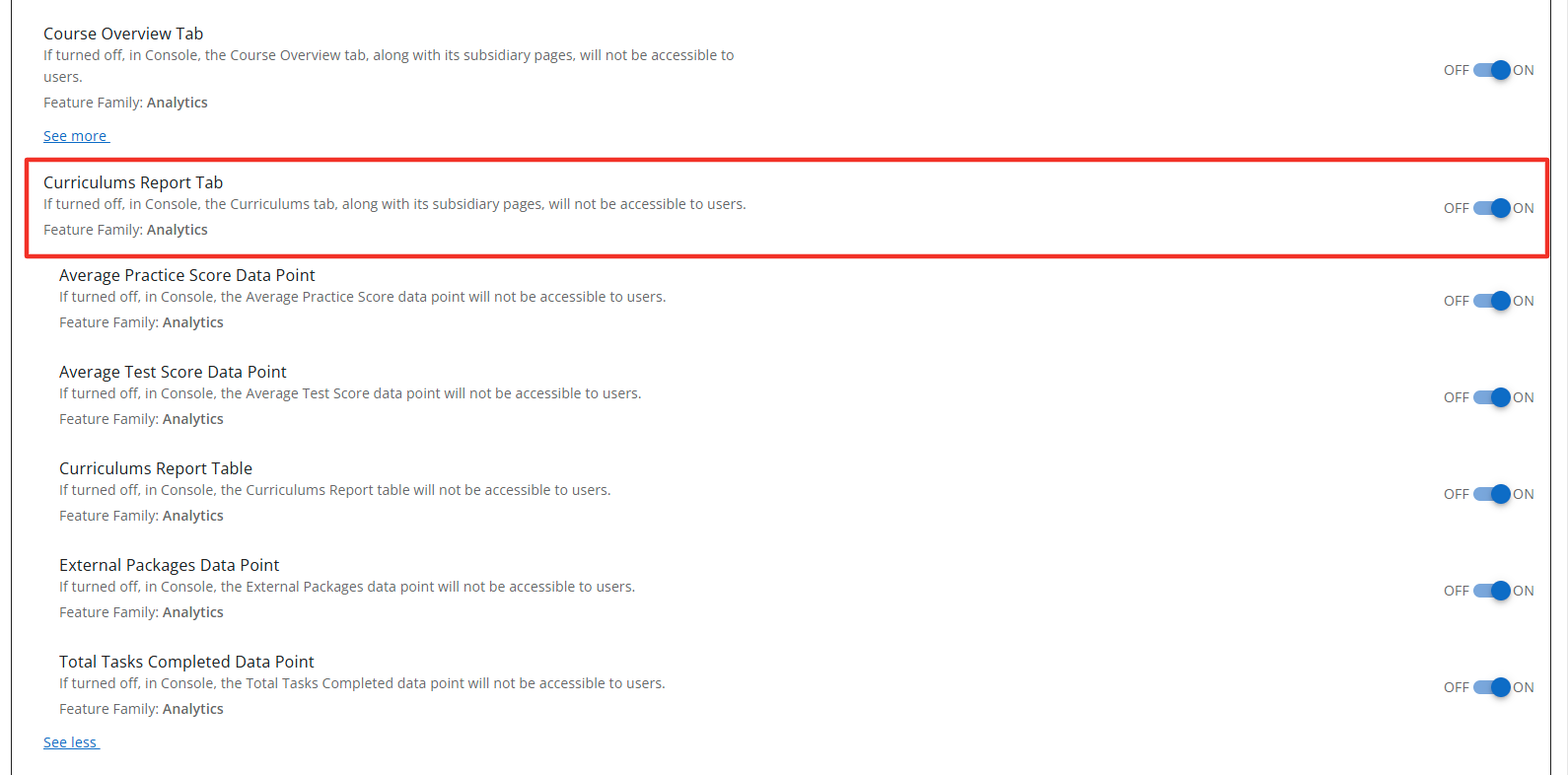
Configuration Level(s): Enabled at the Tenant and Branch level. Configurable by Admins or users with "Update Tenant" permission from Console.
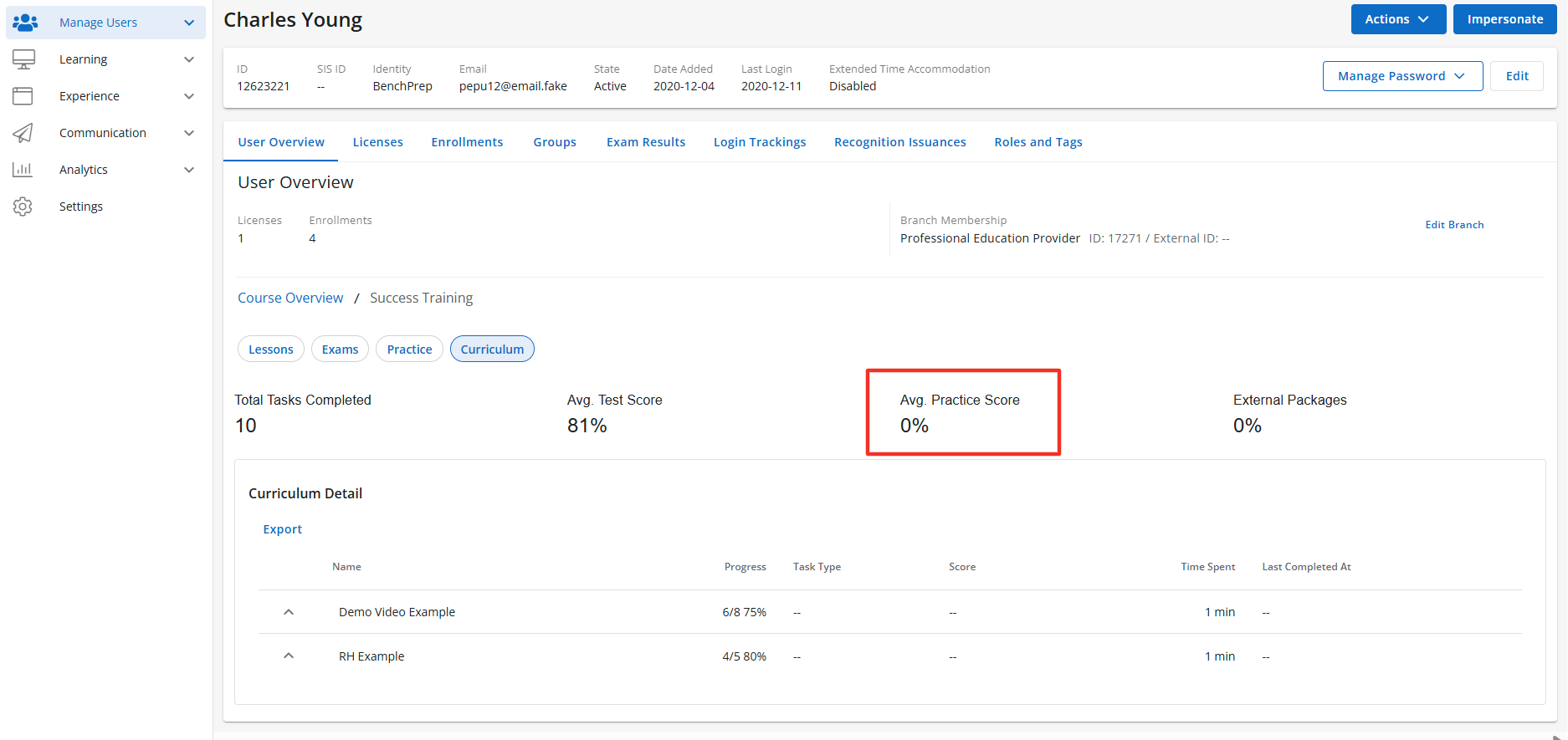
Average Practice Data Point
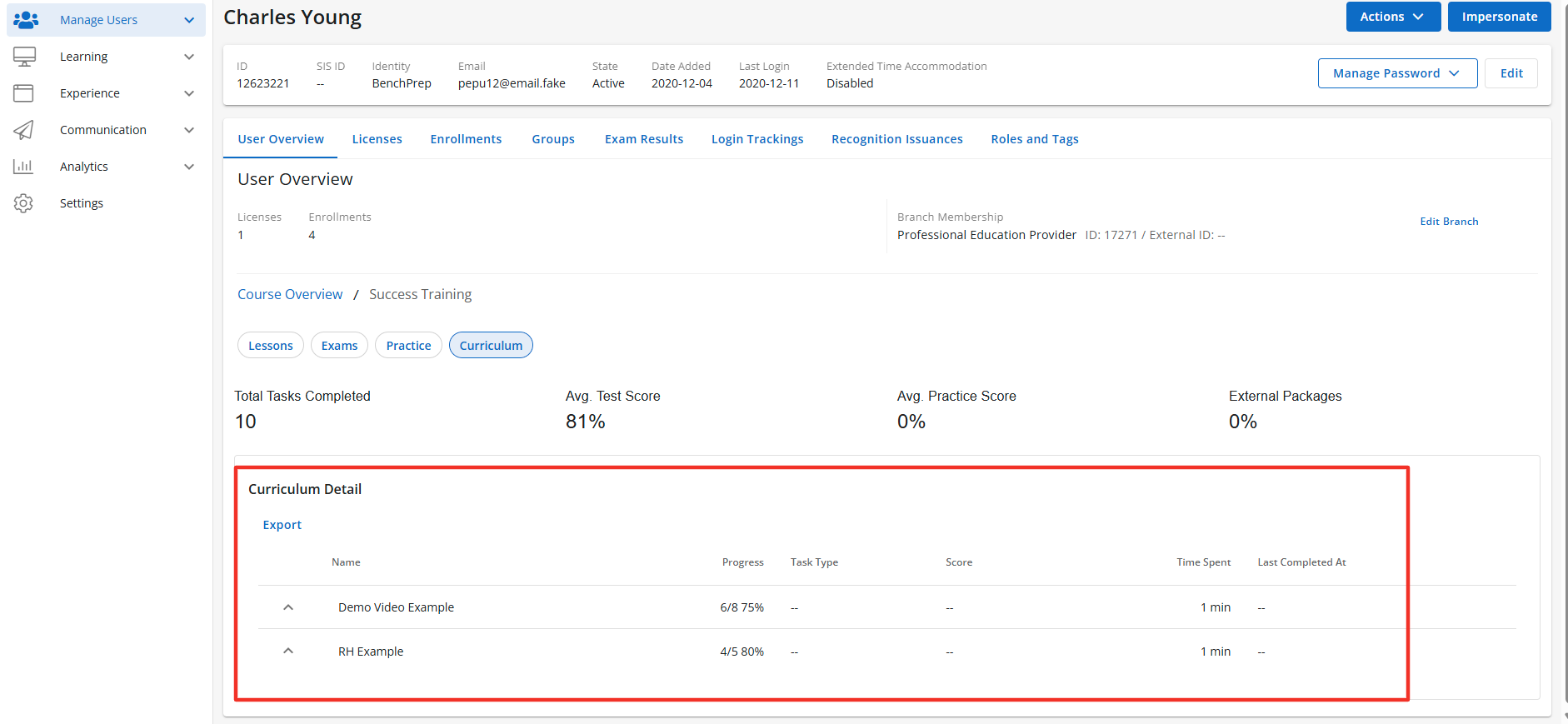
Description: The Average Practice Data Point is a sub-feature of the Curriculum Tab. When enabled the Average Practice Data Point will display The Avg. Practice Score of all completed practice questions the learner has completed within the Curriculum. The Average Practice Data Point is accessible to users with the correct access context. Default State: ON
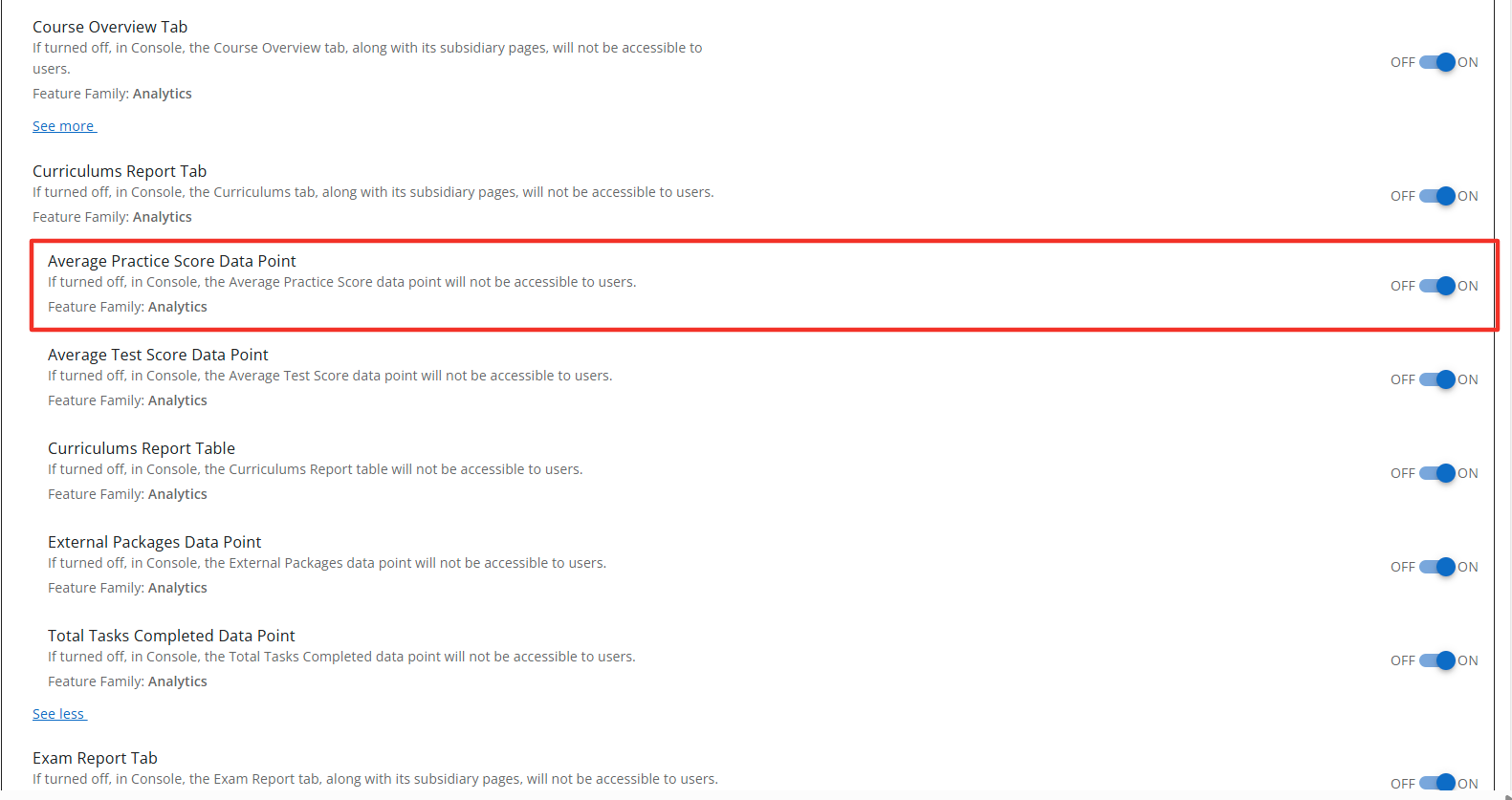
Configuration Level(s): Enabled at the Tenant and Branch level. Configurable by Admins or users with "Update Tenant" permission from Console.
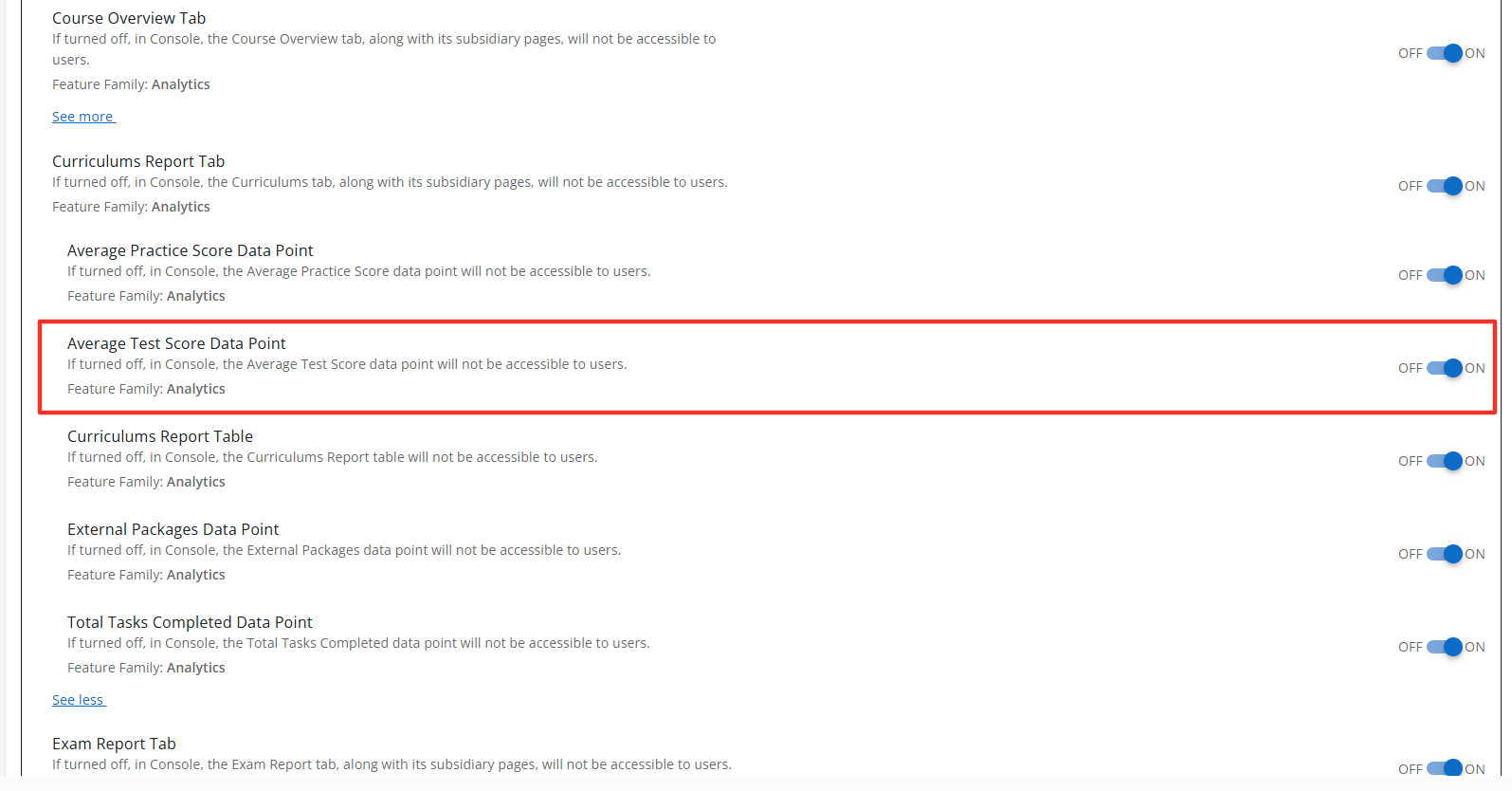
Average Test Score Data Point
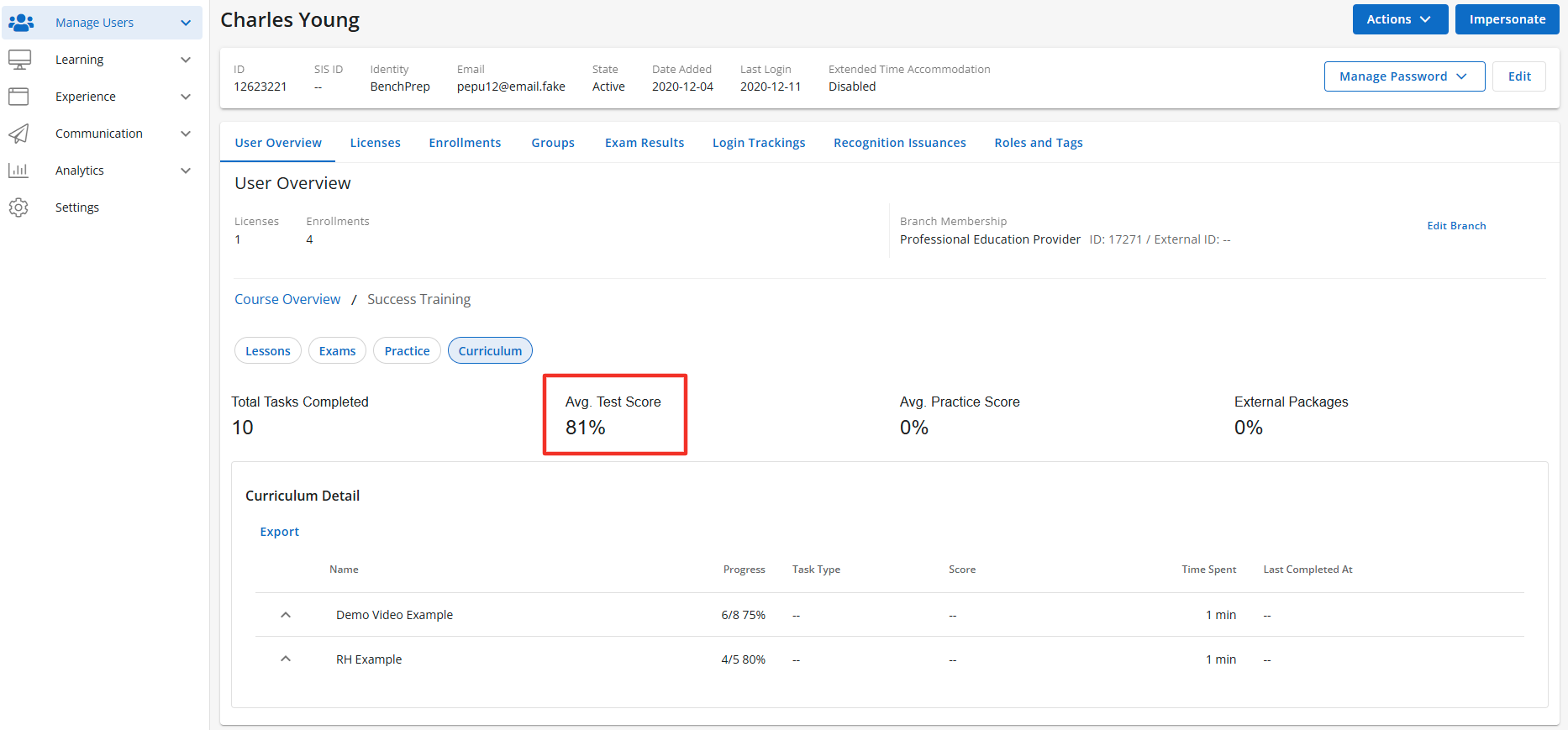
Description: The Average Test Score Data Point is a sub-feature of the Curriculum feature. When enabled the Average Test Score Data Point will display The Avg. Test Score of all completed exams the learner completed within the Curriculum. The Average Test Score Data Point is accessible to users with the correct access context. Default State: ON
Configuration Level(s): Enabled at the Tenant and Branch level. Configurable by Admins or users with "Update Tenant" permission from Console.
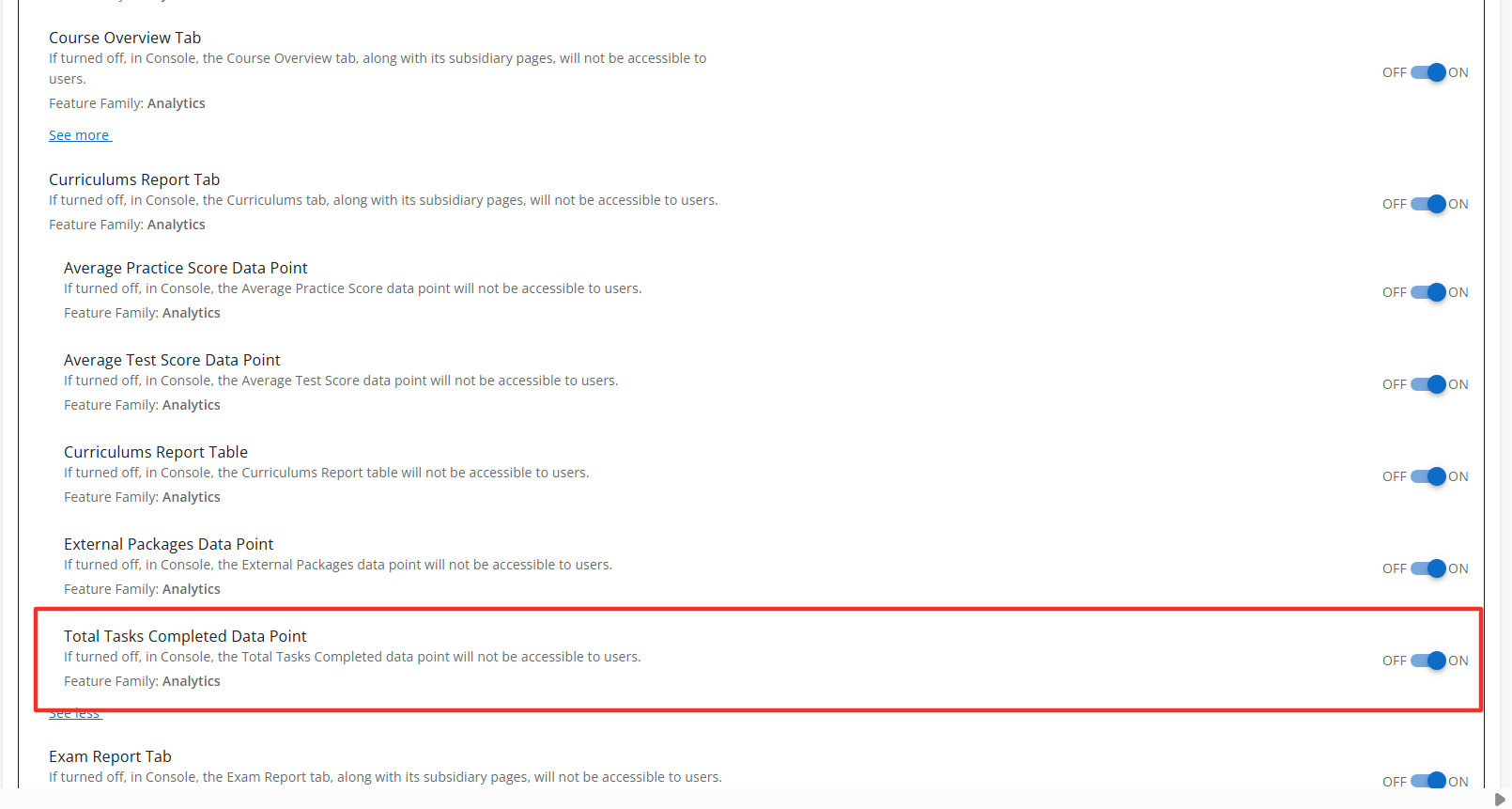
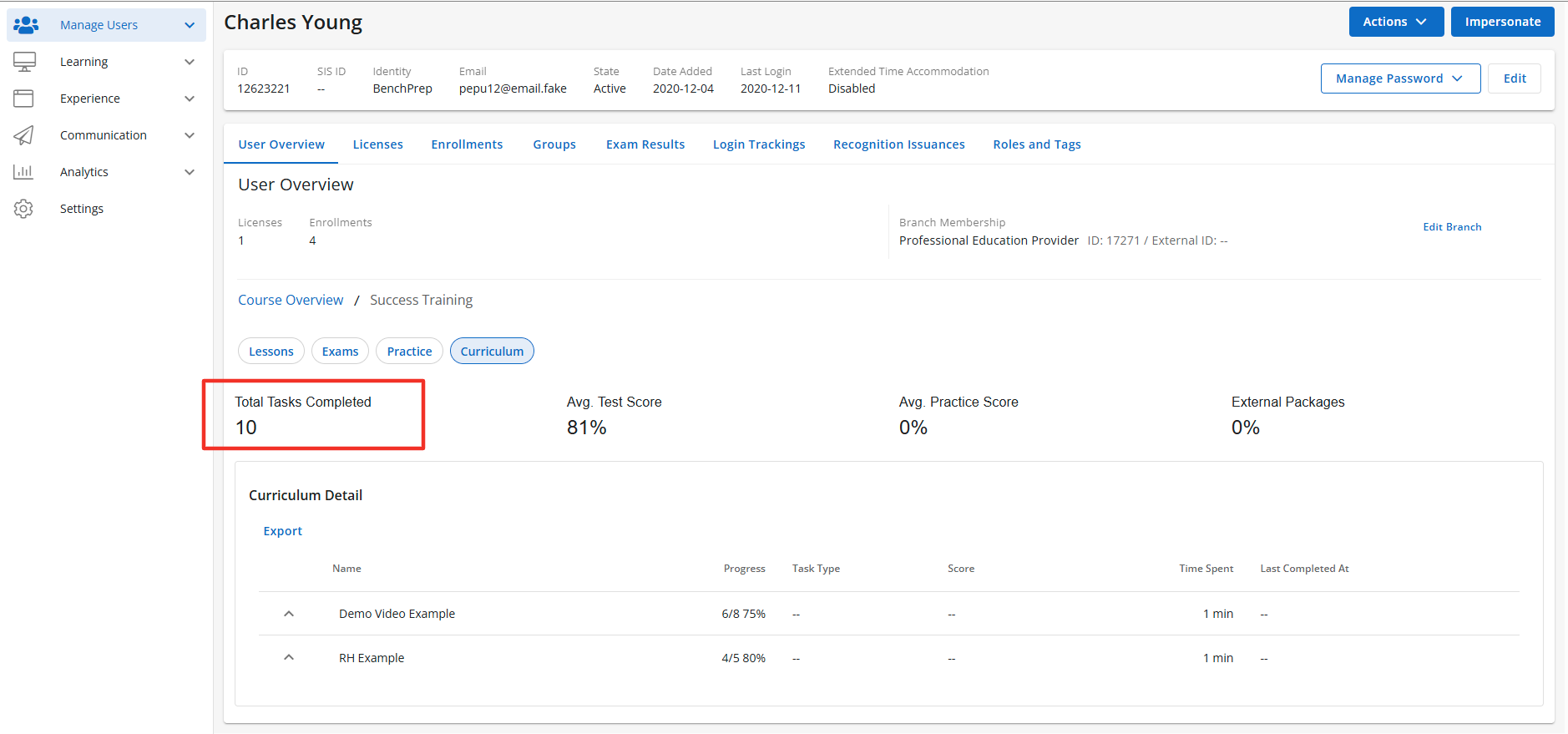
Total Tasks Completed
Description: The Total Tasks Completed is a sub-feature of the Curriculum feature. When enabled the Total Tasks Completed will display the total number of task completed within the Curriculum. The Total Tasks Completed is accessible to users with the correct access context. Default State: ON
Configuration Level(s): Enabled at the Tenant and Branch level. Configurable by Admins or users with "Update Tenant" permission from Console.
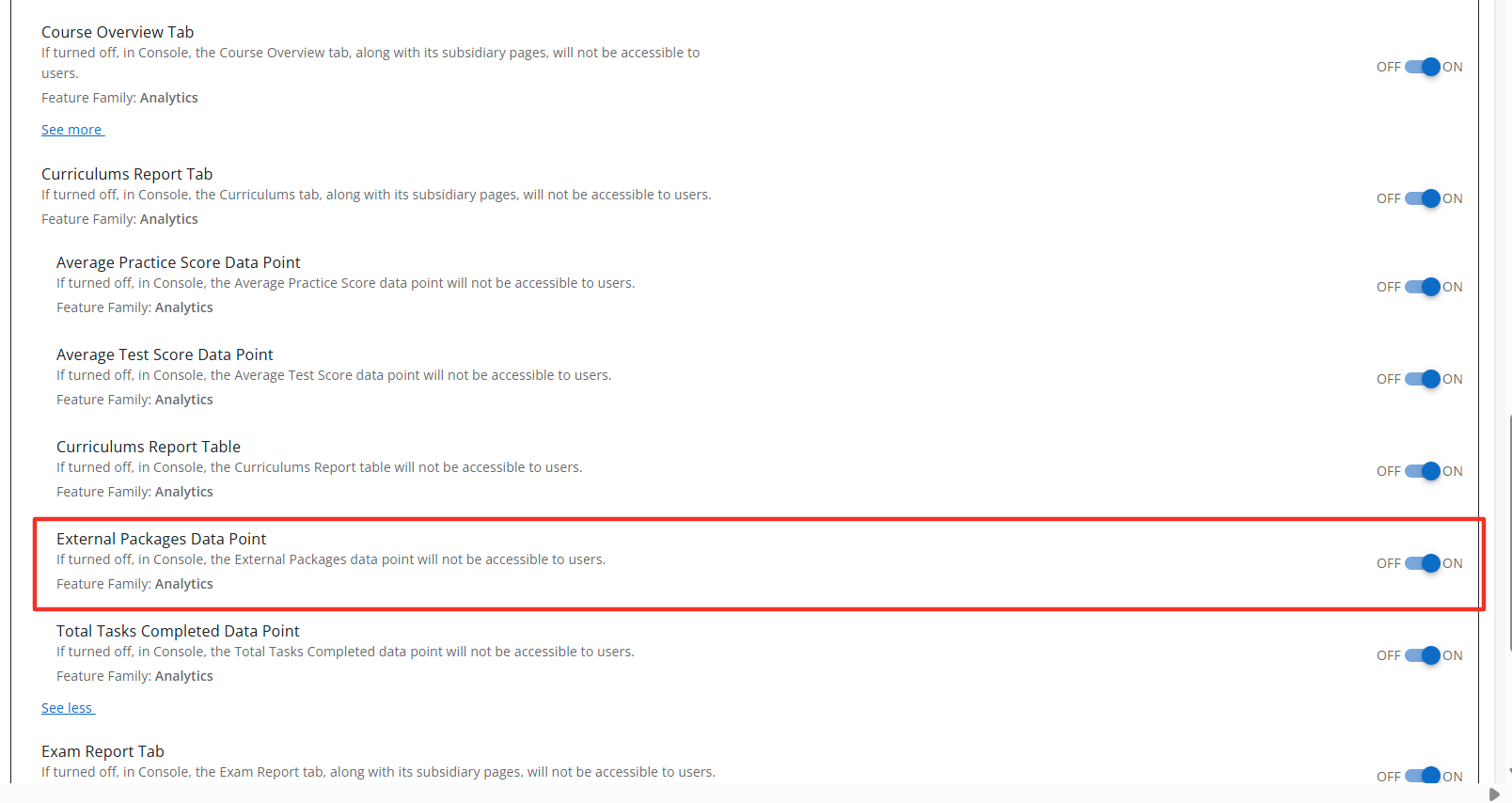
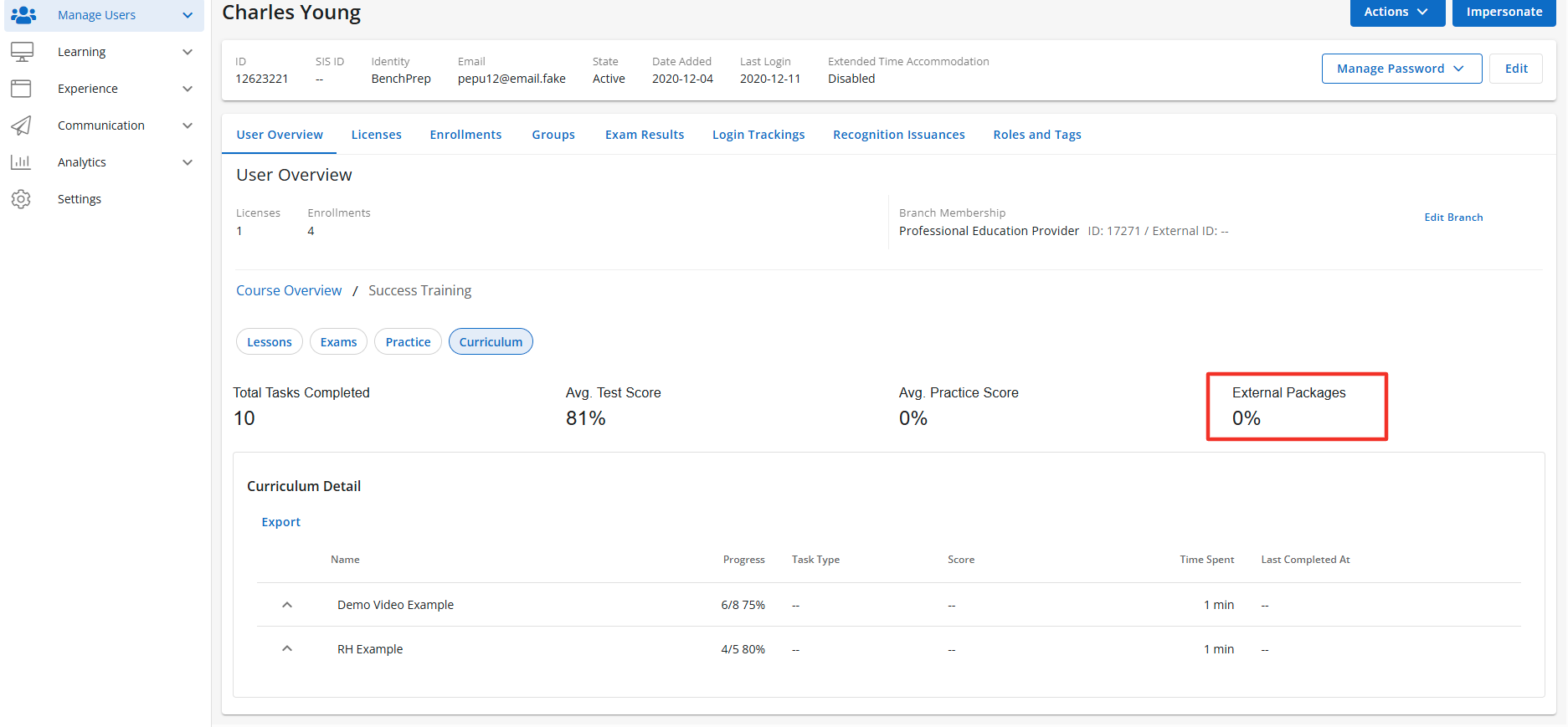
External Packages Data Point
Description: The External Packages Data Point tab is a sub-feature of the Curriculum feature. When enabled the External Packages Data Point section will display the total number of completed external packages by the learner. The External Packages Data Point is accessible to users with the correct access context. Default State: ON
Configuration Level(s): Enabled at the Tenant and Branch level. Configurable by Admins or users with "Update Tenant" permission from Console.
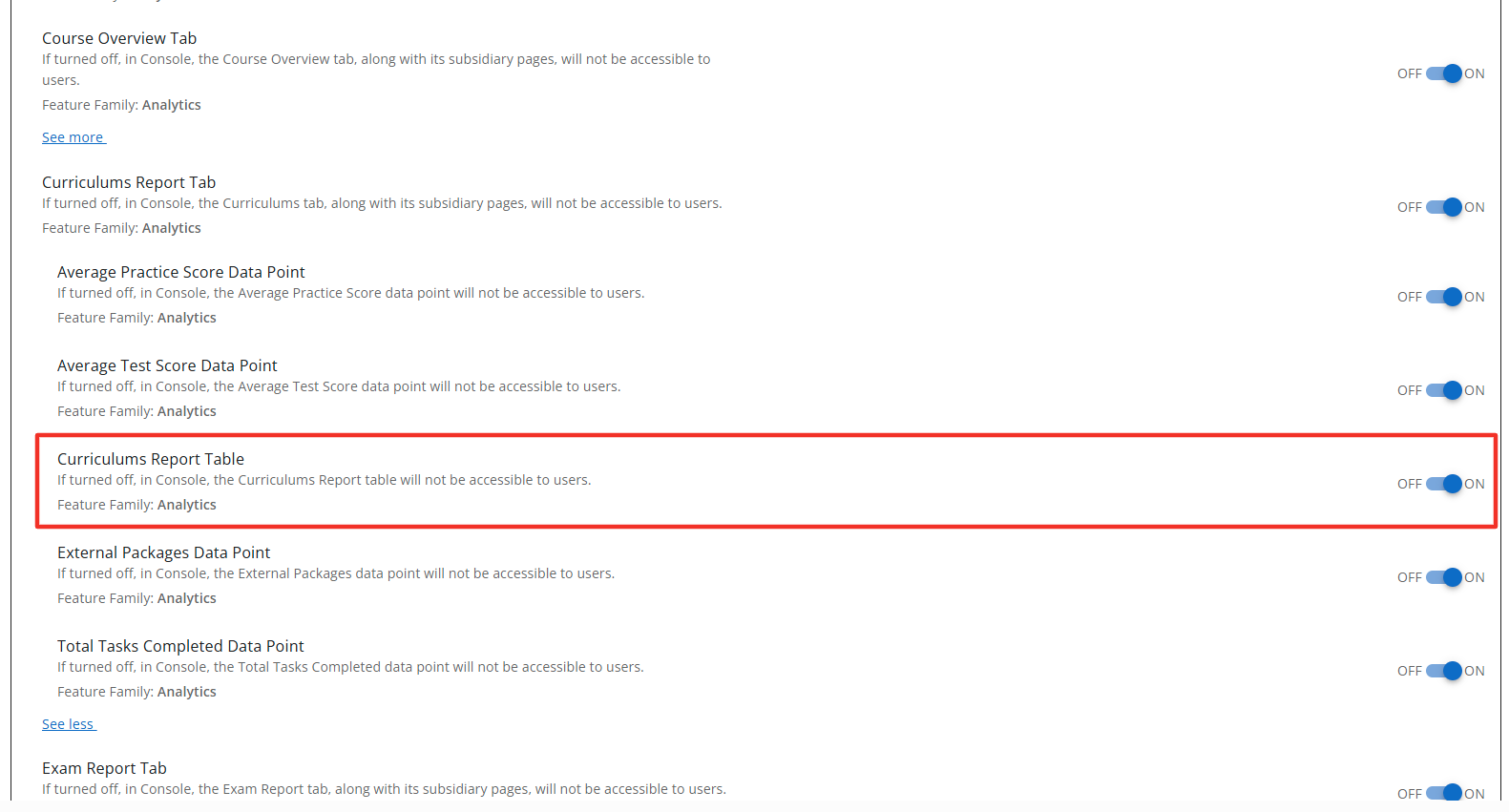
Curriculum Report Table
Description: The Curriculum Report Table is a sub-feature of the Curriculum. When enabled the Curriculum Report Table will display the progress, task type, score, time spent, and date completed. The Curriculum Report Table is accessible to users with the correct access context. Default State: ON
Configuration Level(s): Enabled at the Tenant and Branch level. Configurable by Admins or users with "Update Tenant" permission from Console.
Exam Report Tab
Description: The Exam Report tab is a sub-feature of the User Detail feature and appears once you have selected a course from the Course overview page. When enabled the User Details section will display the Exam Report, along with its subsidiary pages. The Exam Report tab is accessible to users with the correct access context. Default State: ON
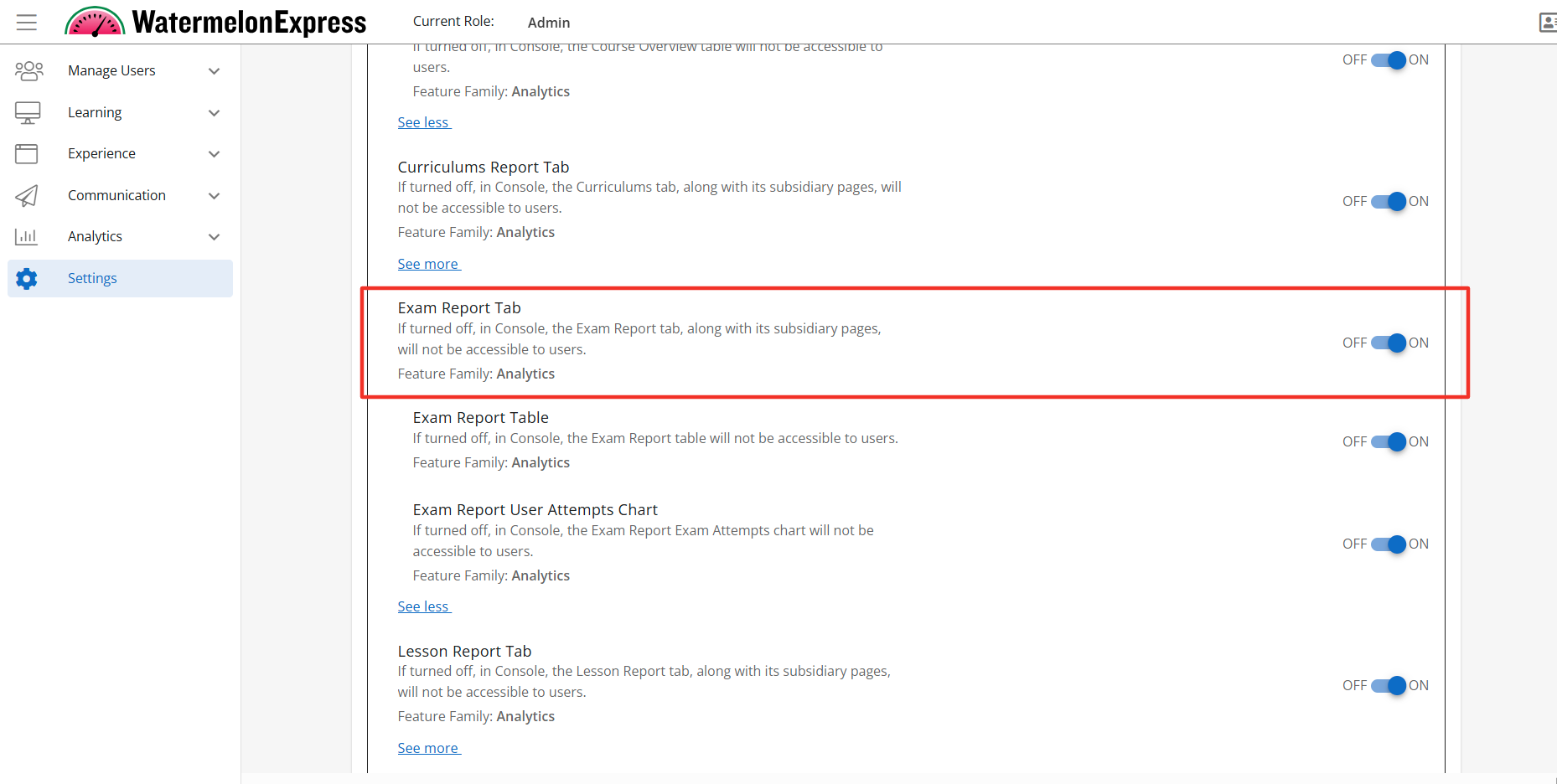
Configuration Level(s): Enabled at the Tenant and Branch level. Configurable by Admins or users with "Update Tenant" permission from Console.
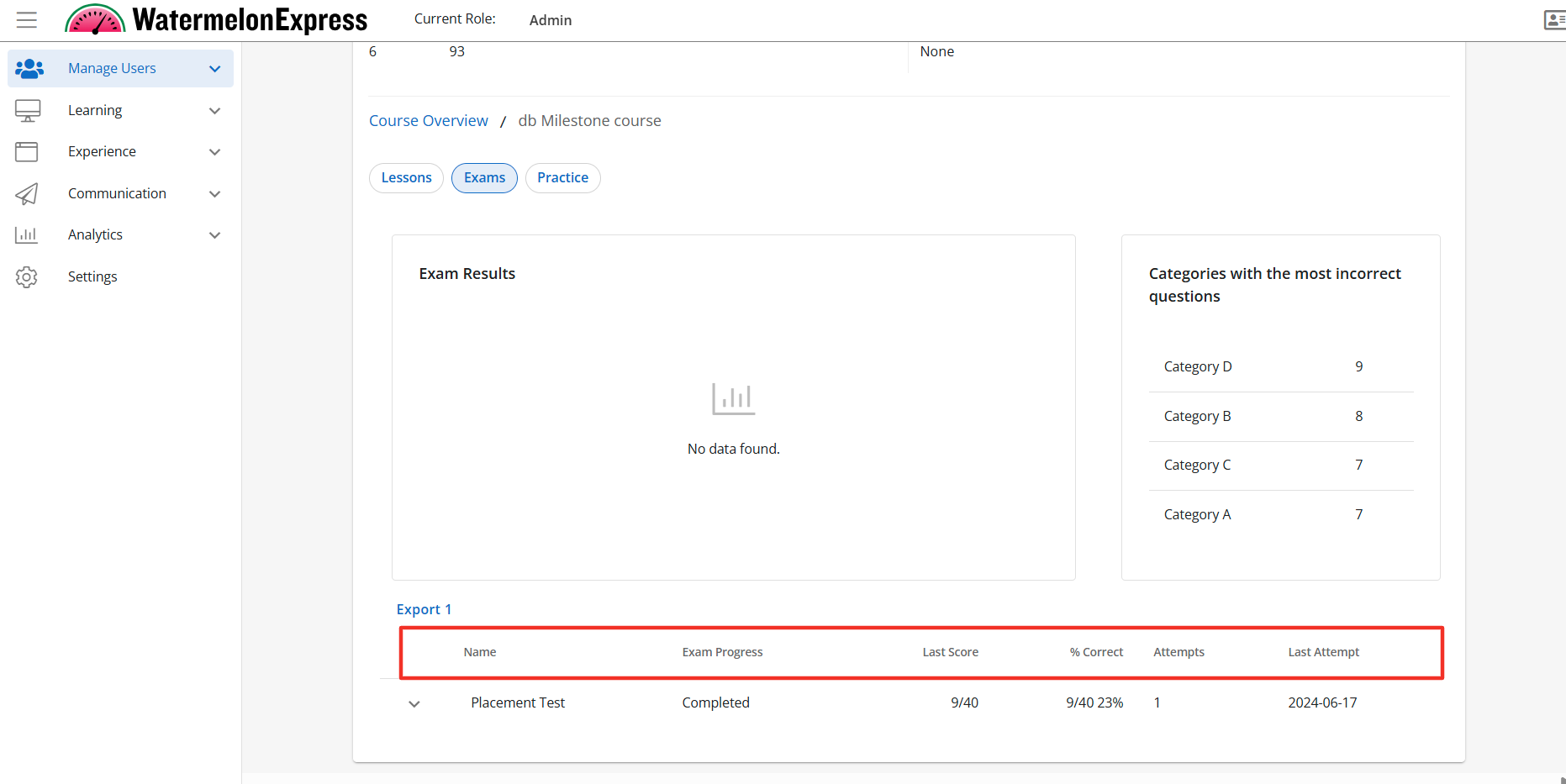
Exam Report Table
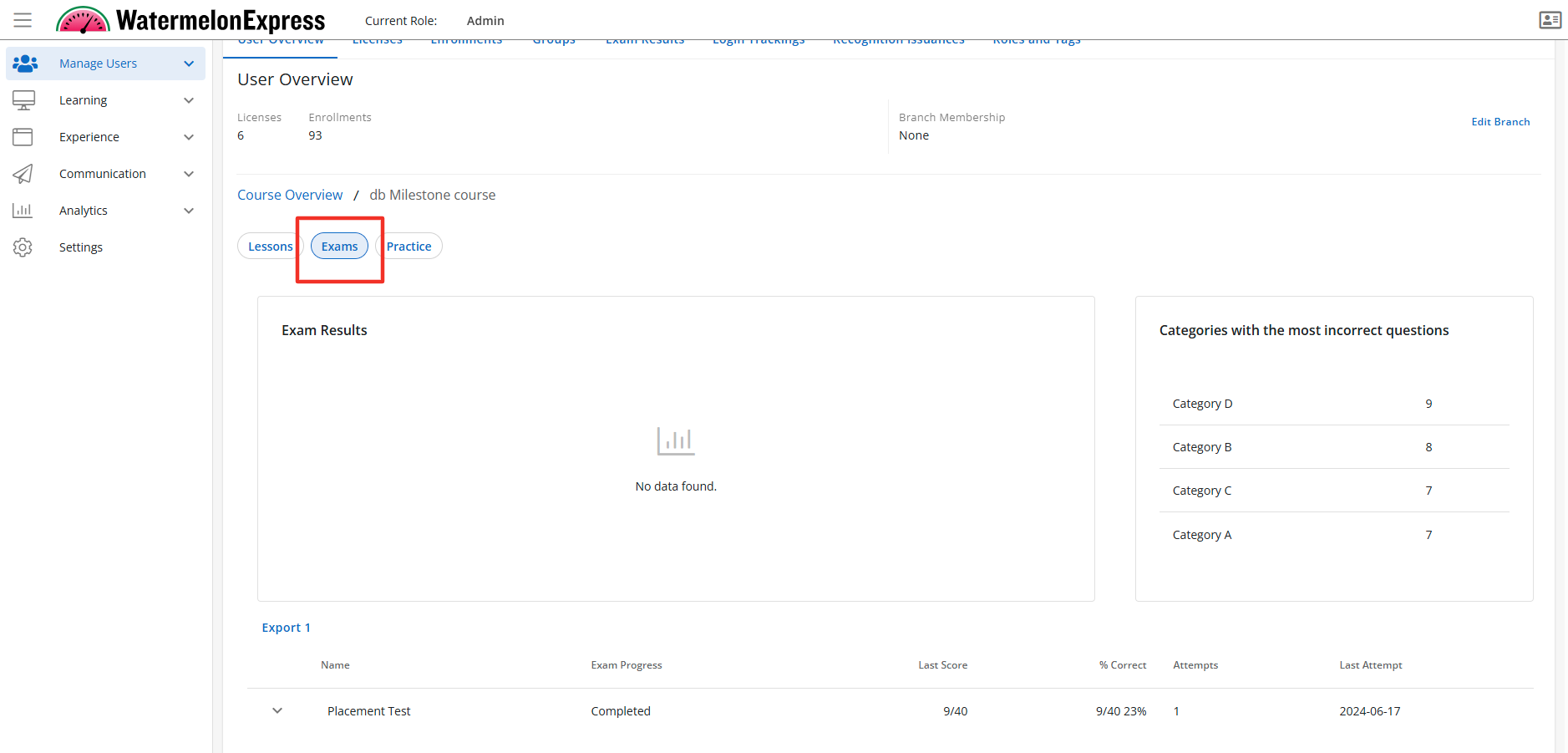
Description: The Exam Report Table is a sub feature of the Exam Report tab. When enabled the Exam Report tab section will display the Exam Report Table to users with the correct access context. The Exam Report Table displays the name of the completed exam and multiple data points calculated across the exam. Default State: ON
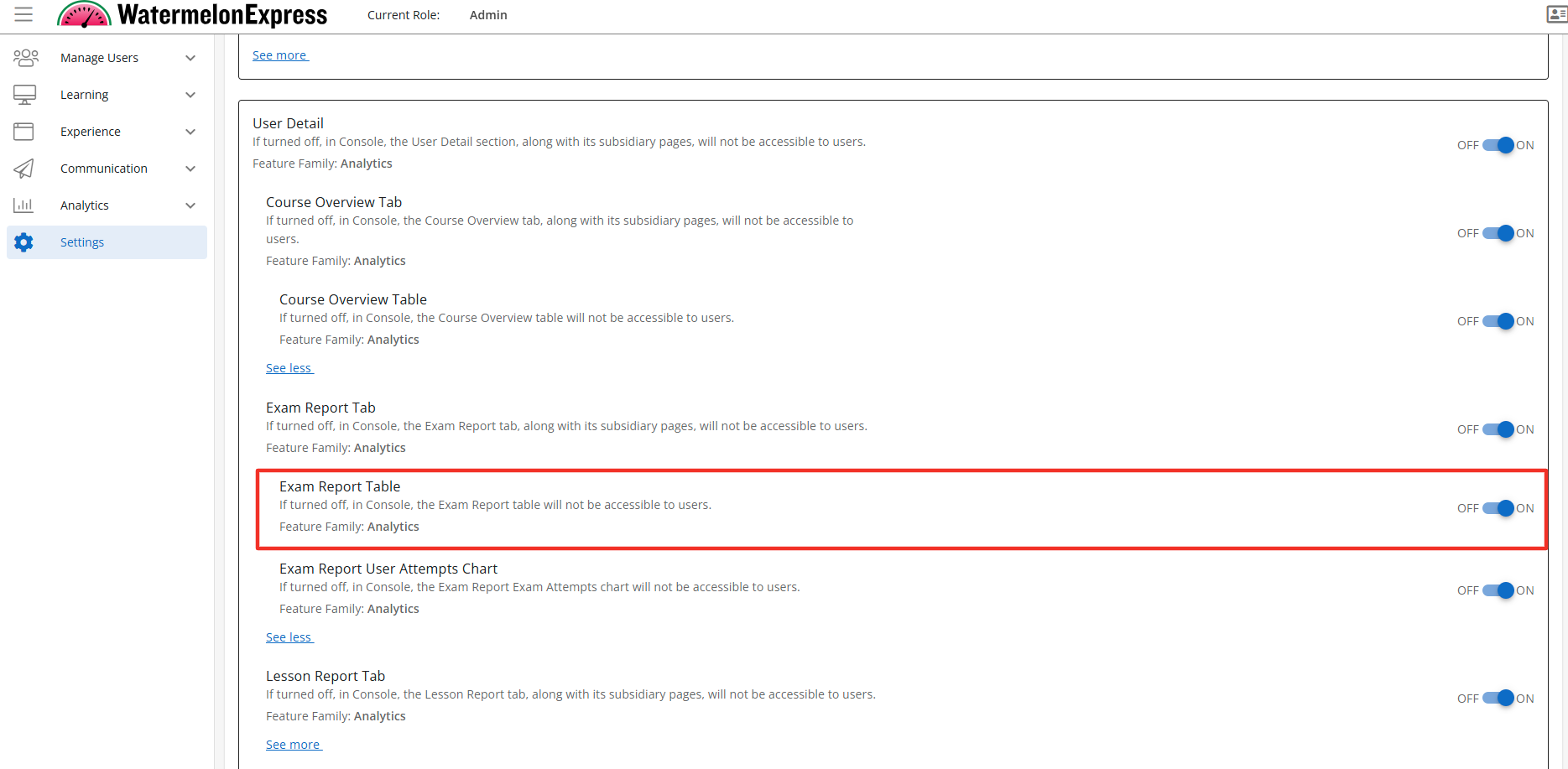
Configuration Level(s): Enabled at the Tenant and Branch level. Configurable by Admins or users with "Update Tenant" permission from Console.
Exam Report User Attempt Chart
Description: The Exam User Attempt Chart is sub-feature of the Exam Report feature. When enabled the Exam Report User Attempt Chart will display in within the Exam Report tab. The Exam User Attempt Chart displays the total number of attempts for a learner including all reset attempts. The Exam Report User Attempt Chart is accessible to users with the correct access context. Default State: ON
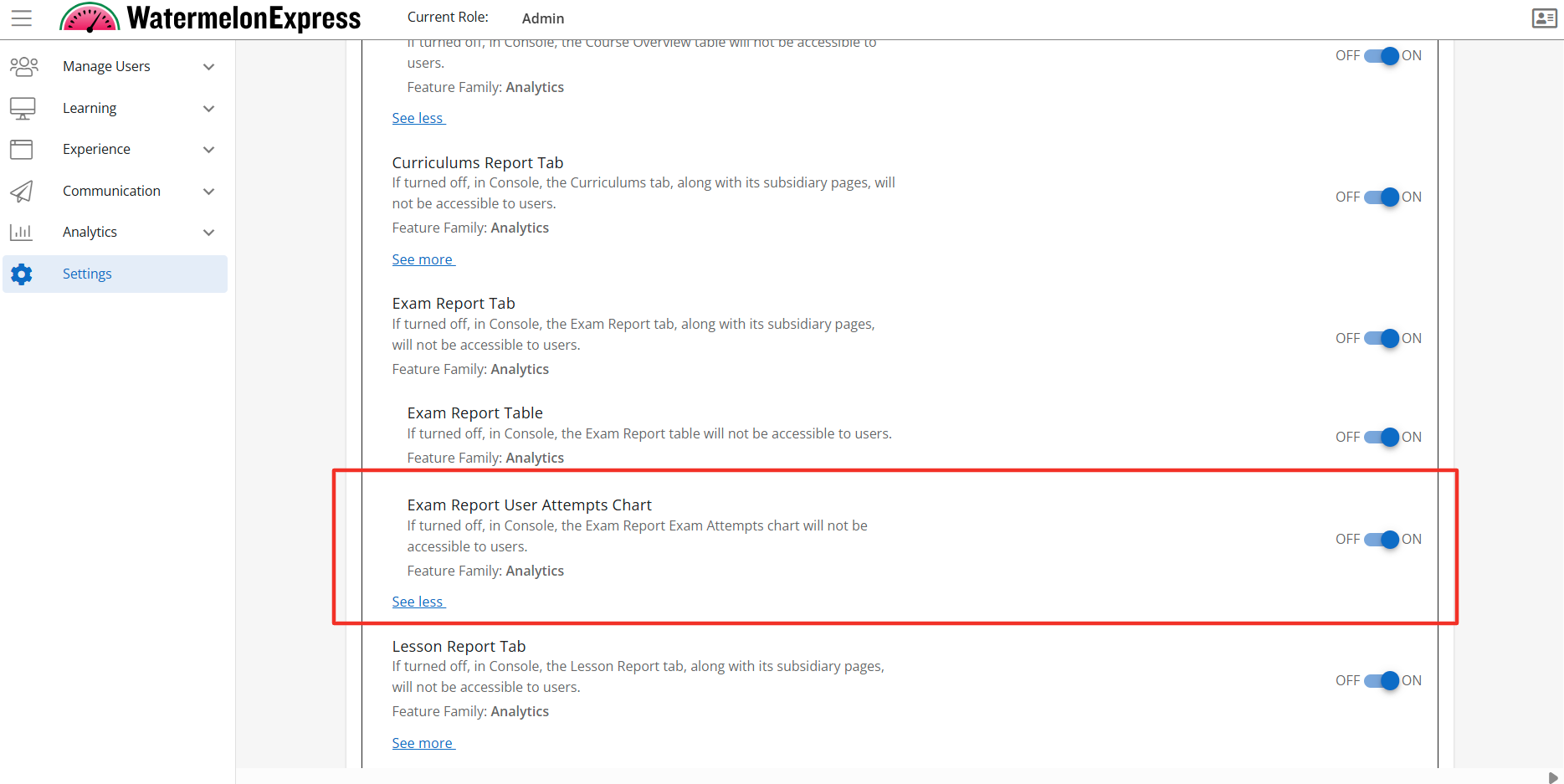
Configuration Level(s): Enabled at the Tenant and Branch level. Configurable by Admins or users with "Update Tenant" permission from Console.
Lessons Report Tab
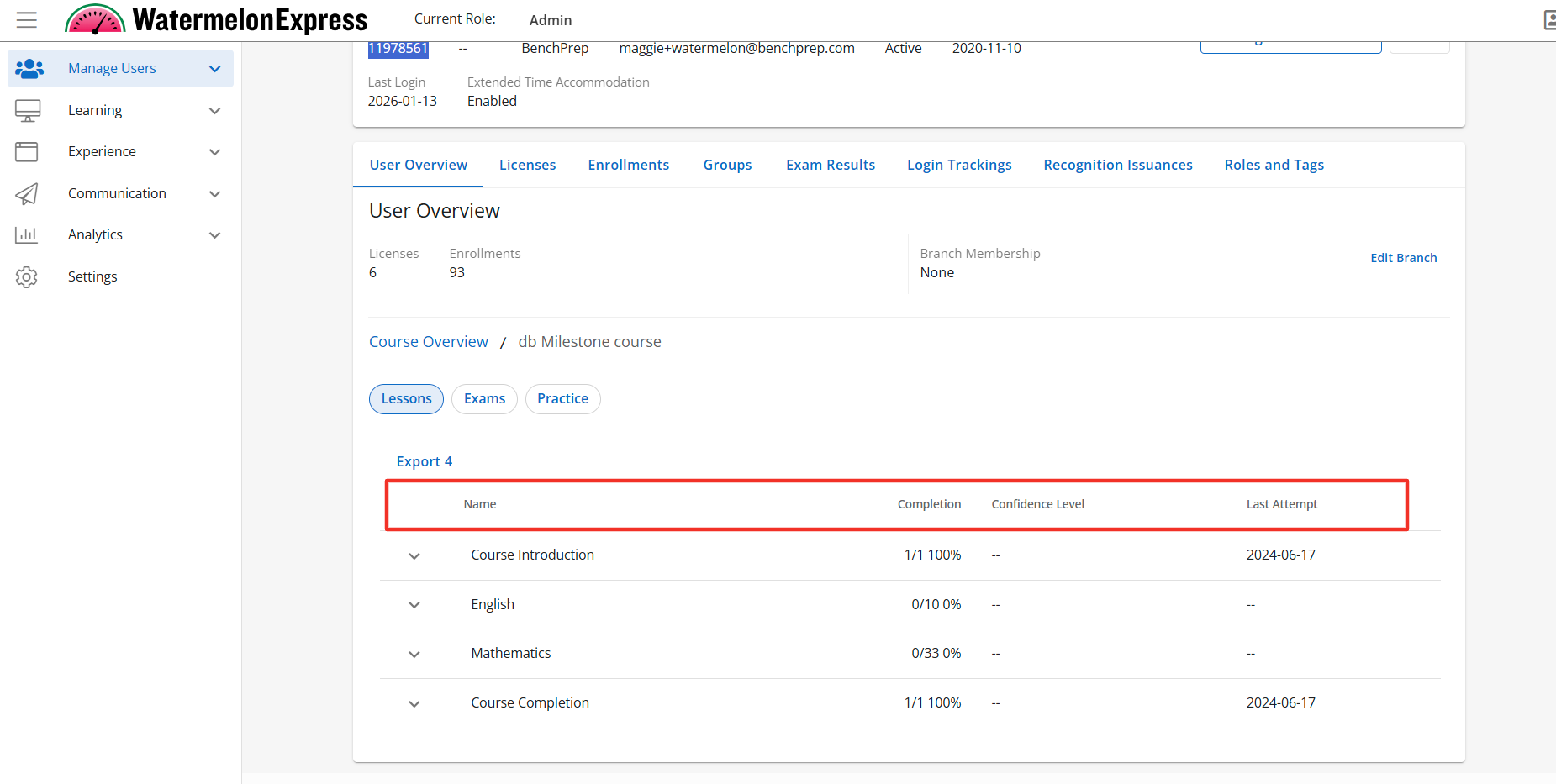
Description: The Lesson Report Tab is a sub-feature of the User Detail feature. When enabled the User Details section will display the Lesson Report Tab, along with its subsidiary pages. The Lesson Report is accessible to users with the correct access context. Default State: ON
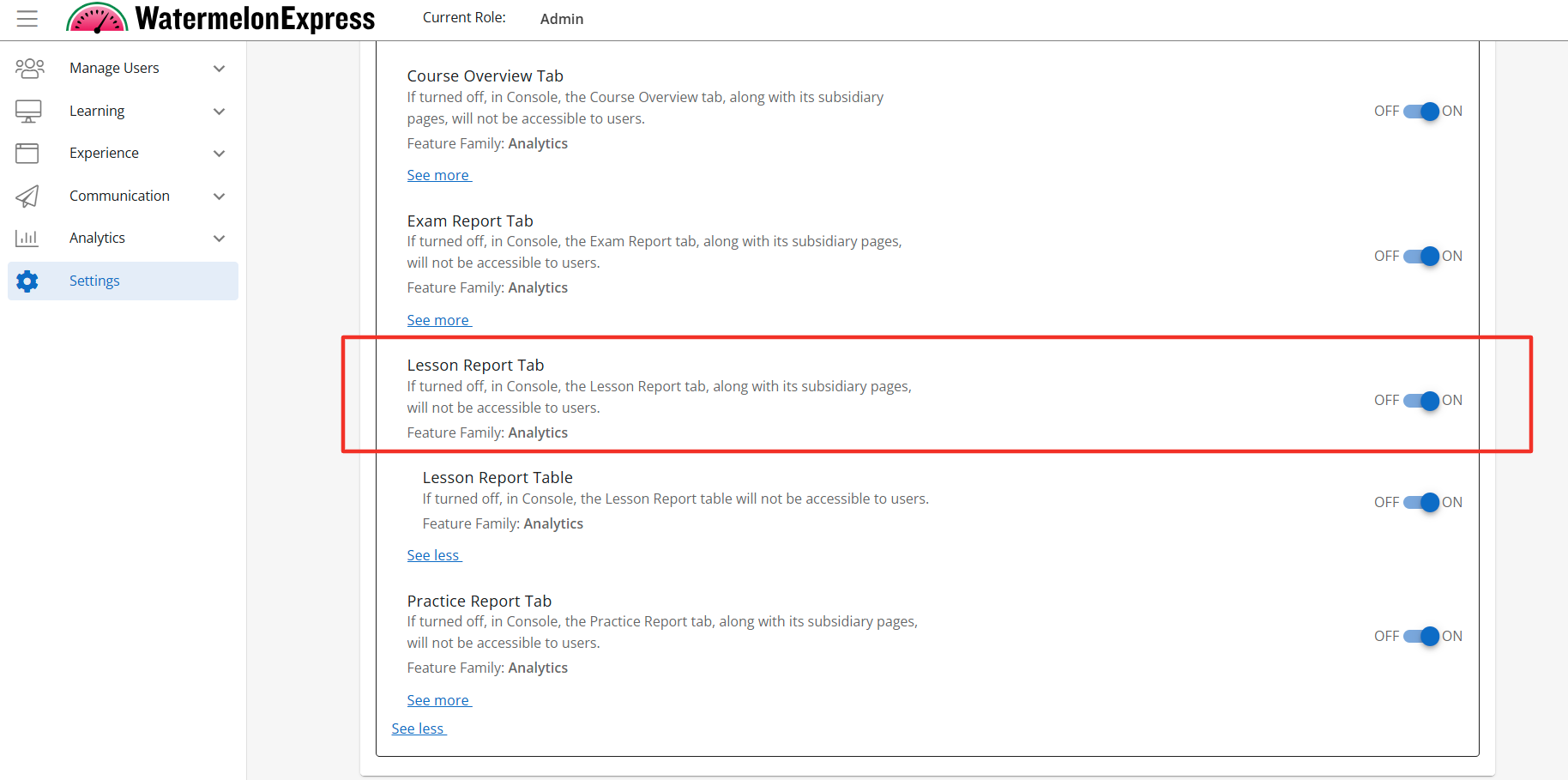
Configuration Level(s): Enabled at the Tenant and Branch level. Configurable by Admins or users with "Update Tenant" permission from Console.
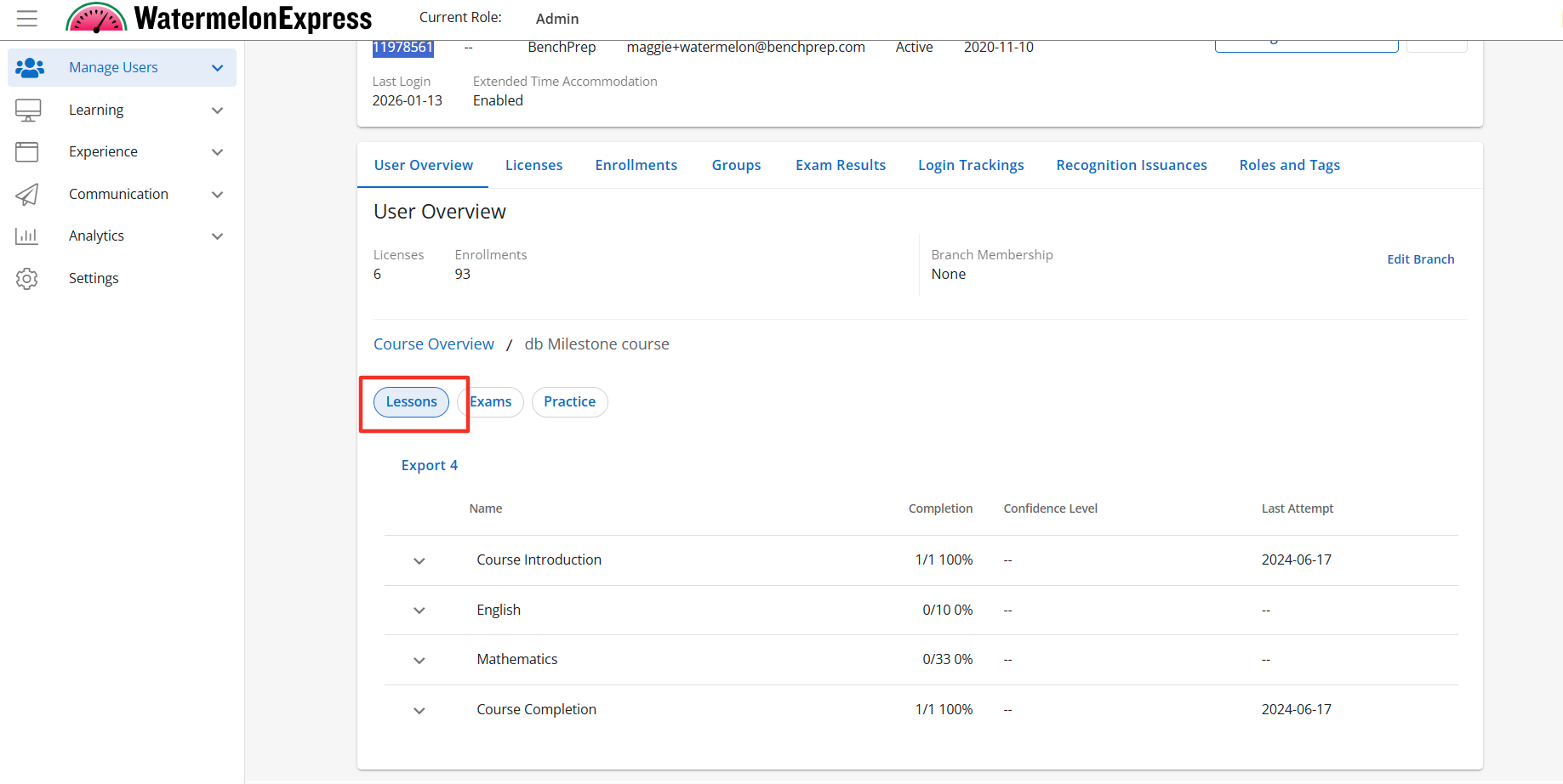
Lessons Report Table
Description: The Lesson Report Table is a sub feature of the Lesson Report Tab. When enabled the Lesson Report section will display the Lesson Report Table to users with the correct access context. The Lesson Report Table will display all lessons within the selected course and multiple data points for each of the lessons. Default State: ON
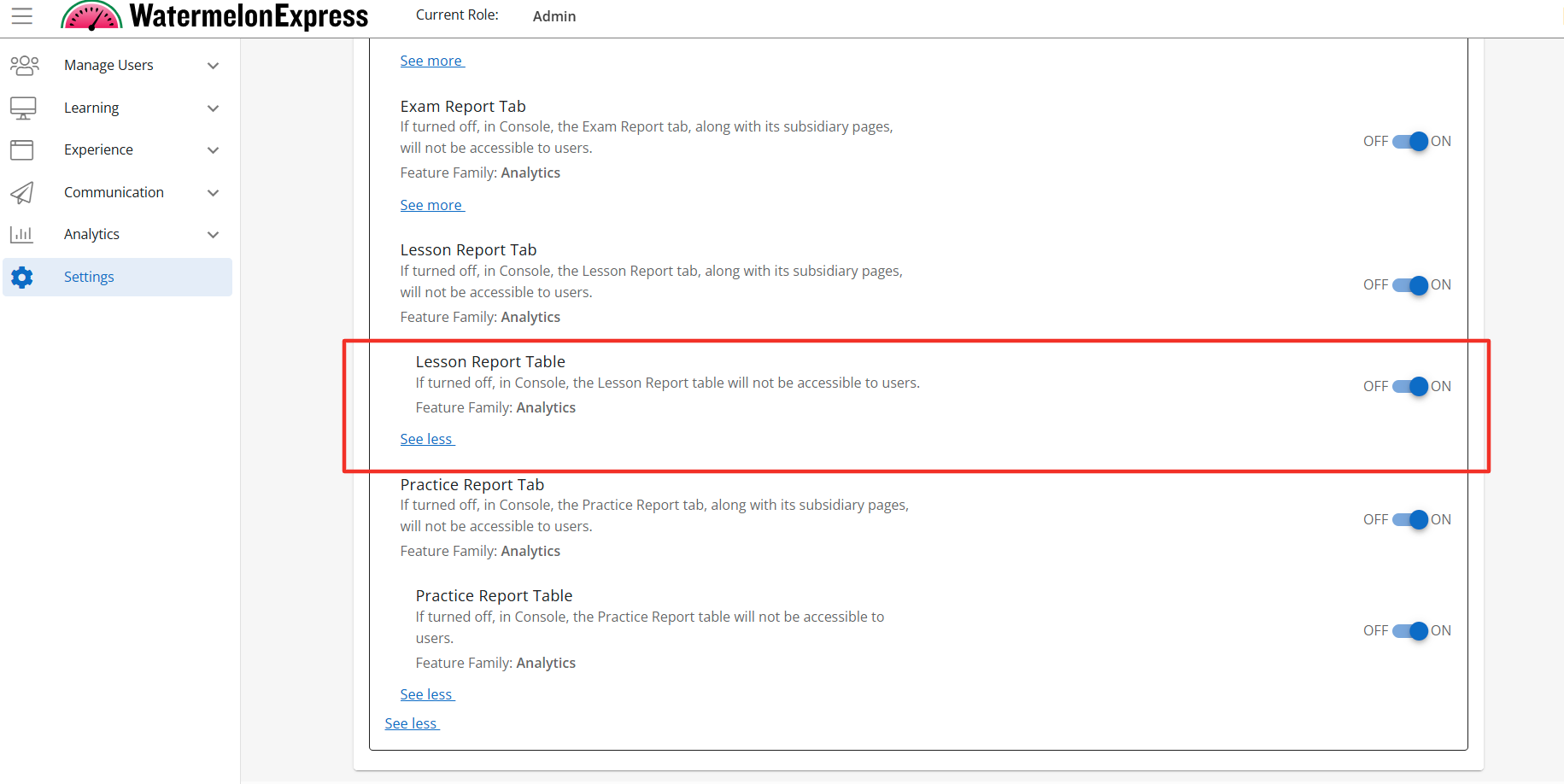
Configuration Level(s): Enabled at the Tenant and Branch level. Configurable by Admins or users with "Update Tenant" permission from Console.
Practice Report Tab
Description: The Practice Report Tab is a sub-feature of the User Detail feature. When enabled the User Details section will display the Practice Report Tab. The Practice Report Tab is accessible to users with the correct access context. Default State: ON
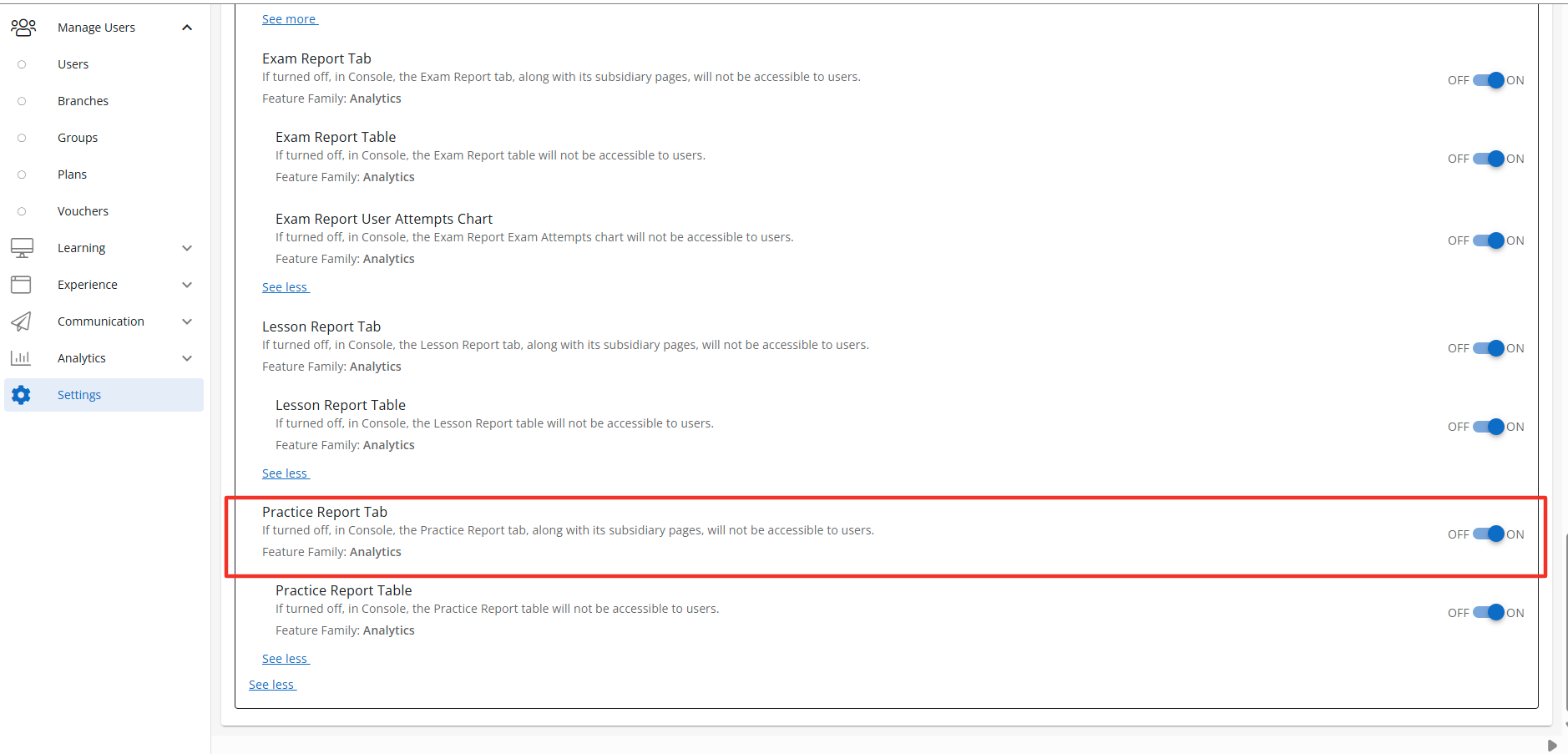
Configuration Level(s): Enabled at the Tenant and Branch level. Configurable by Admins or users with "Update Tenant" permission from Console.
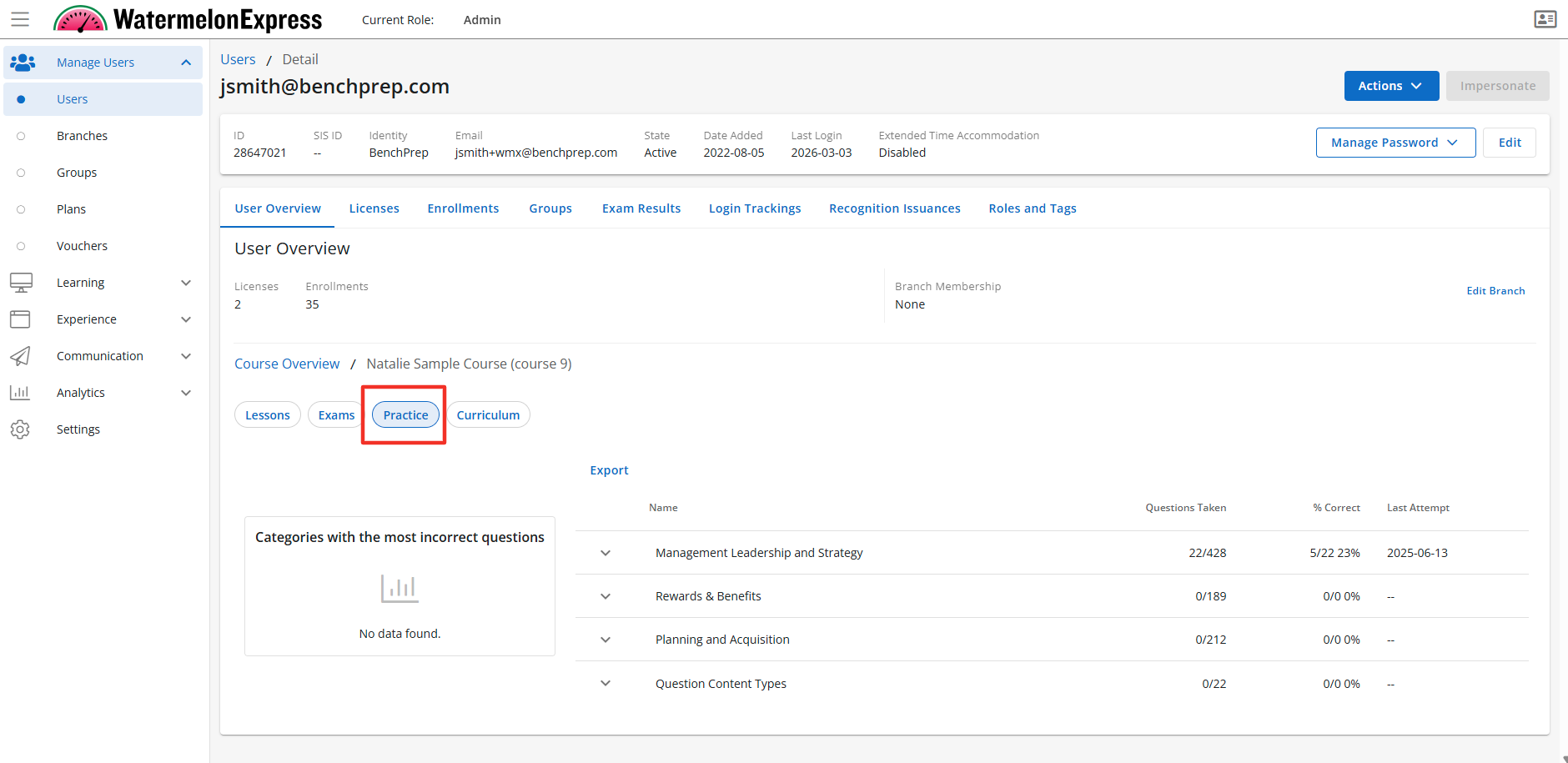
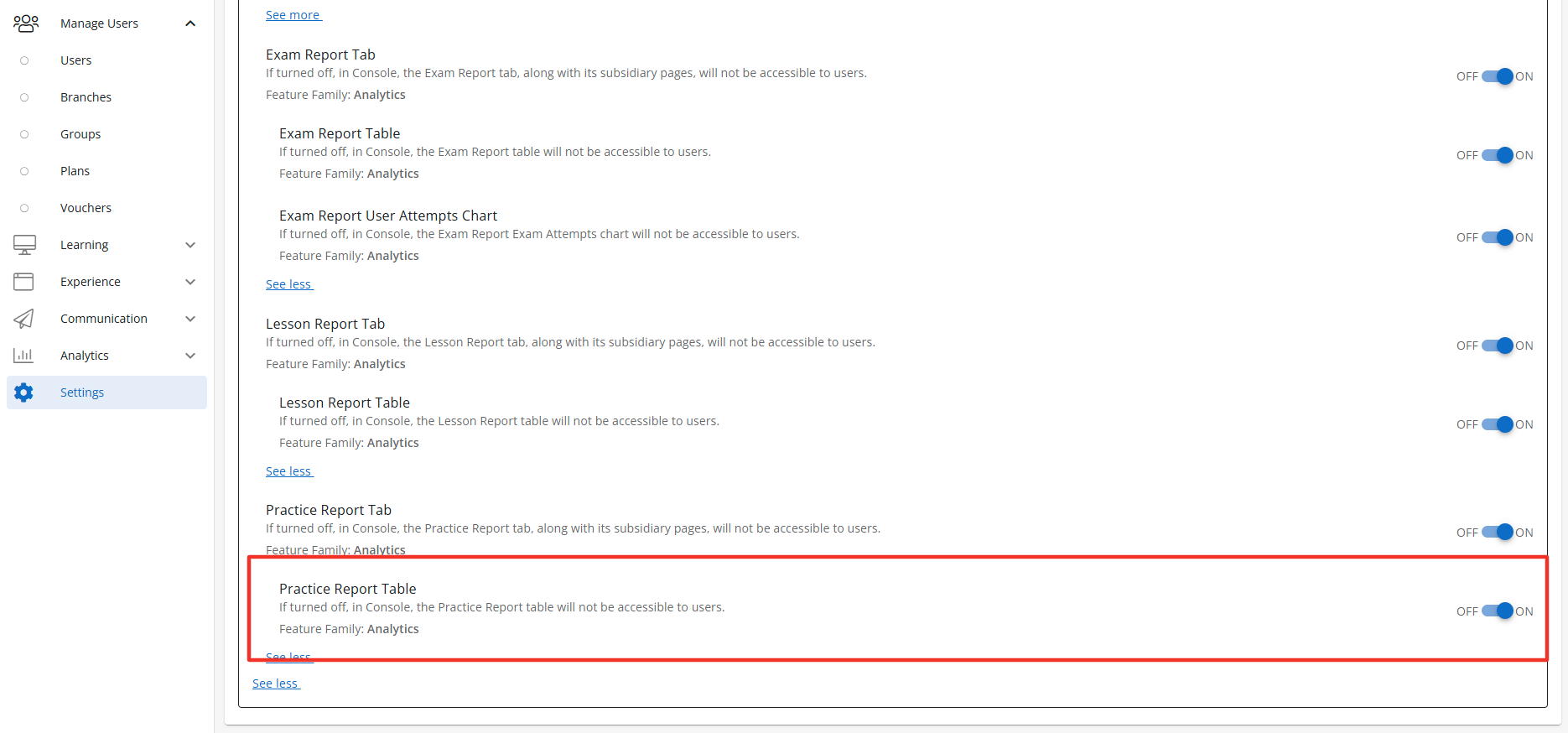
Practice Report Table
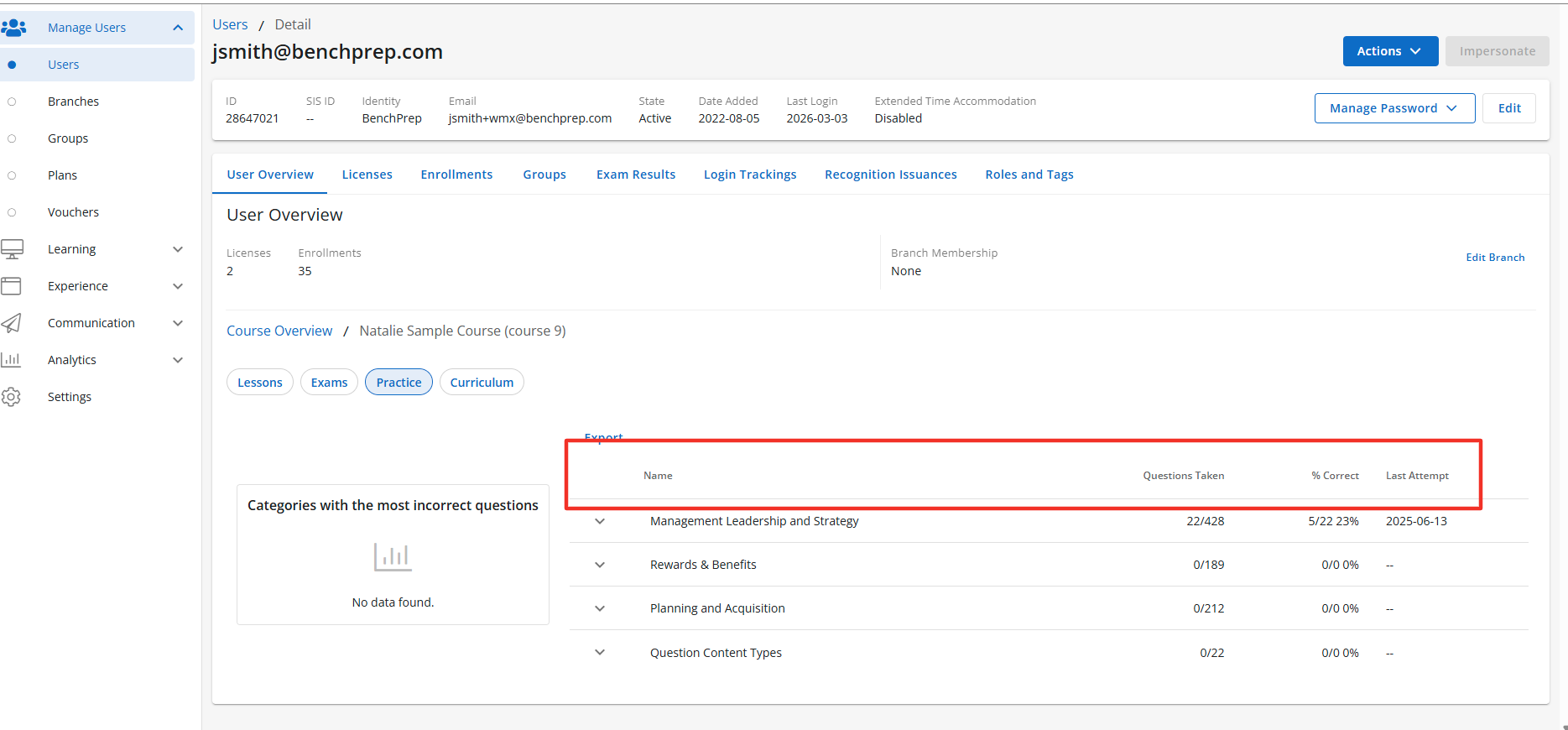
Description: The Practice Report Table is a sub-feature of the Practice Report Tab. When enabled the Practice Reports Tab section will display the Practice Report Table to users with the correct access context. The Practice Report Table displays all questions categories and their sub-categories for the selected course. The table also provides multiple data points across the categories and sub-categories. Default State: ON
Configuration Level(s): Enabled at the Tenant and Branch level. Configurable by Admins or users with "Update Tenant" permission from Console.
Group Detail Feature Access
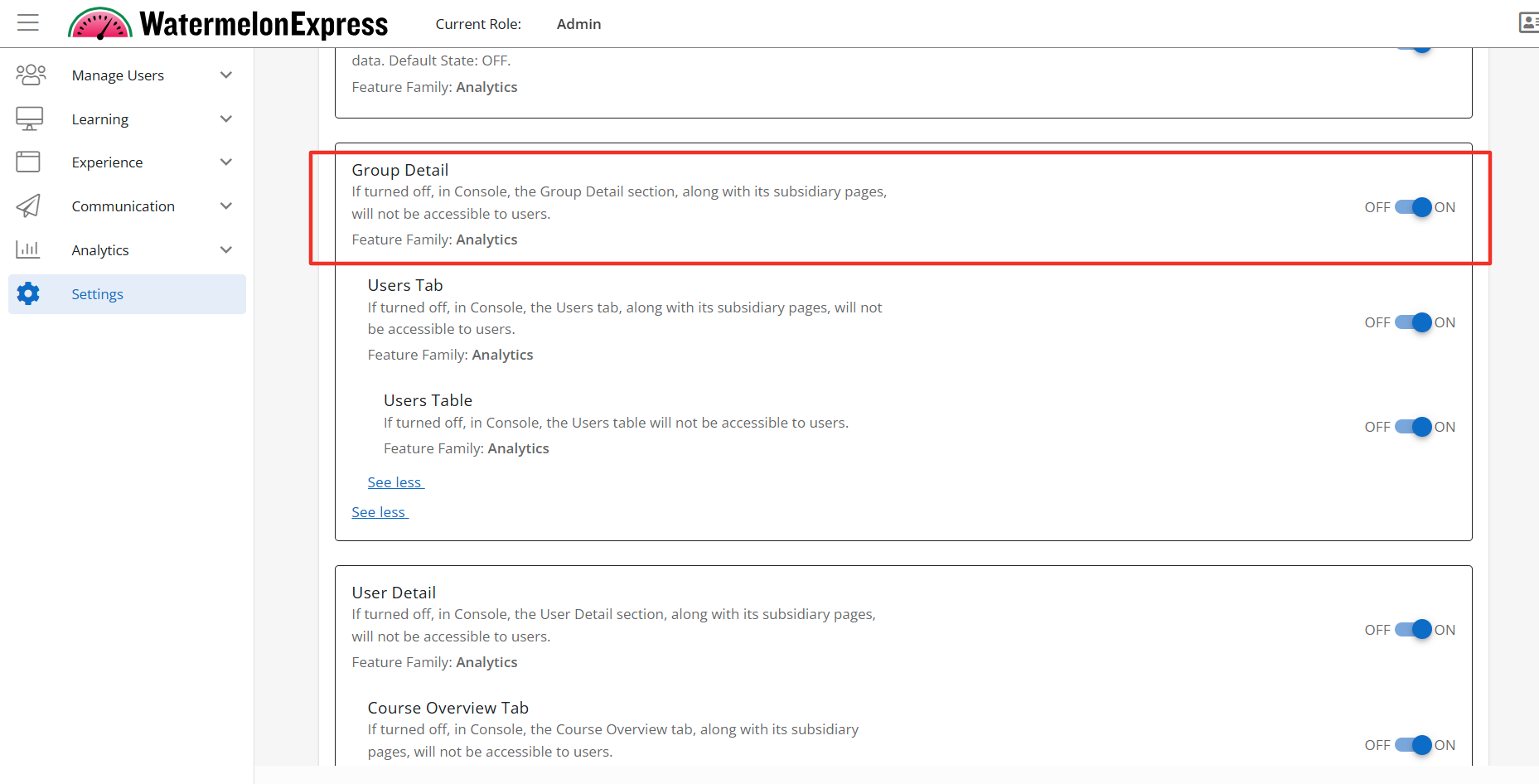
Group Detail
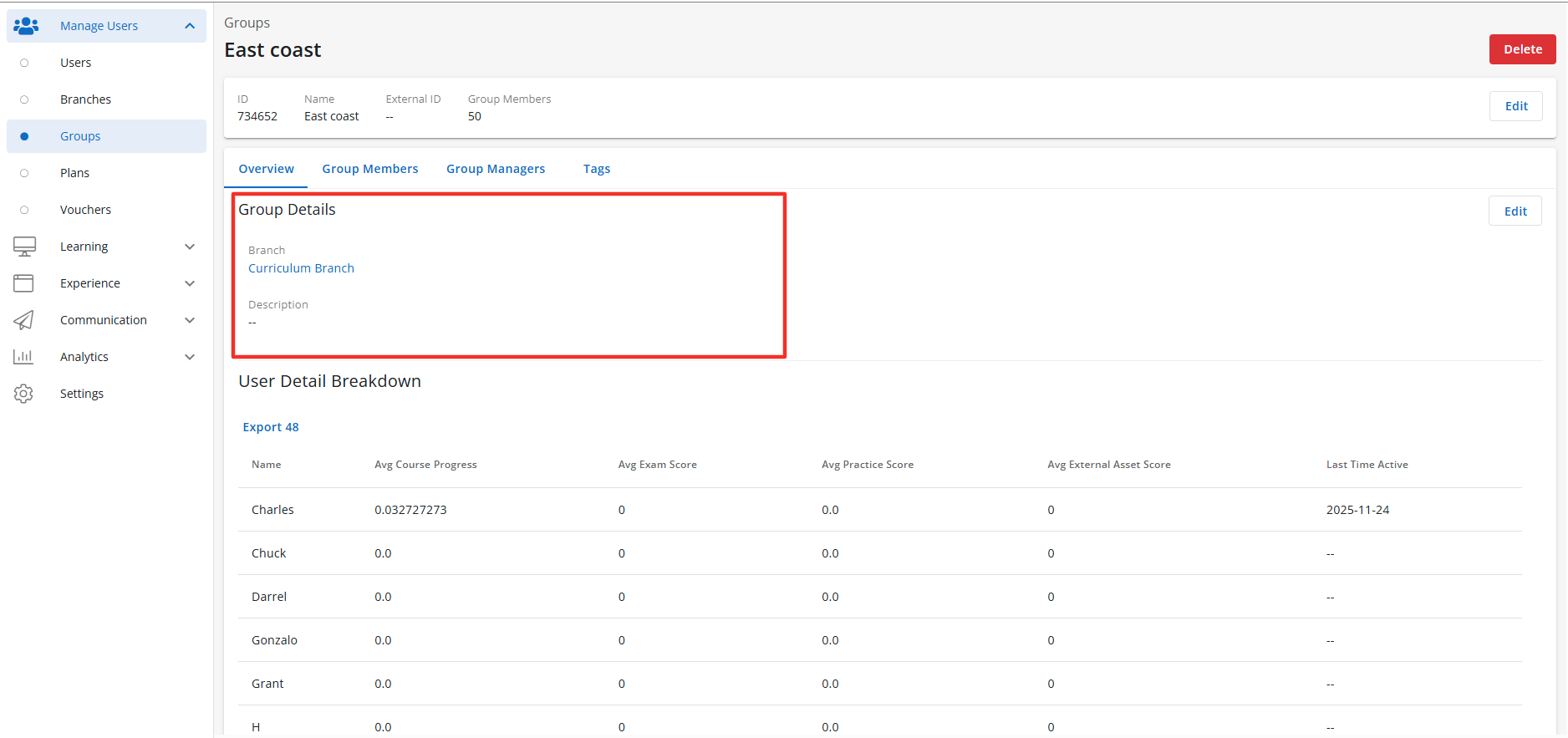
Description: When enabled the Group Details section, along with its subsidiary pages, will be accessible to users with the correct access context. The Group Detail page will display the Users Detail Breakdown table when enabled. Default State: OFF
Configuration Level(s): Enabled at the Tenant and Branch level. Configurable by Admins or users with "Update Tenant" permission from Console.
Note: Group Details includes 2 sub-features designed to further personalize BenchPrep Analytics in Console.
User Detail Breakdown
Description: The Users Detail Breakdown is a sub-feature of the Group Detail feature. When enabled the Group Details section will display the Users Detail Breakdown section, along with its subsidiary pages. The Users Detail Breakdown is accessible to users with the correct access context. When enabled the User Detail Breakdown section will display the Users Table when enabled. Default State: ON
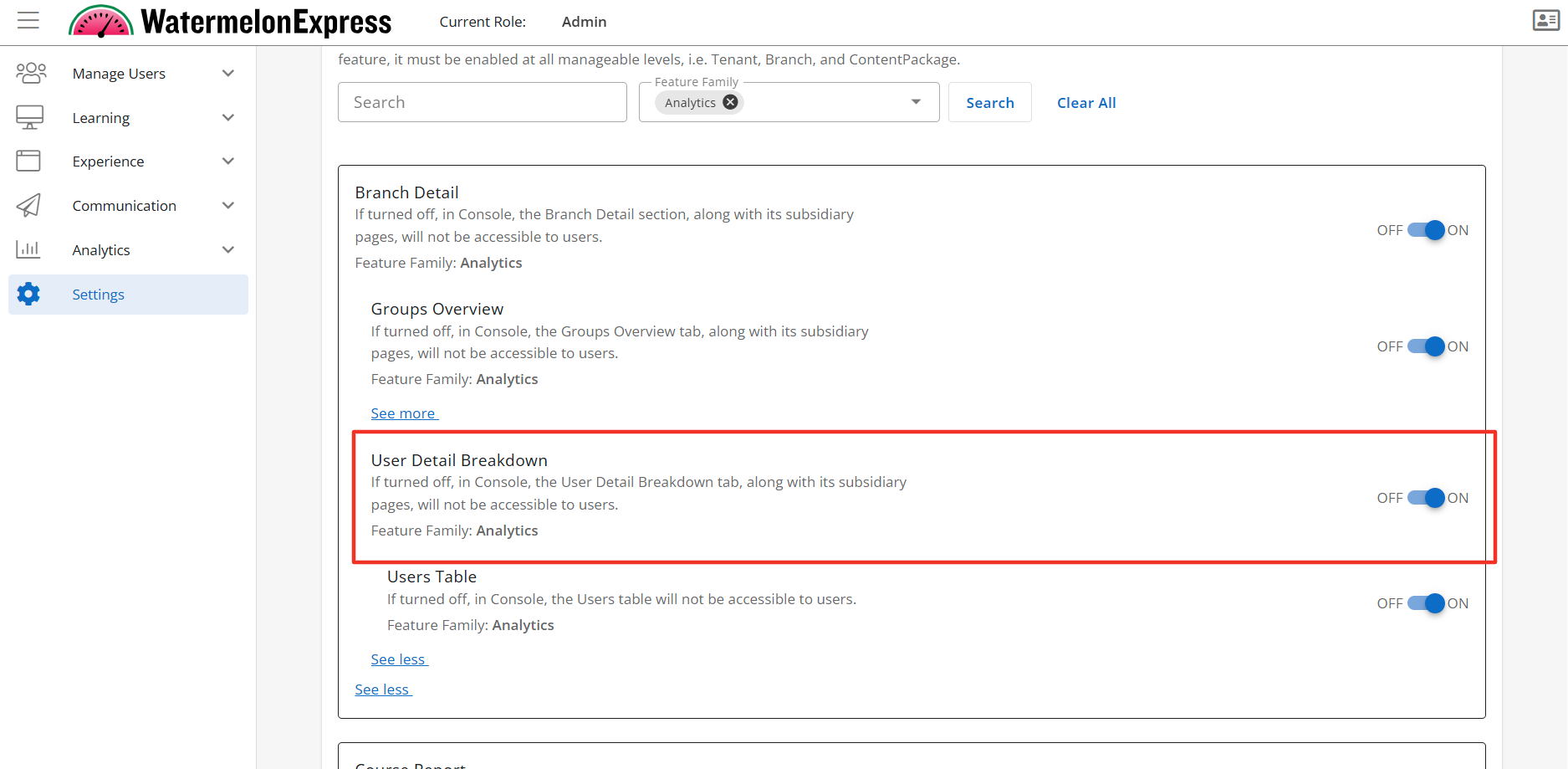
Configuration Level(s): Enabled at the Tenant and Branch level. Configurable by Admins or users with "Update Tenant" permission from Console.
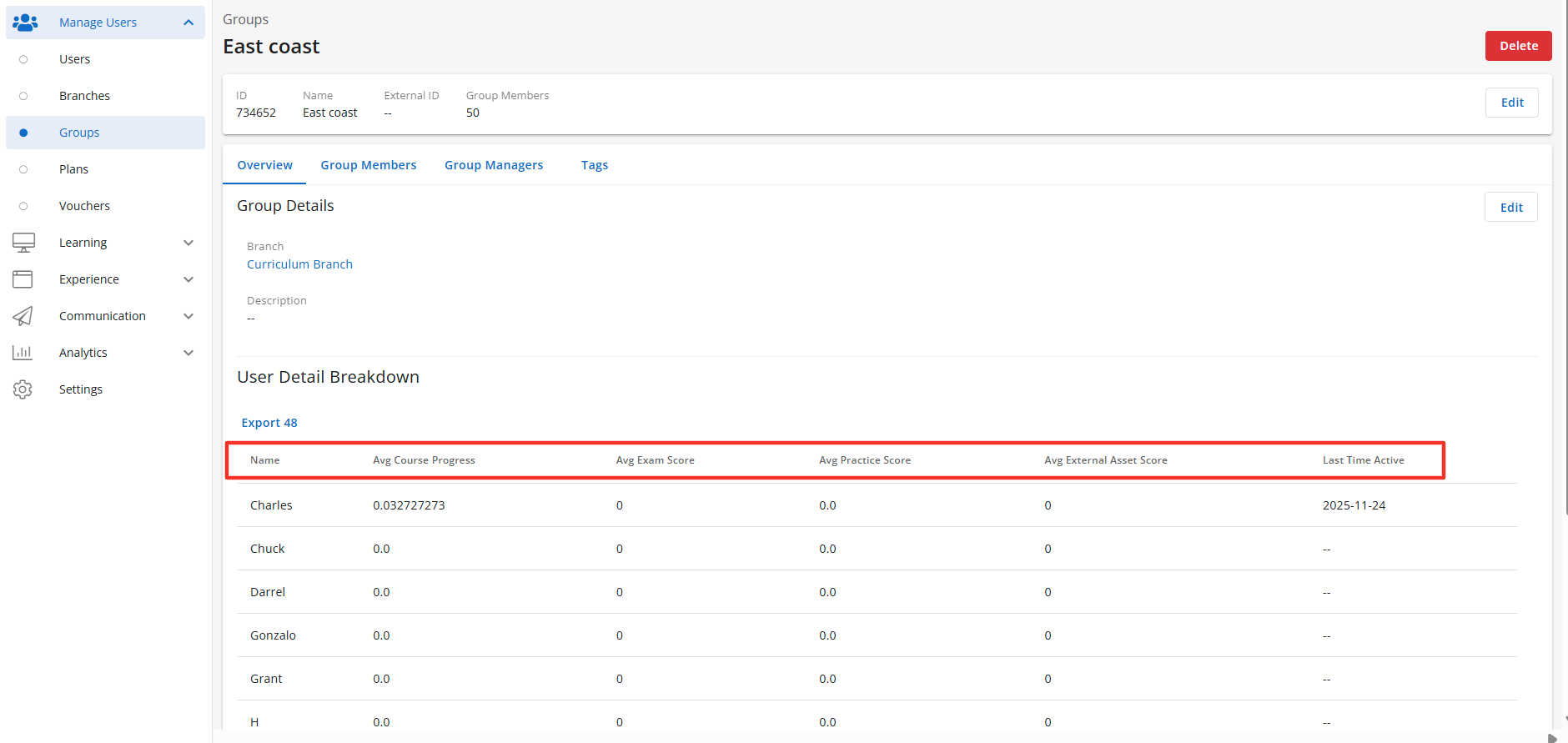
User Table
Description: The Users Table is a sub feature of the Users Tab. When enabled the User Tab section will display the Users Table to users with the correct access context. The Users Table displays the learners within the group and multiple data points for all the learners enrollments. Default State: ON
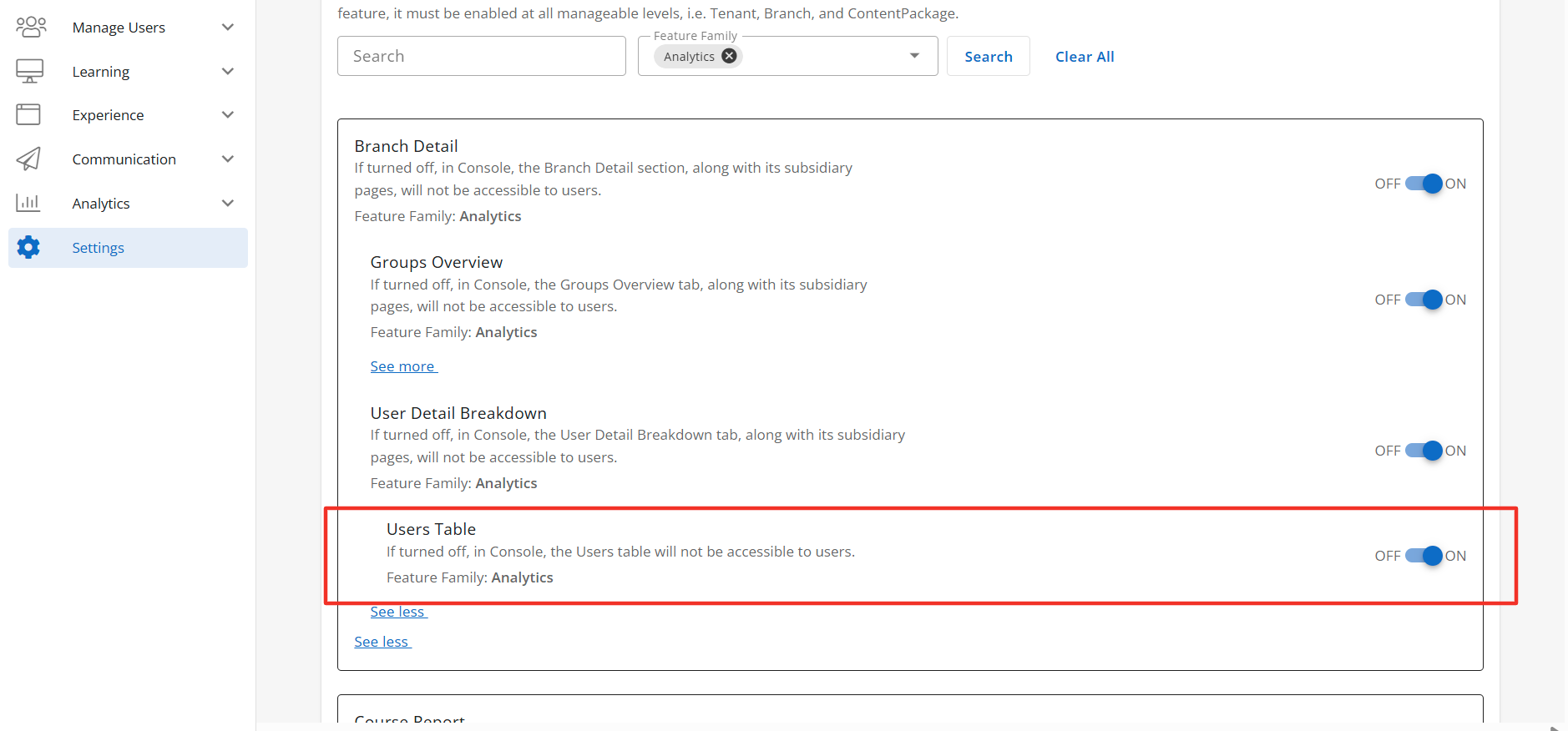
Configuration Level(s): Enabled at the Tenant and Branch level. Configurable by Admins or users with "Update Tenant" permission from Console.
Sessions Report
Sessions Report
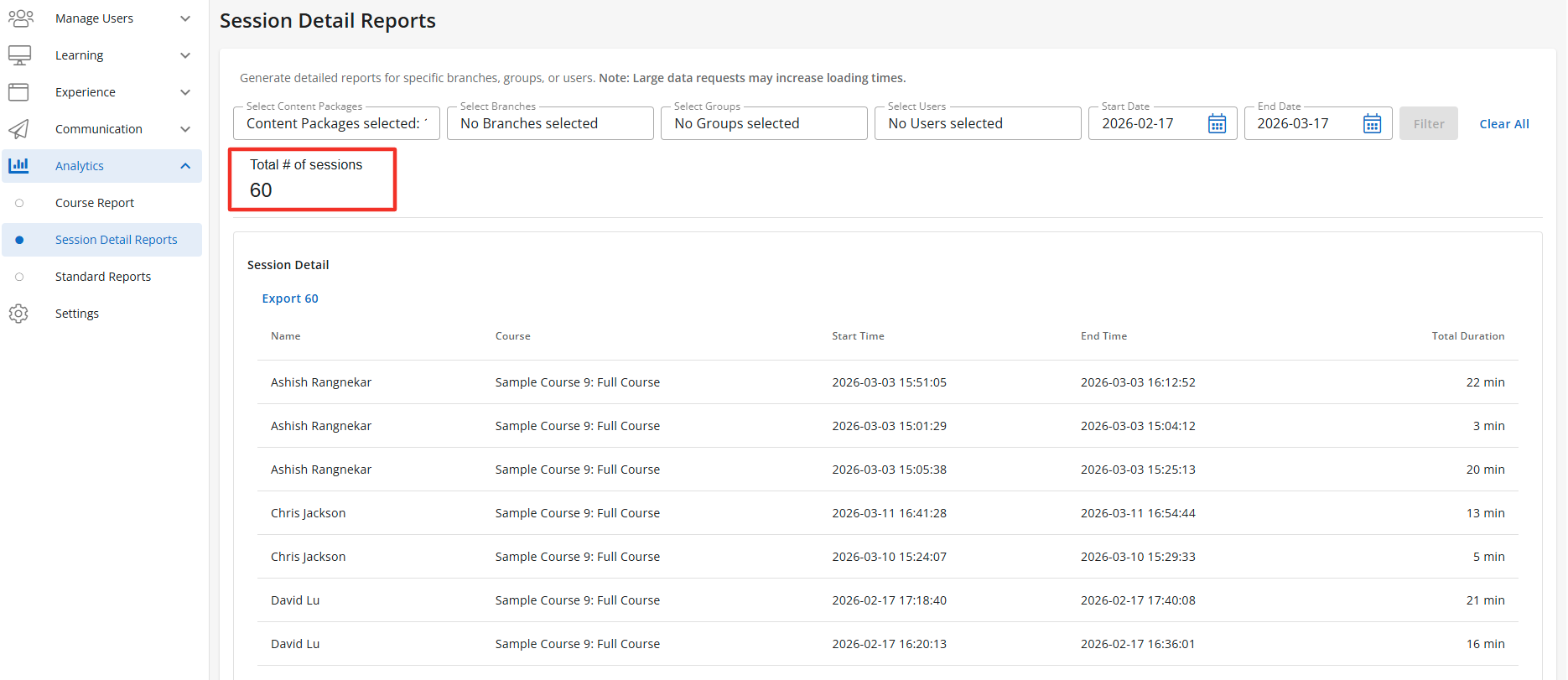
Description: When enabled the Sessions Report section, along with its subsidiary pages, will be accessible to users with the correct access context. The Sessions Report will display under the Analytics tab within Console as Session Detail Reports. The Session Reports section will display the Sessions Report Table when enabled. Default State: OFF
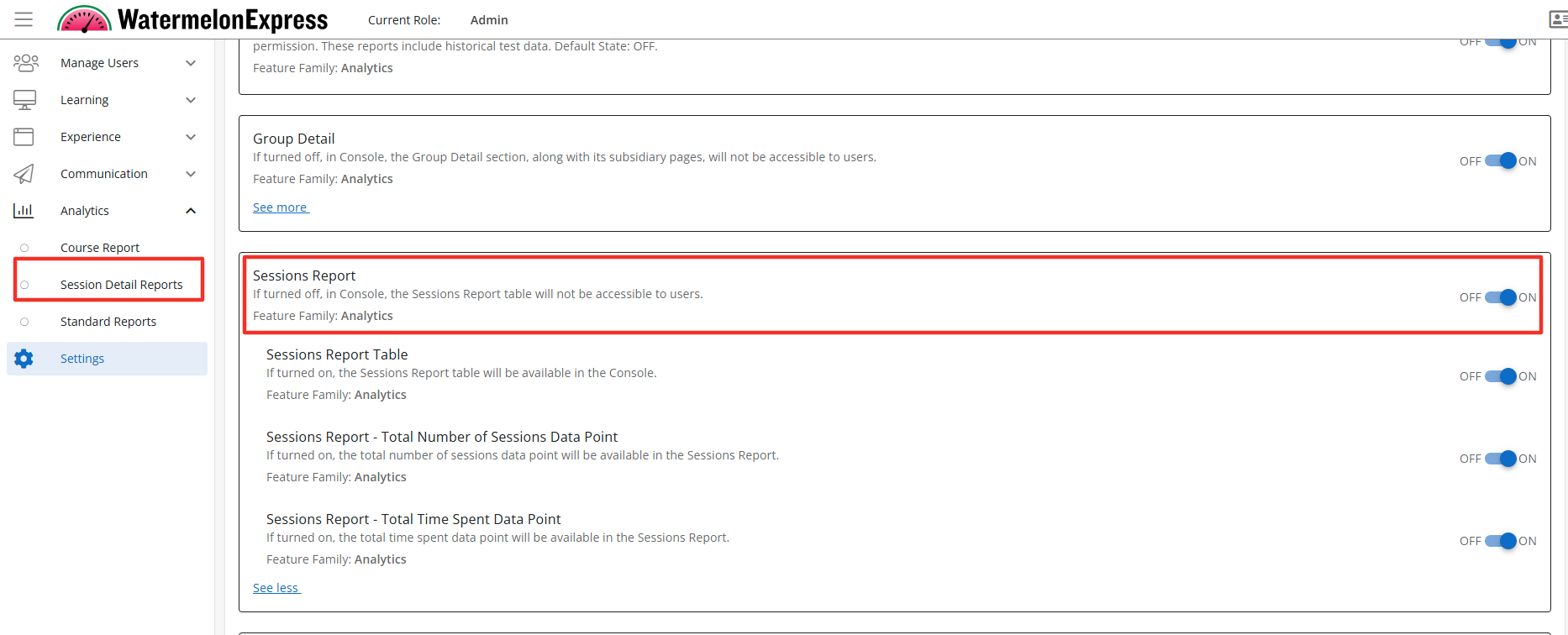
Configuration Level(s): Enabled at the Tenant and Branch level. Configurable by Admins or users with "Update Tenant" permission from Console.
Sessions Report Table
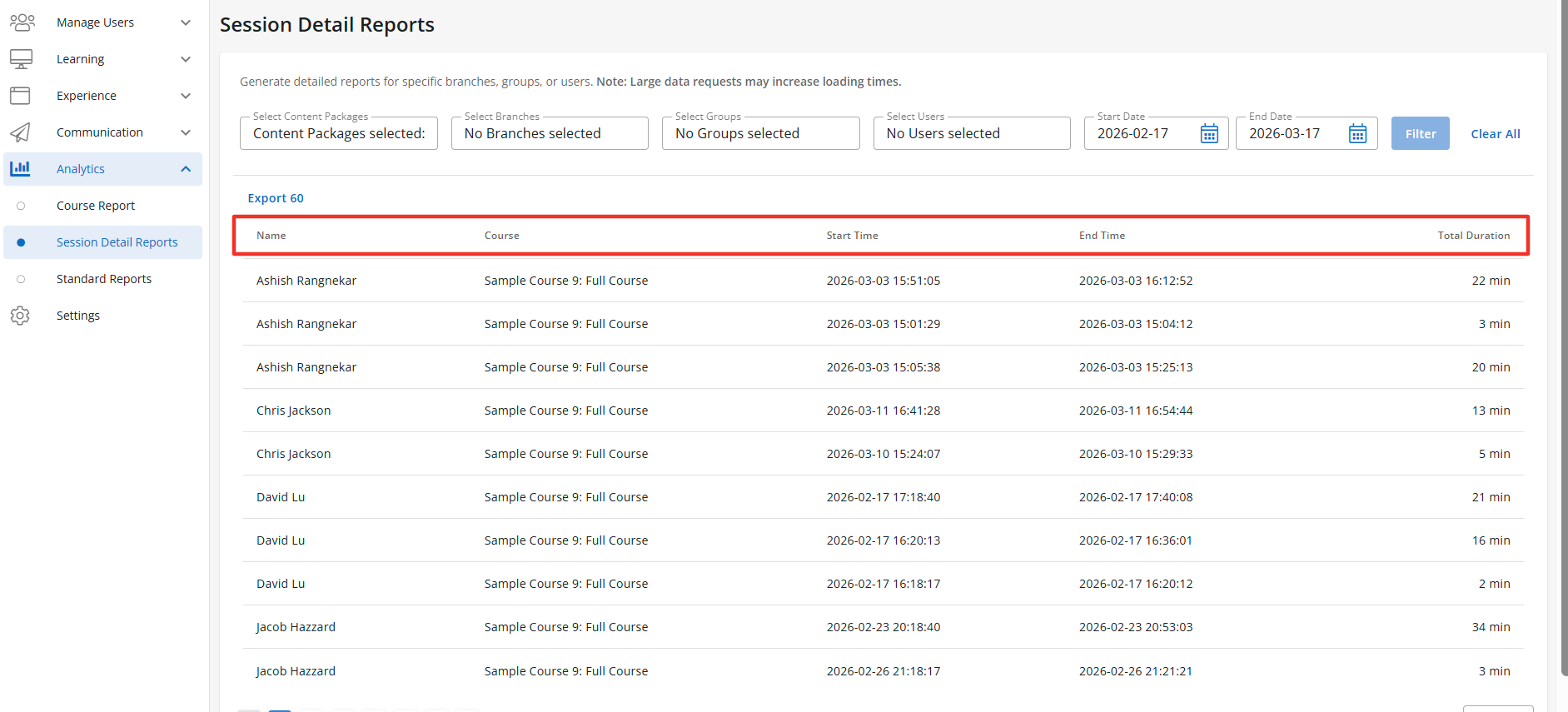
Description: When enabled the Sessions Report Table will be accessible to users with the correct access context. The Session Reports Table will display the learners name, course, start time, end time, and total duration of the session. Default State: OFF
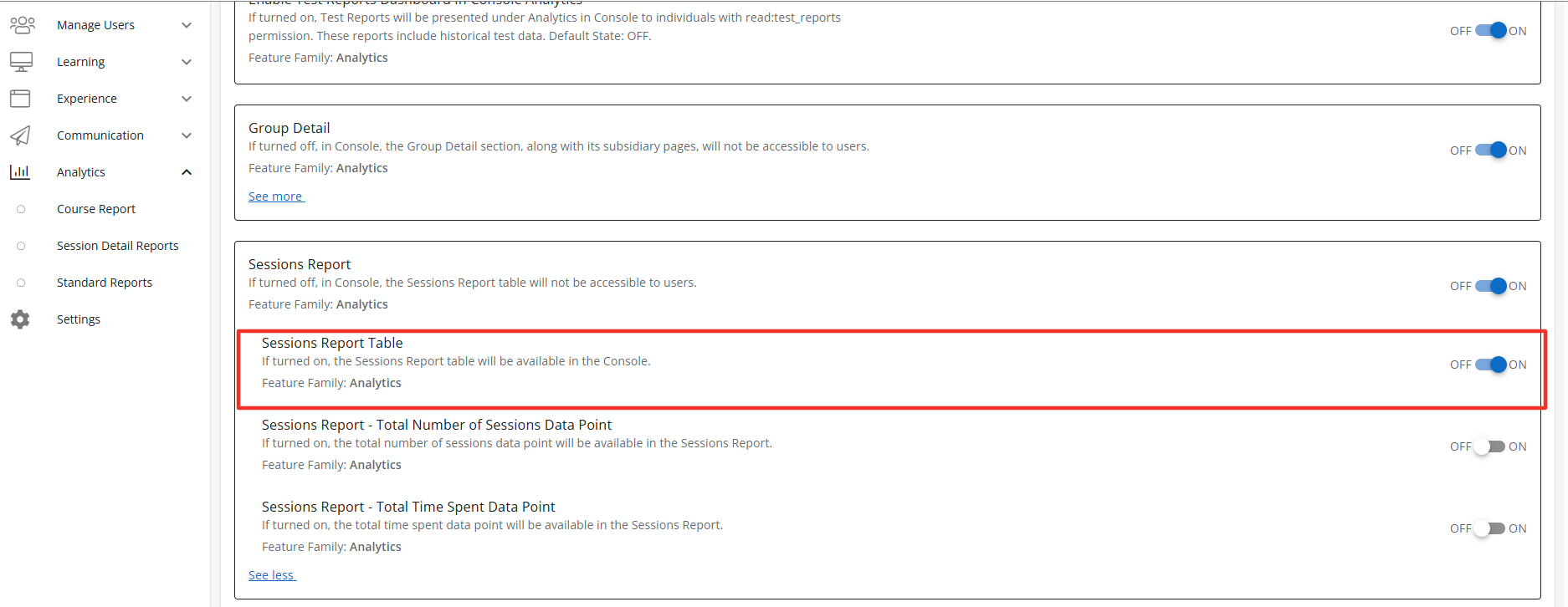
Configuration Level(s): Enabled at the Tenant and Branch level. Configurable by Admins or users with "Update Tenant" permission from Console
Sessions Report - Total Number of Sessions Data Point
Description: When enabled the Sessions Report-Total Number of Sessions Data Point will display above the Session Report Table and is the combined number of sessions for all learners. Default State: OFF
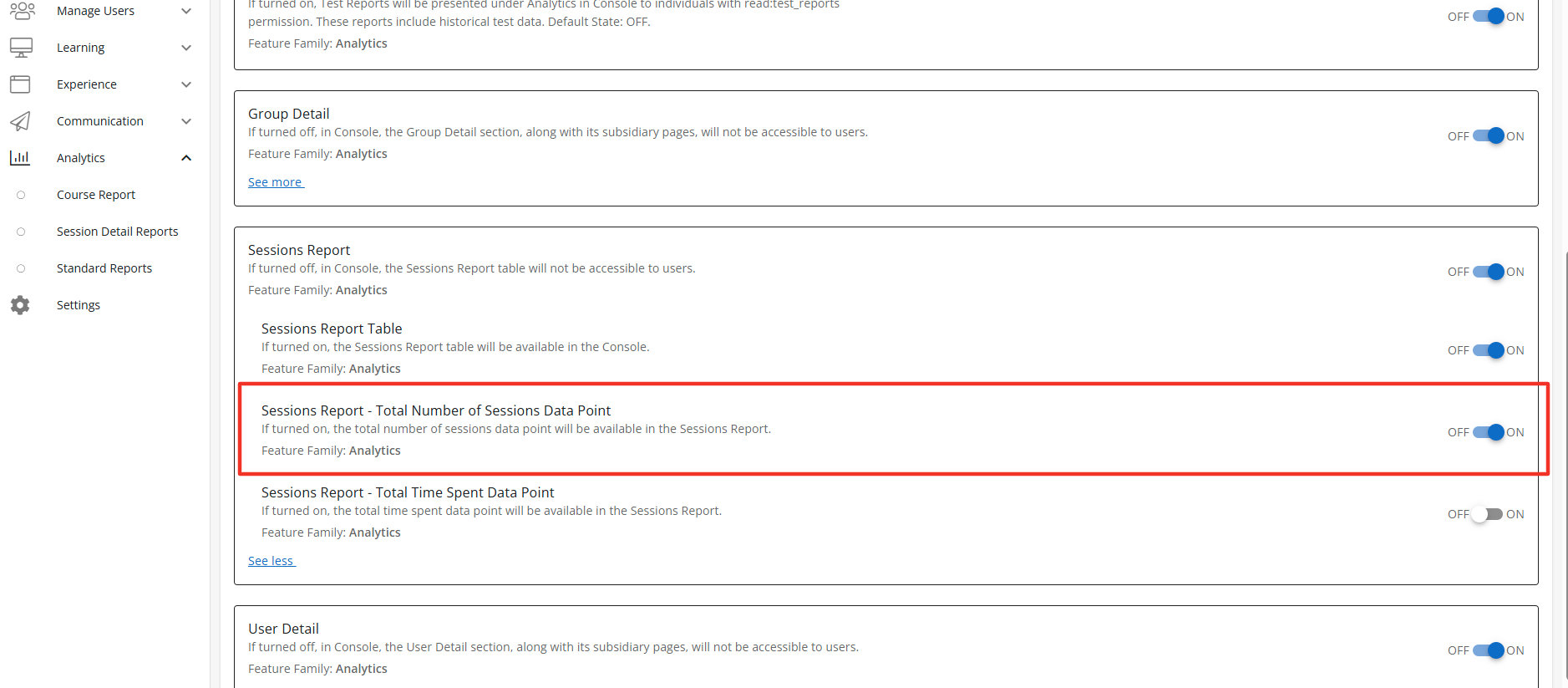
Configuration Level(s): Enabled at the Tenant and Branch level. Configurable by Admins or users with "Update Tenant" permission from Console
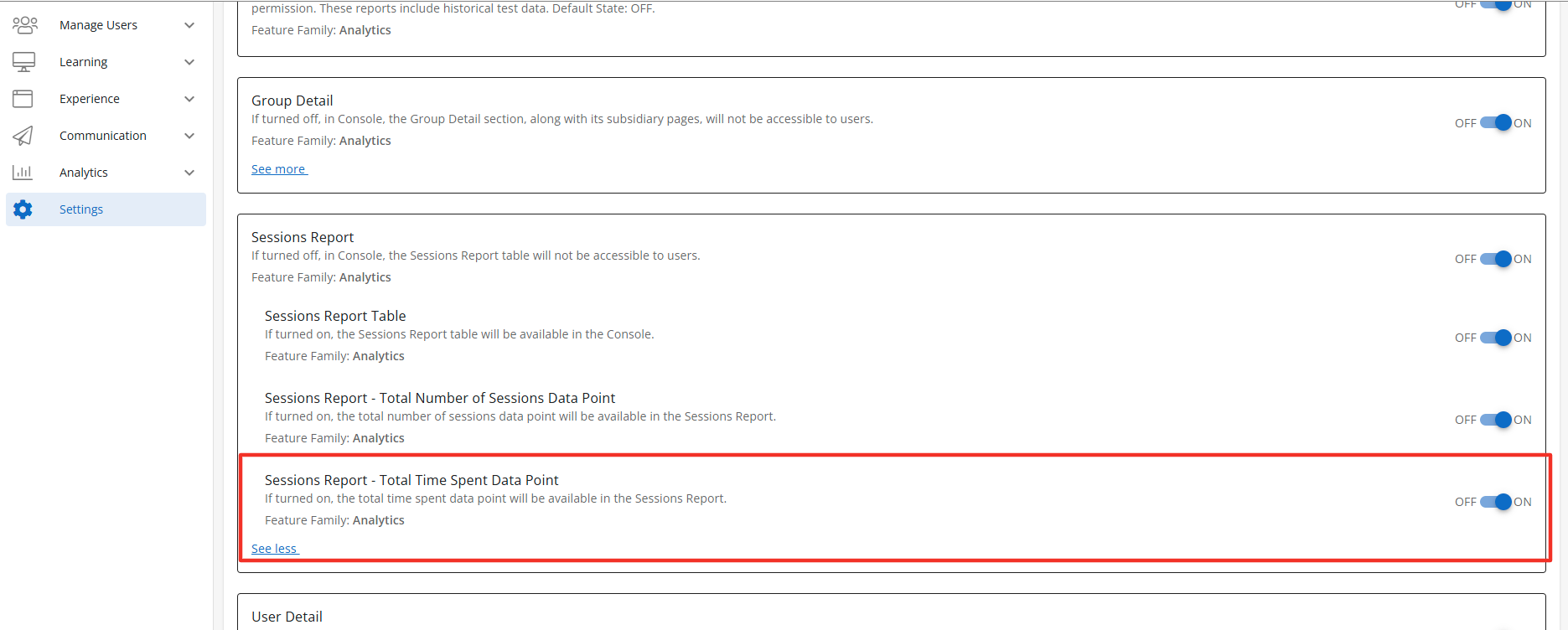
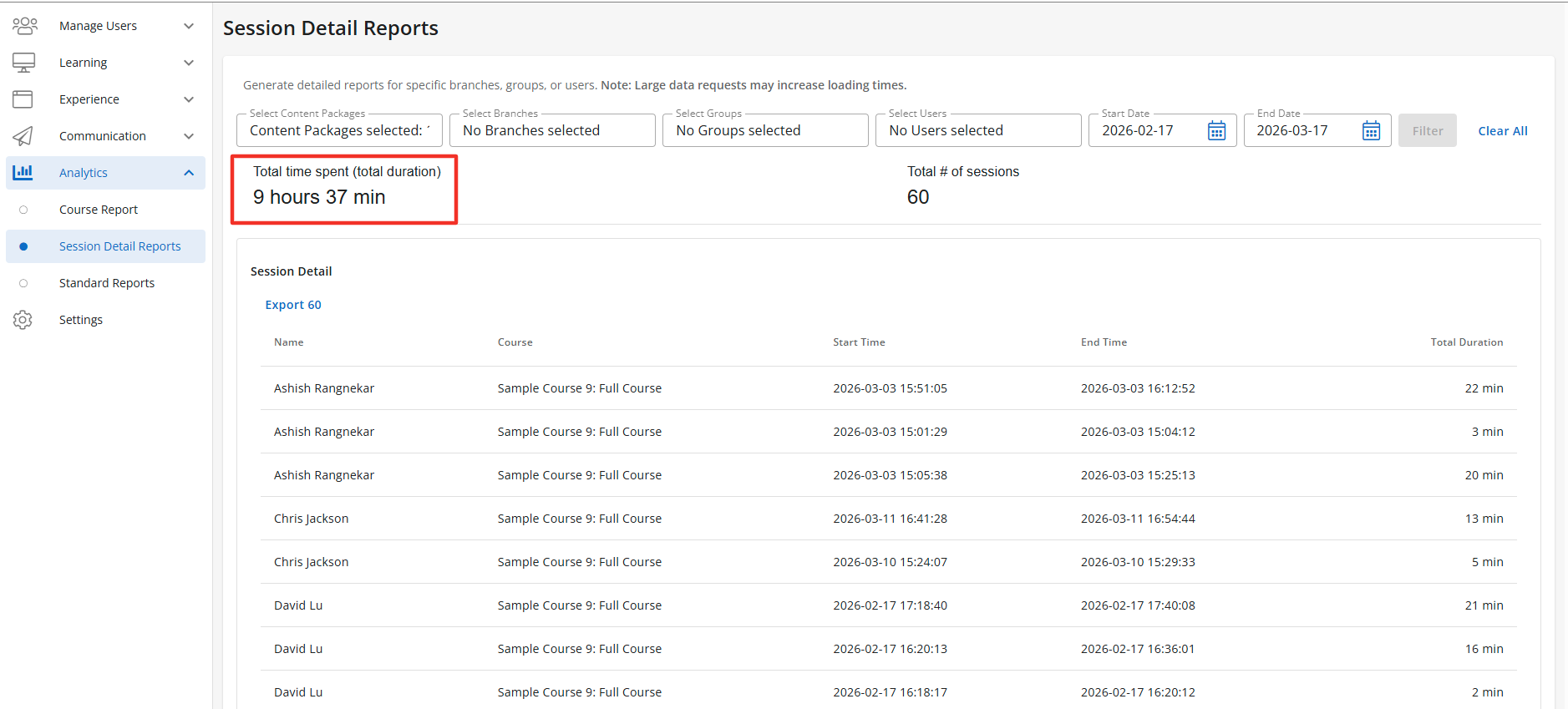
Sessions Report - Total Time Spent Data Point
Description: When enabled the Sessions Report-Total Time Spent Data Point will display above the Session Report Table and is the combined Total Time Spent for all learners. Default State: OFF
Configuration Level(s): Enabled at the Tenant and Branch level. Configurable by Admins or users with "Update Tenant" permission from Console
Course Report Feature Access
Course Report
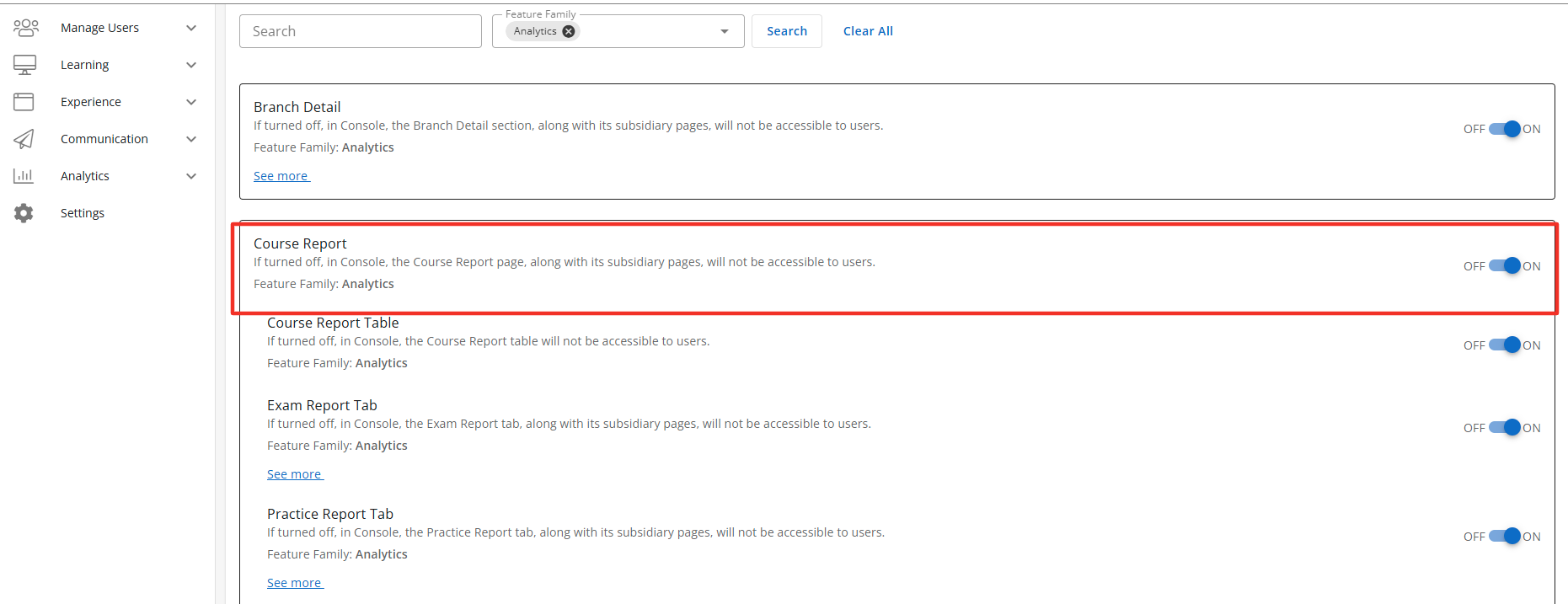
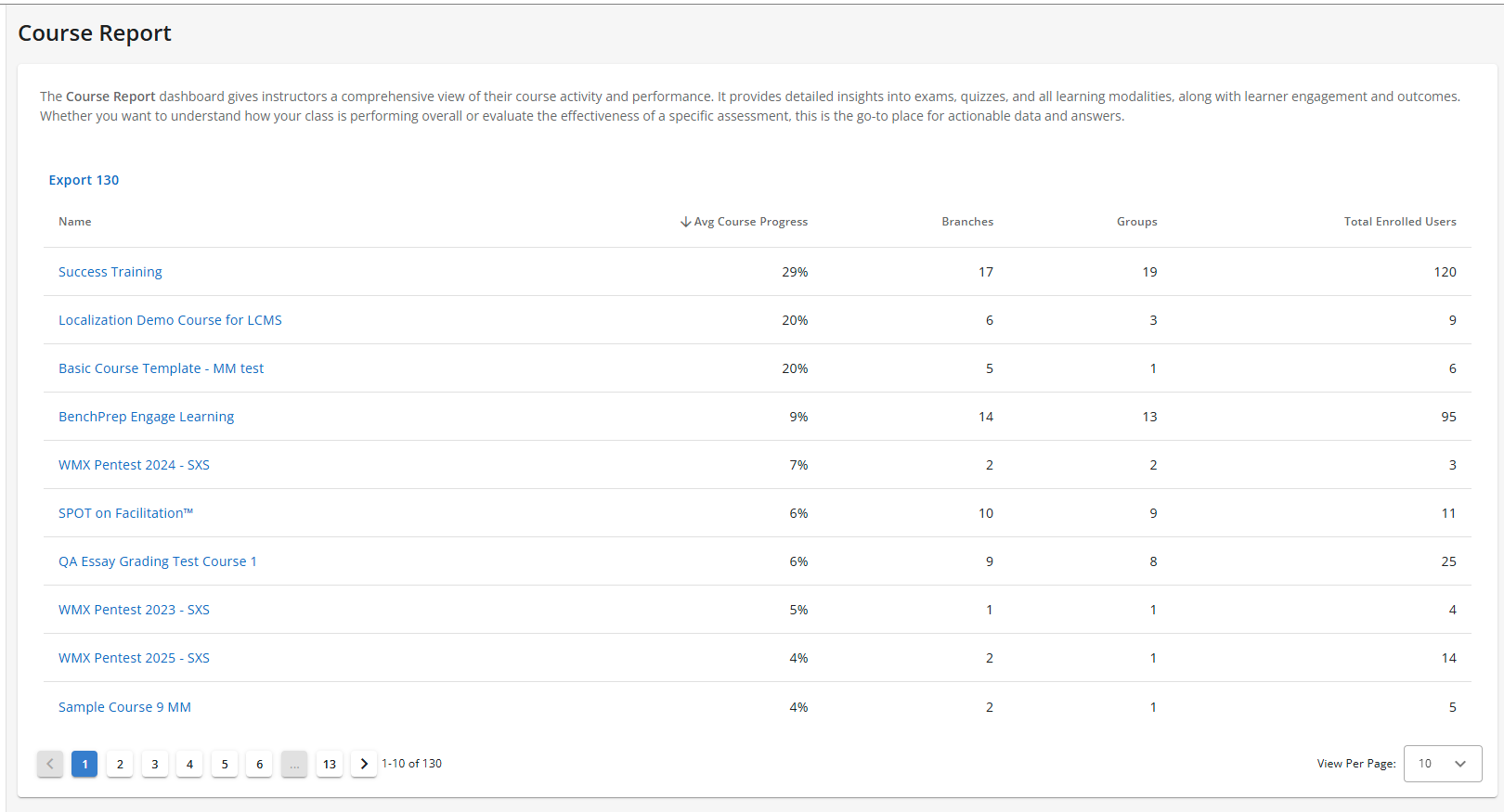
Description: When enabled the Course Report section, along with its subsidiary pages, will be accessible to users with the correct access context. The Course Report will display the Course Report Table when enabled. Default State: OFF
Configuration Level(s): Enabled at the Tenant and Branch level. Configurable by Admins or users with "Update Tenant" permission from Console.
Note: Course Report includes multiple sub-features designed to further personalize BenchPrep Analytics in Console.
Course Report Table
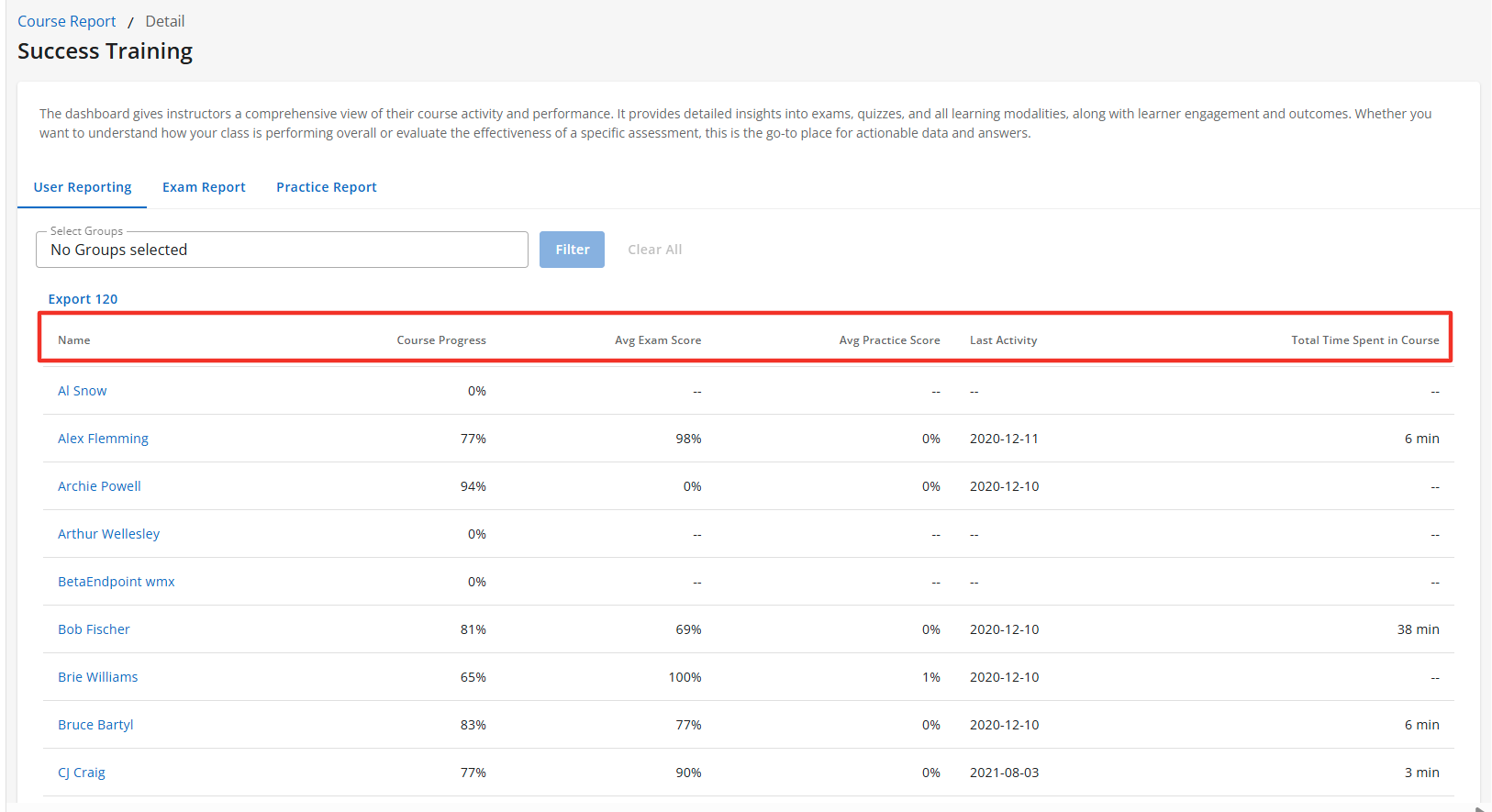
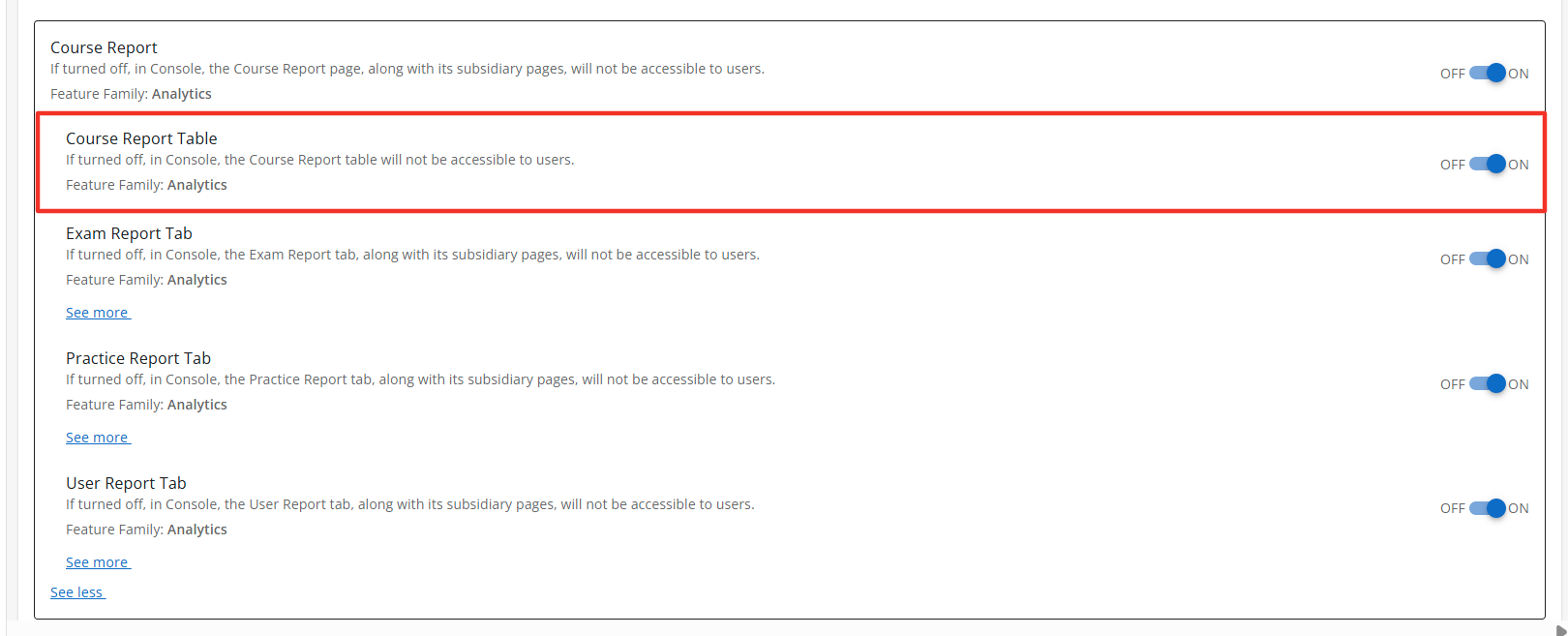
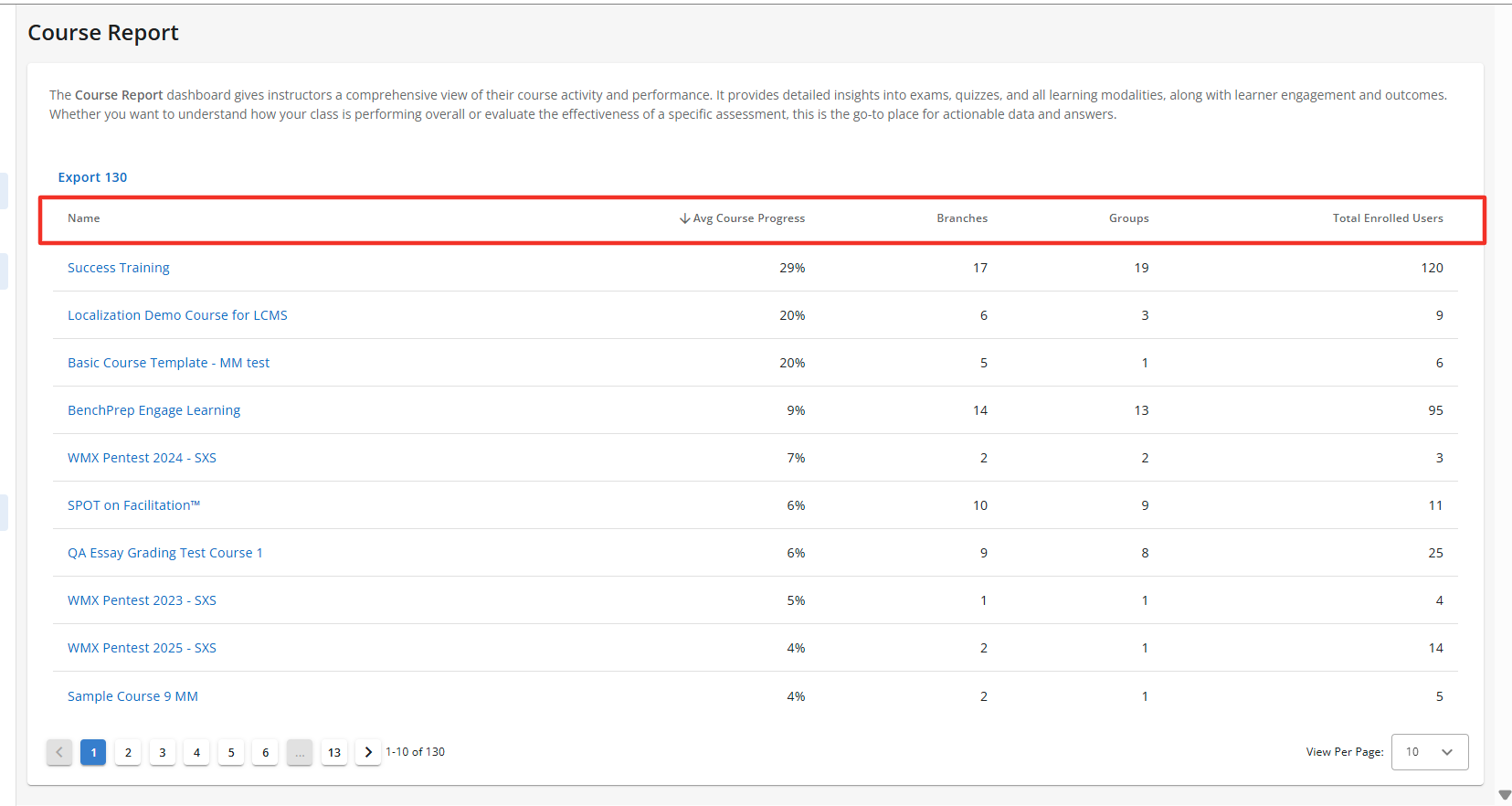
Description: The Course Report Table is a sub-feature of the Course Report feature. When enabled the Course Report section will display the Course Report Table. The Course Report Table displays the Course name, Avg. Course Progress for all learners, total number of branches and groups in the course, and the total number of enrolled users in the course. The Course Report is accessible to users with the correct access context. Default State: ON
Configuration Level(s): Enabled at the Tenant and Branch level. Configurable by Admins or users with "Update Tenant" permission from Console.
Curriculum Report Tab
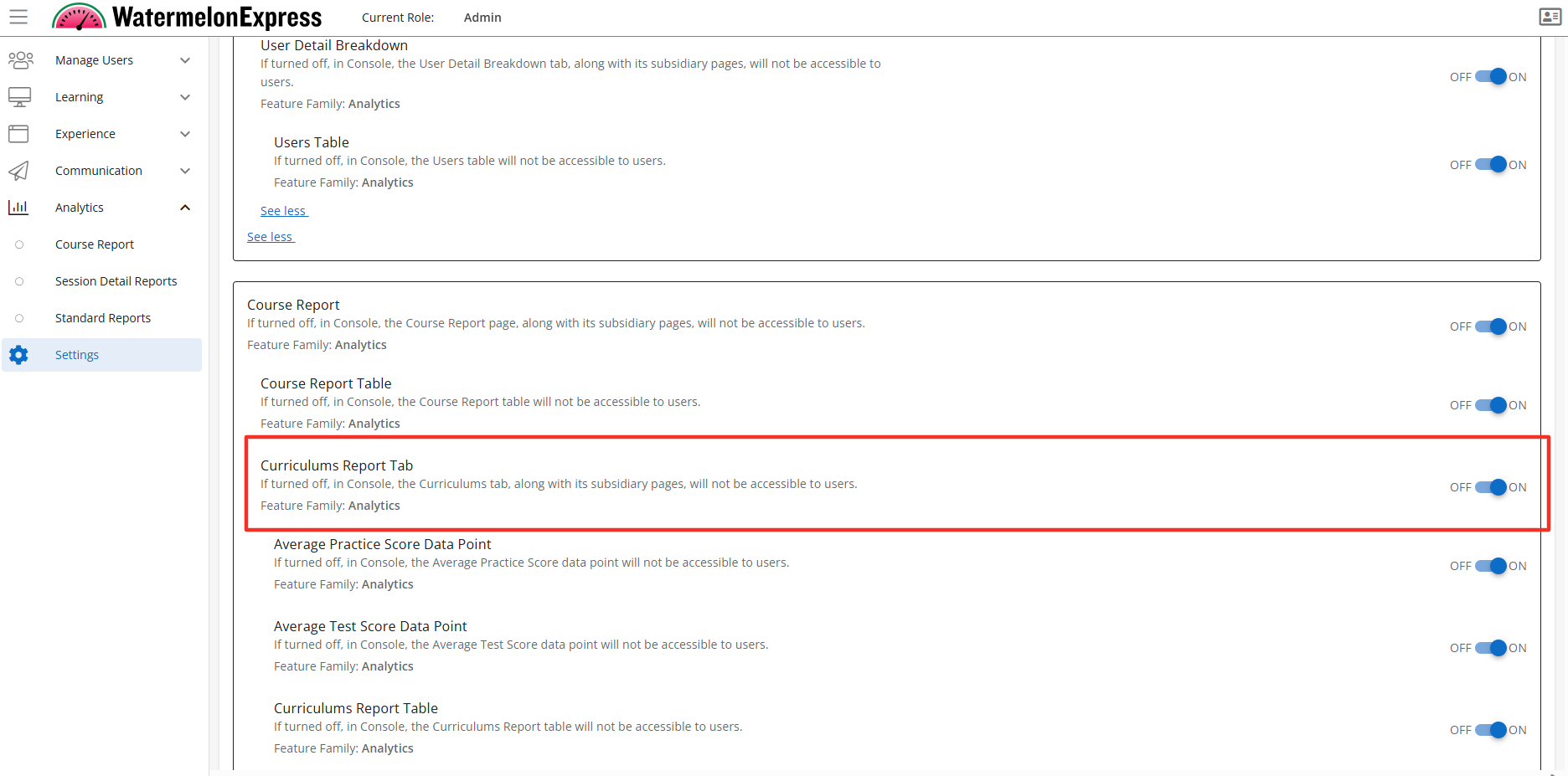
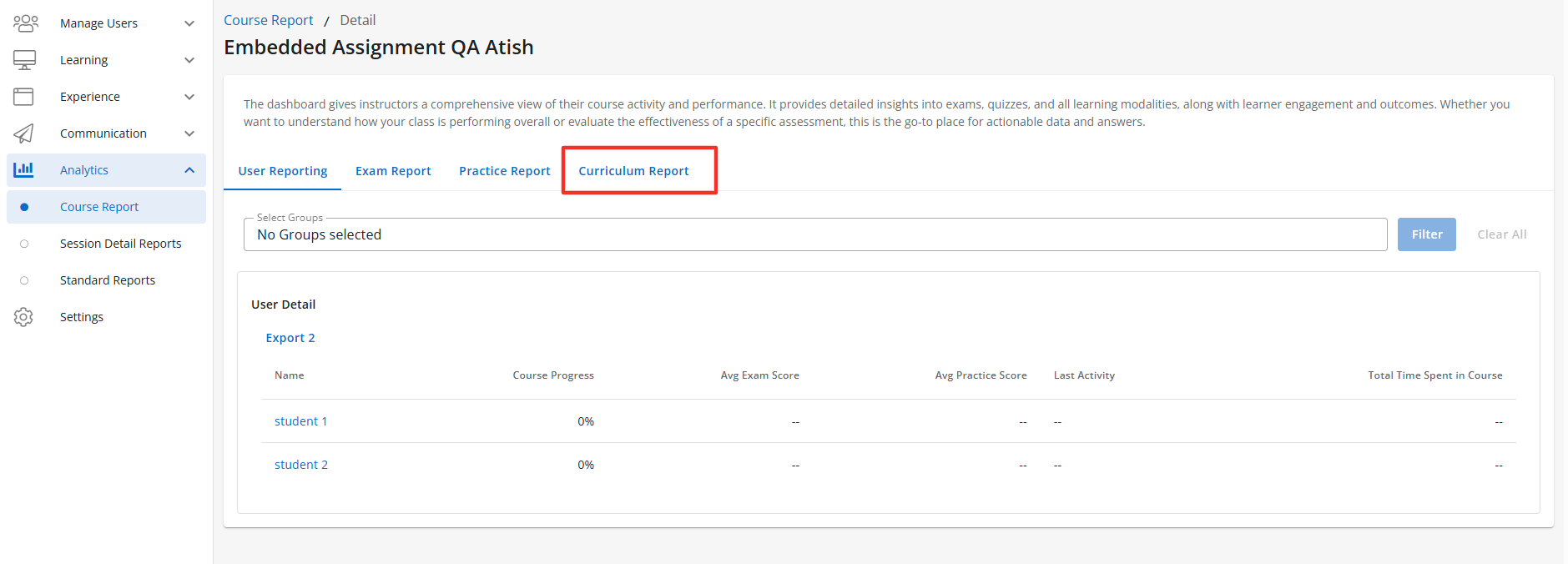
Description: The Curriculum Report tab is a sub-feature of the Course Report feature and appears once you have selected a course from the Course Table. When enabled the Course Report section will display the Curriculum Report tab, along with its subsidiary pages when enabled. The Curriculum Report tab is accessible to users with the correct access context. The Curriculum Tab will display multiple data points pertaining to the curriculum assigned to the learners. Each data point is controlled by a set of sub-features of the Curriculum Report tab. Default State: ON
Configuration Level(s): Enabled at the Tenant and Branch level. Configurable by Admins or users with "Update Tenant" permission from Console.
Average Practice Data Point
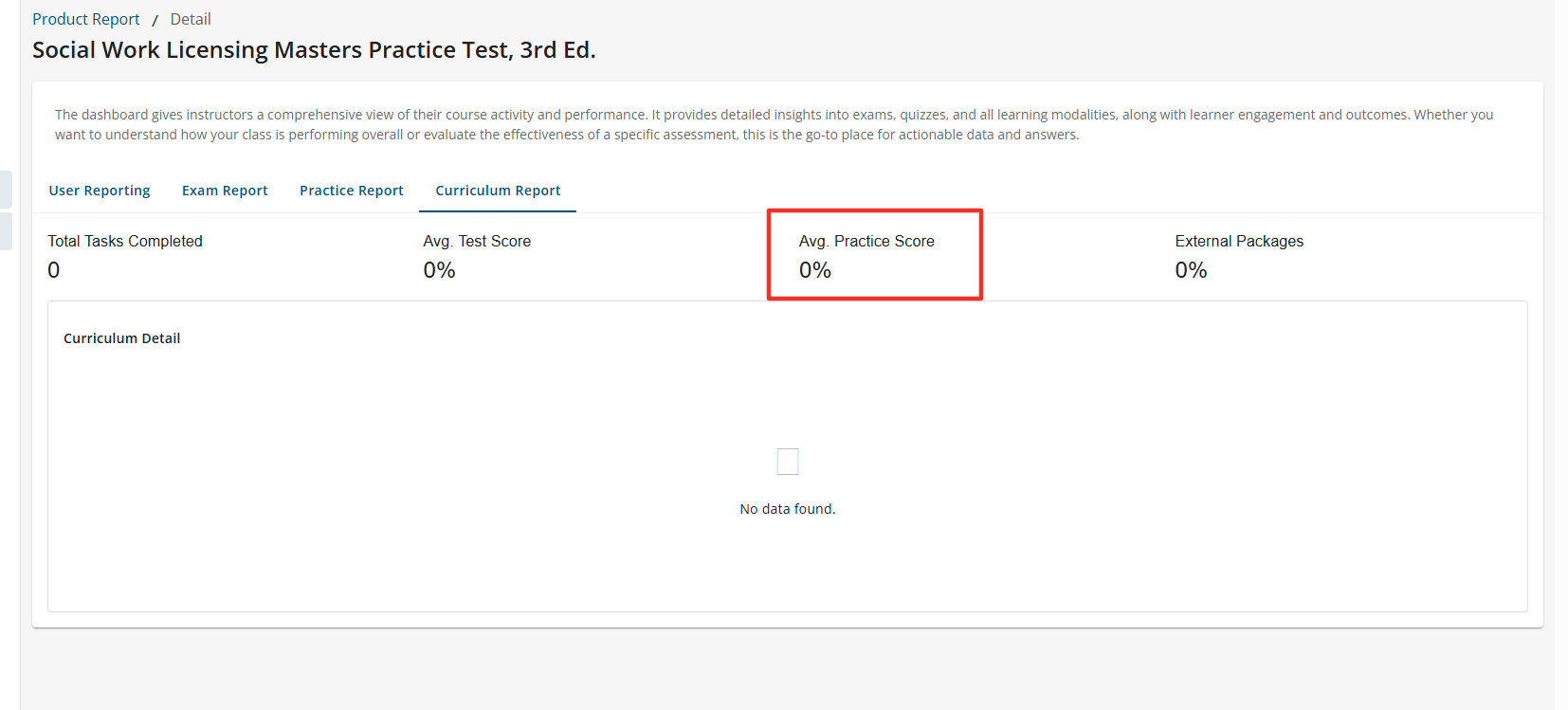
Description: The Average Practice Data Point is a sub-feature of the Curriculum Tab. When enabled the Average Practice Data Point will display The Avg. Practice Score of all completed practice questions by all learners actively enrolled in the course. The Average Practice Data Point is accessible to users with the correct access context. Default State: ON
Configuration Level(s): Enabled at the Tenant and Branch level. Configurable by Admins or users with "Update Tenant" permission from Console.
Average Test Score Data Point
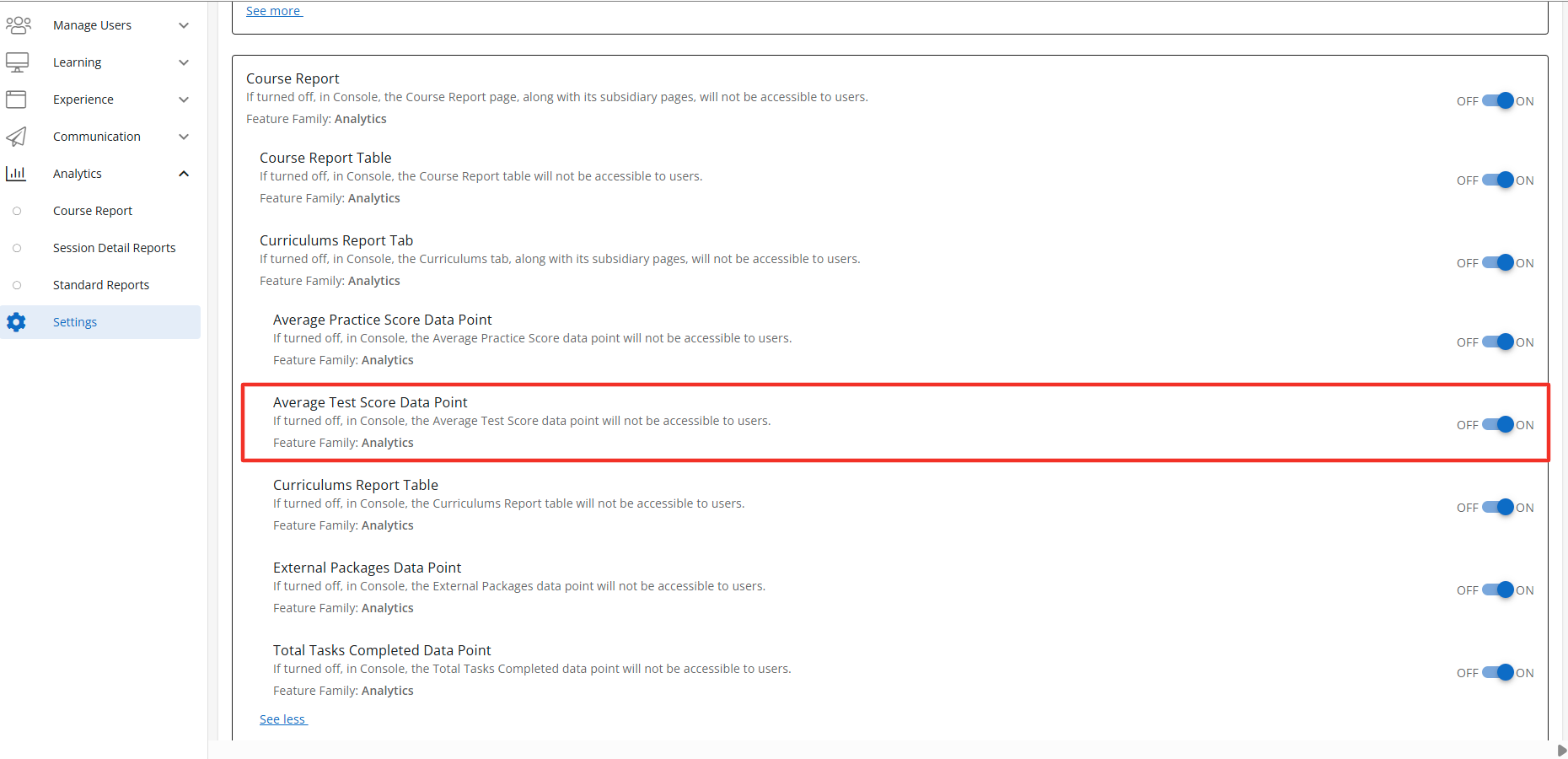
Description: The Average Test Score Data Point is a sub-feature of the Curriculum feature. When enabled the Average Test Score Data Point will display The Avg. Test Score of all completed exams the learner completed within the Curriculum. The Average Test Score Data Point is accessible to users with the correct access context. Default State: ON
Configuration Level(s): Enabled at the Tenant and Branch level. Configurable by Admins or users with "Update Tenant" permission from Console.
Total Tasks Completed
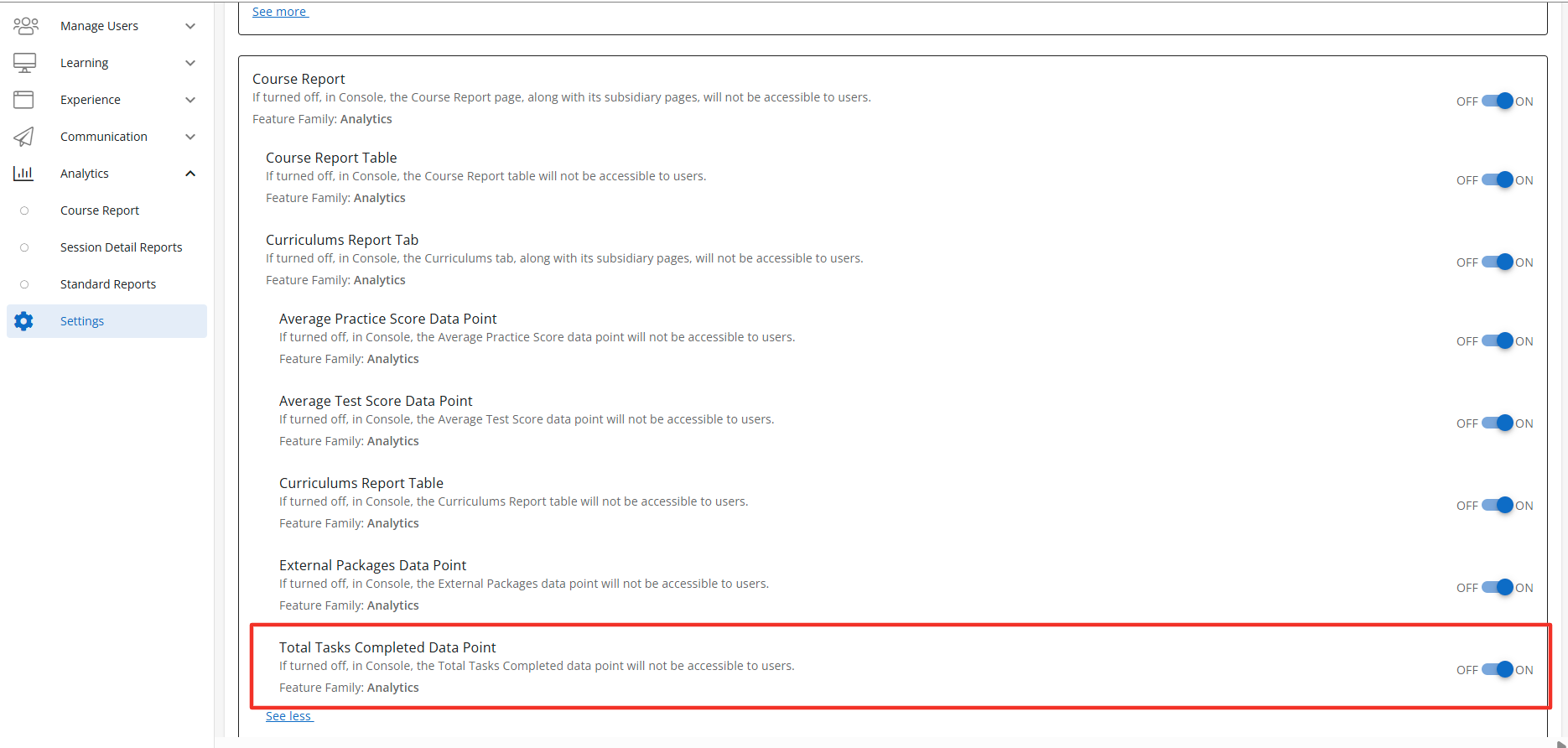
Description: The Total Tasks Completed is a sub-feature of the Curriculum feature. When enabled the Total Tasks Completed will display the total number of task completed within the Curriculum by all learners actively enrolled in the course. The Total Tasks Completed is accessible to users with the correct access context. Default State: ON
Configuration Level(s): Enabled at the Tenant and Branch level. Configurable by Admins or users with "Update Tenant" permission from Console.
External Packages Data Point
Description: The External Packages Data Point tab is a sub-feature of the Curriculum feature. When enabled the External Packages Data Point section will display the total number of completed external packages by all learners actively enrolled in the course. The External Packages Data Point is accessible to users with the correct access context. Default State: ON
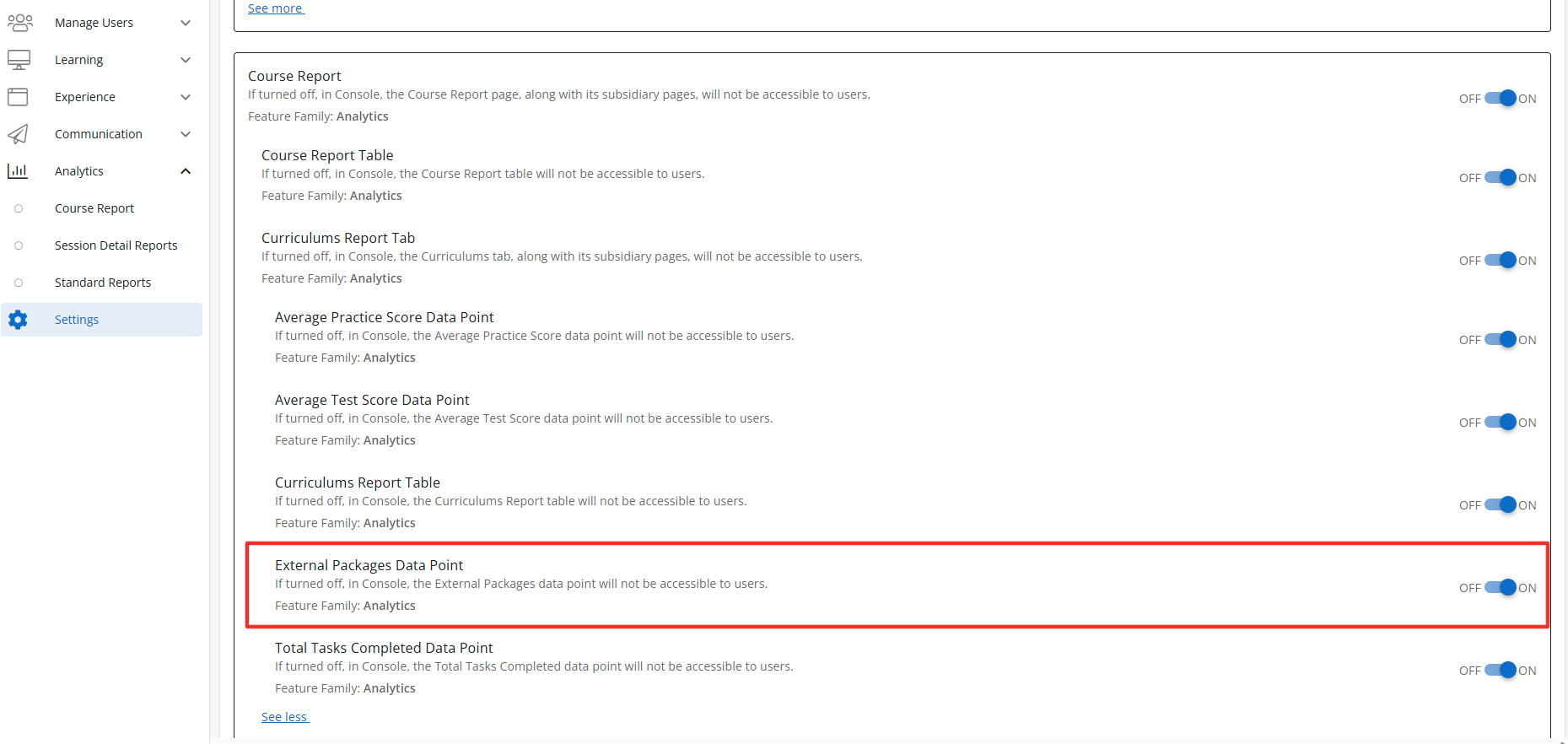
Configuration Level(s): Enabled at the Tenant and Branch level. Configurable by Admins or users with "Update Tenant" permission from Console.
Curriculum Report Table
Description: The Curriculum Report Table is a sub-feature of the Curriculum. When enabled the Curriculum Report Table will display the progress, task type, score, time spent, and date completed. The Curriculum Report Table is accessible to users with the correct access context. Default State: ON
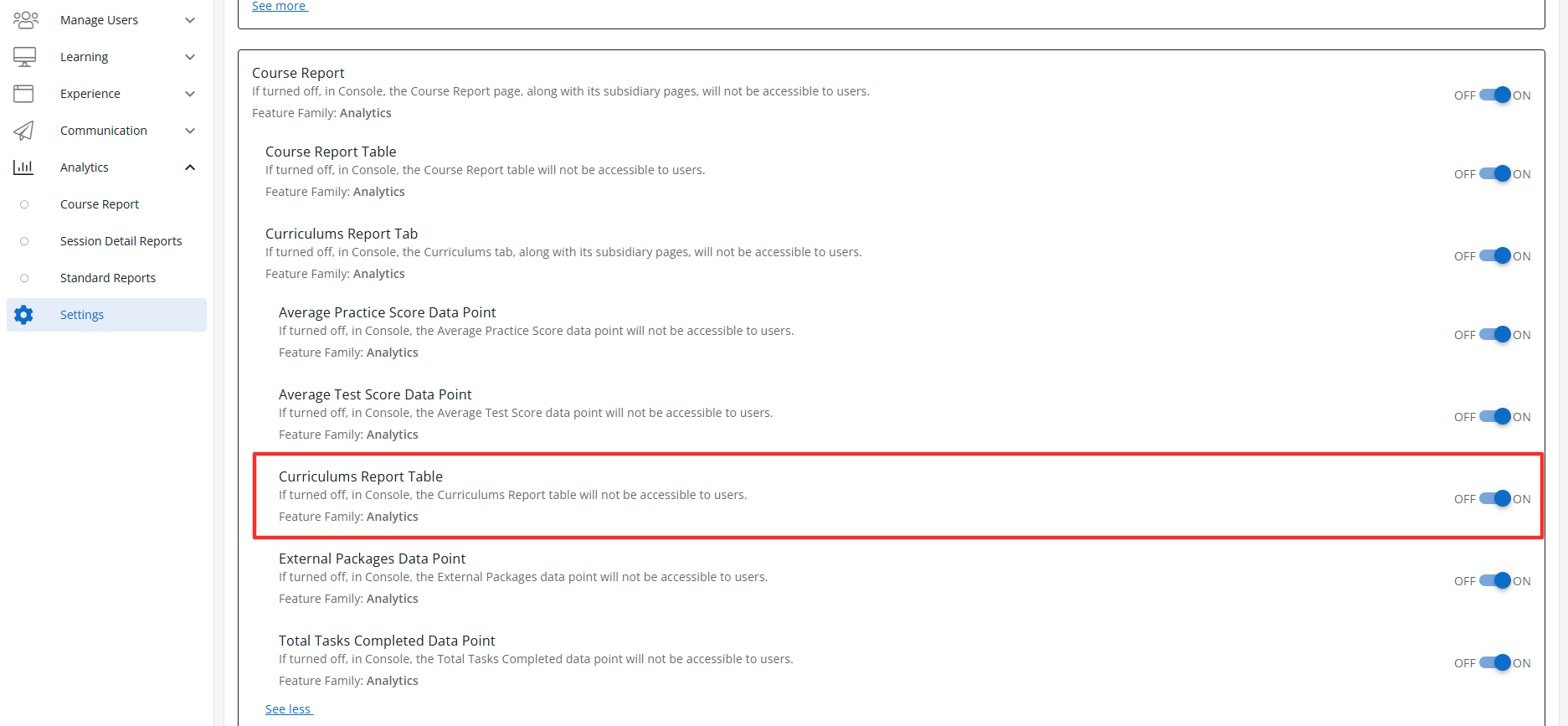
Configuration Level(s): Enabled at the Tenant and Branch level. Configurable by Admins or users with "Update Tenant" permission from Console.
Exam Report Tab
Description: The Exam Report Tab is a sub-feature of the Course Report feature. When enabled the Course Report section will display the Exam Report Tab. The Exam Report Tab is accessible to users with the correct access context. Once you have selected a course to view the Exam tab will display. Default State: ON
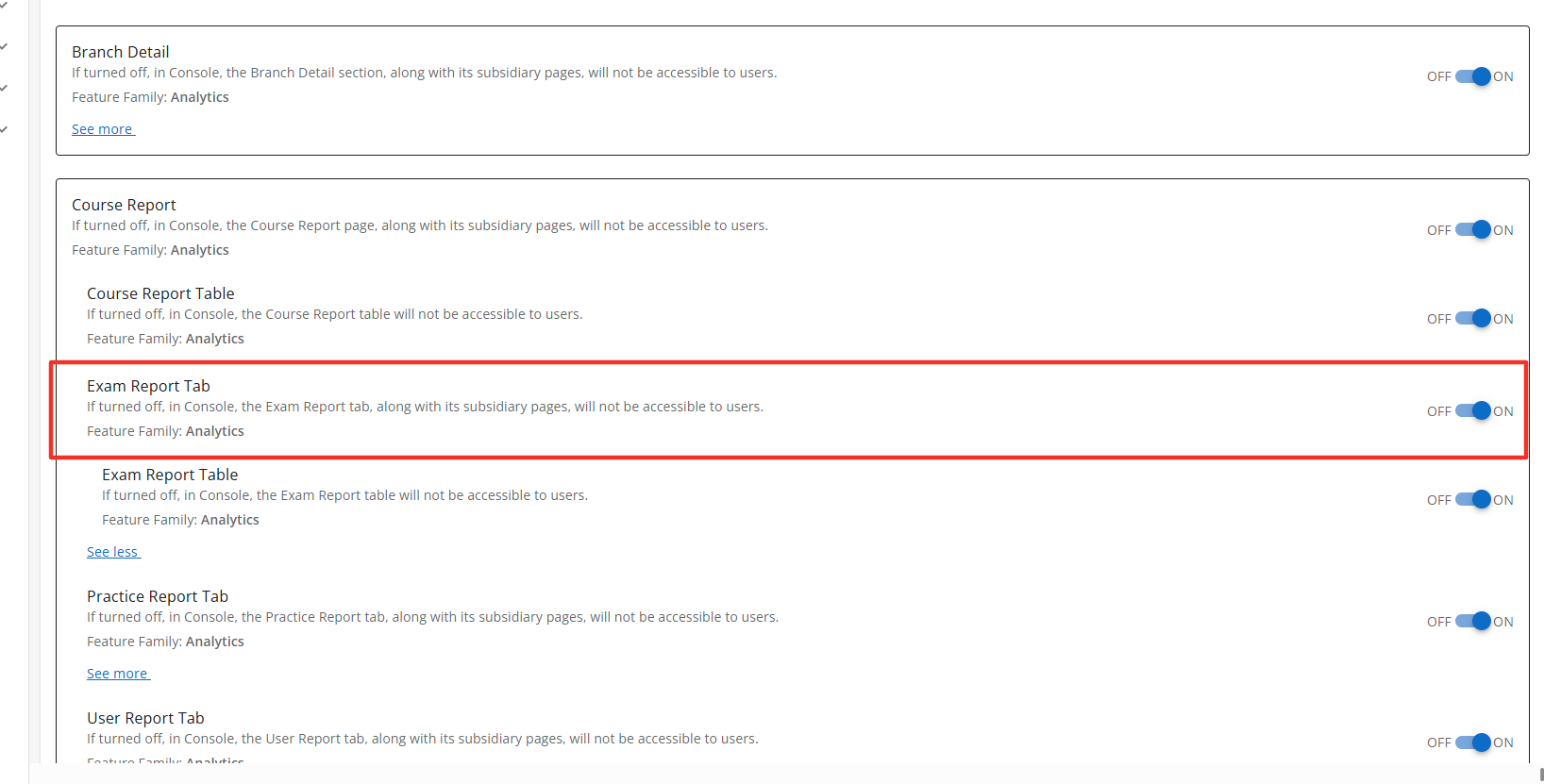
Configuration Level(s): Enabled at the Tenant and Branch level. Configurable by Admins or users with "Update Tenant" permission from Console.
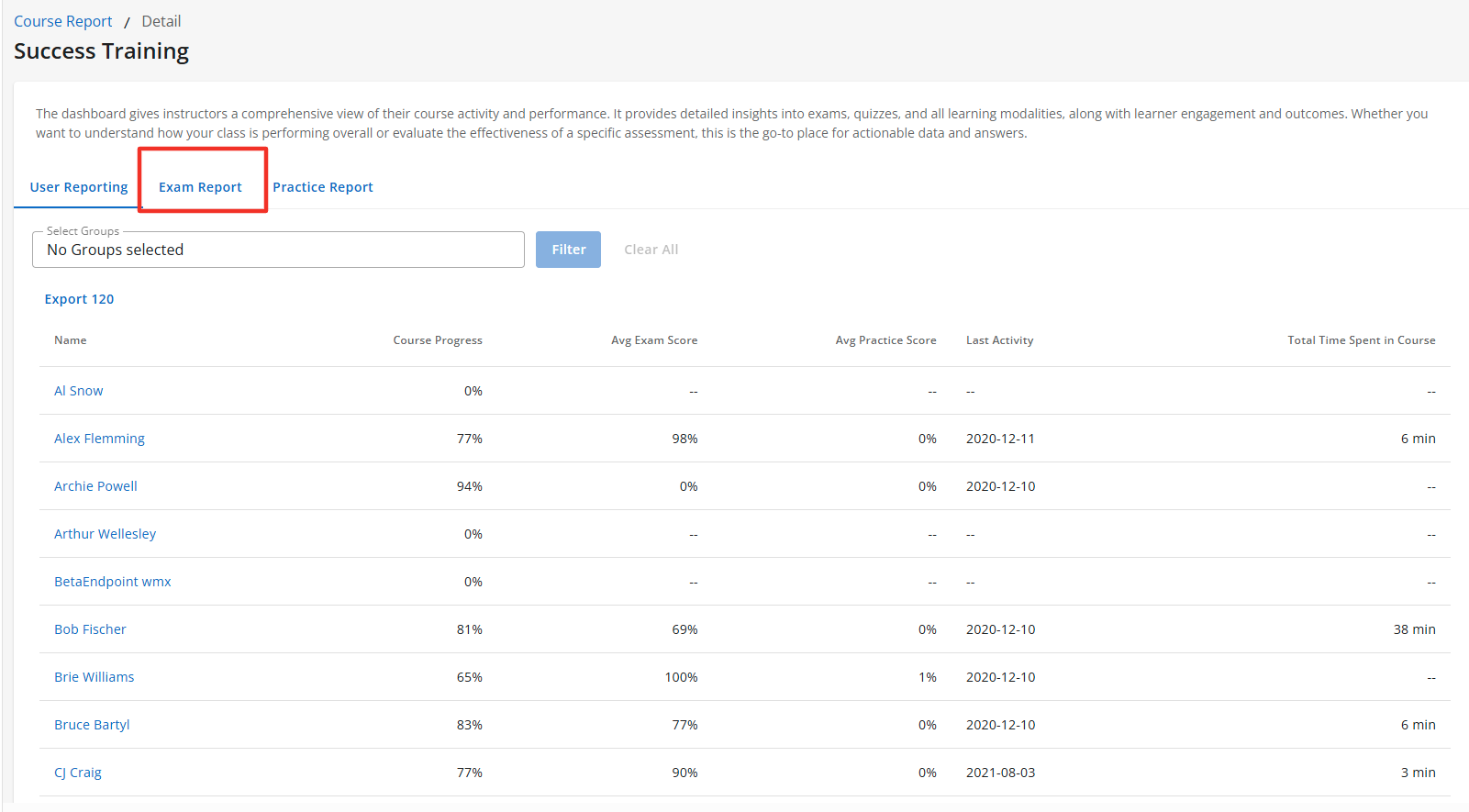
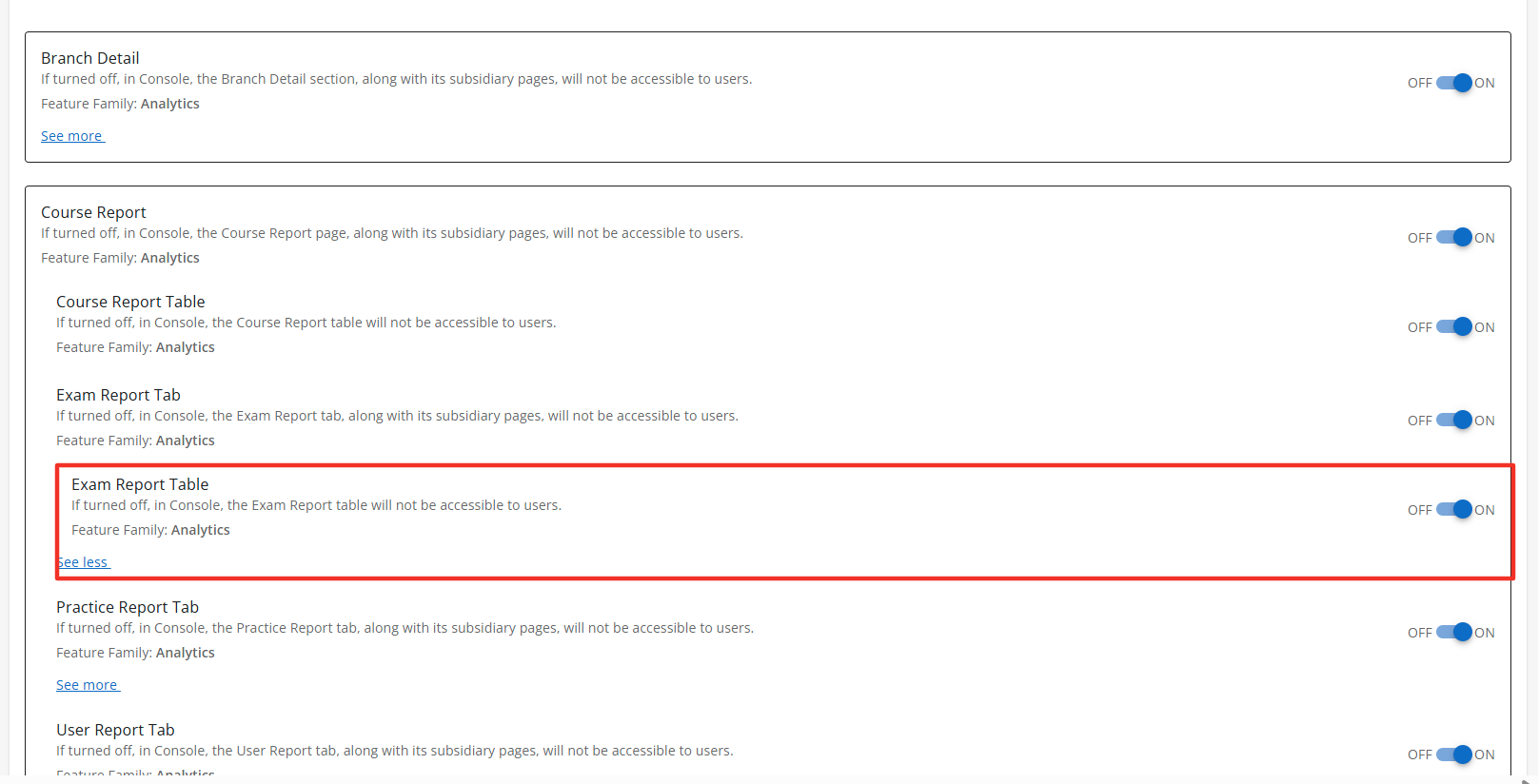
Exam Report Table
Description: The Exam Reports Table is a sub-feature of the Exam Reports Tab. When enabled the Exam Reports Tab section will display the Exam Report Table to users with the correct access context. The Exam Report Table displays a list of all users in the course and multiple data points across the course for each learner. Default State: ON
Configuration Level(s): Enabled at the Tenant and Branch level. Configurable by Admins or users with "Update Tenant" permission from Console.
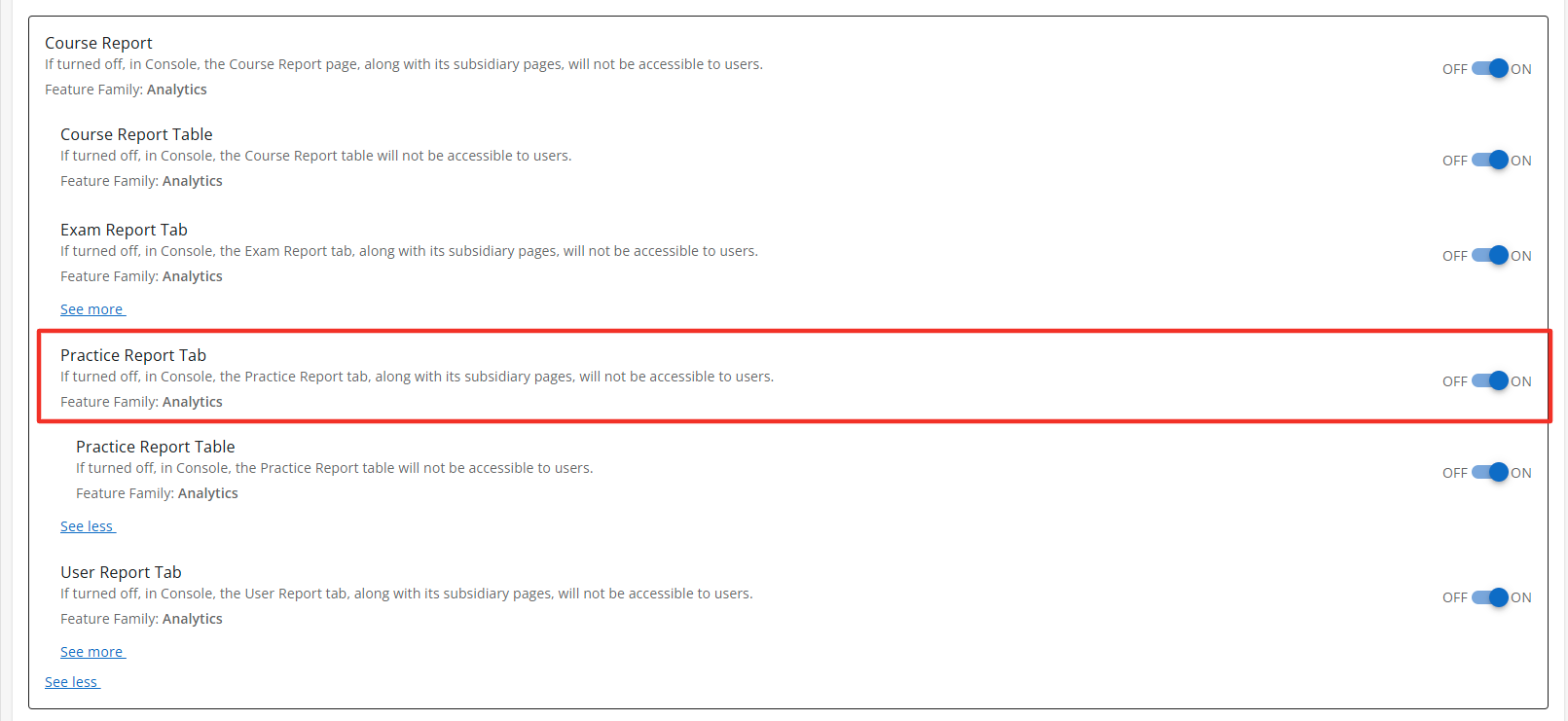
Practice Report Tab
Description: The Practice Report Tab is a sub-feature of the Course Report feature. When enabled the Course Report section will display the Practice Report Tab. The Practice Tab will display the Practice Report Table when enabled. The Practice Report Tab is accessible to users with the correct access context. Default State: ON
Configuration Level(s): Enabled at the Tenant and Branch level. Configurable by Admins or users with "Update Tenant" permission from Console.
Practice Report Table
Description: The Practice Report Tab is a sub-feature of the Course Report feature. When enabled the Course Report section will display the Practice Report Tab. The Practice Report Tab is accessible to users with the correct access context. Default State: ON
Configuration Level(s): Enabled at the Tenant and Branch level. Configurable by Admins or users with "Update Tenant" permission from Console.
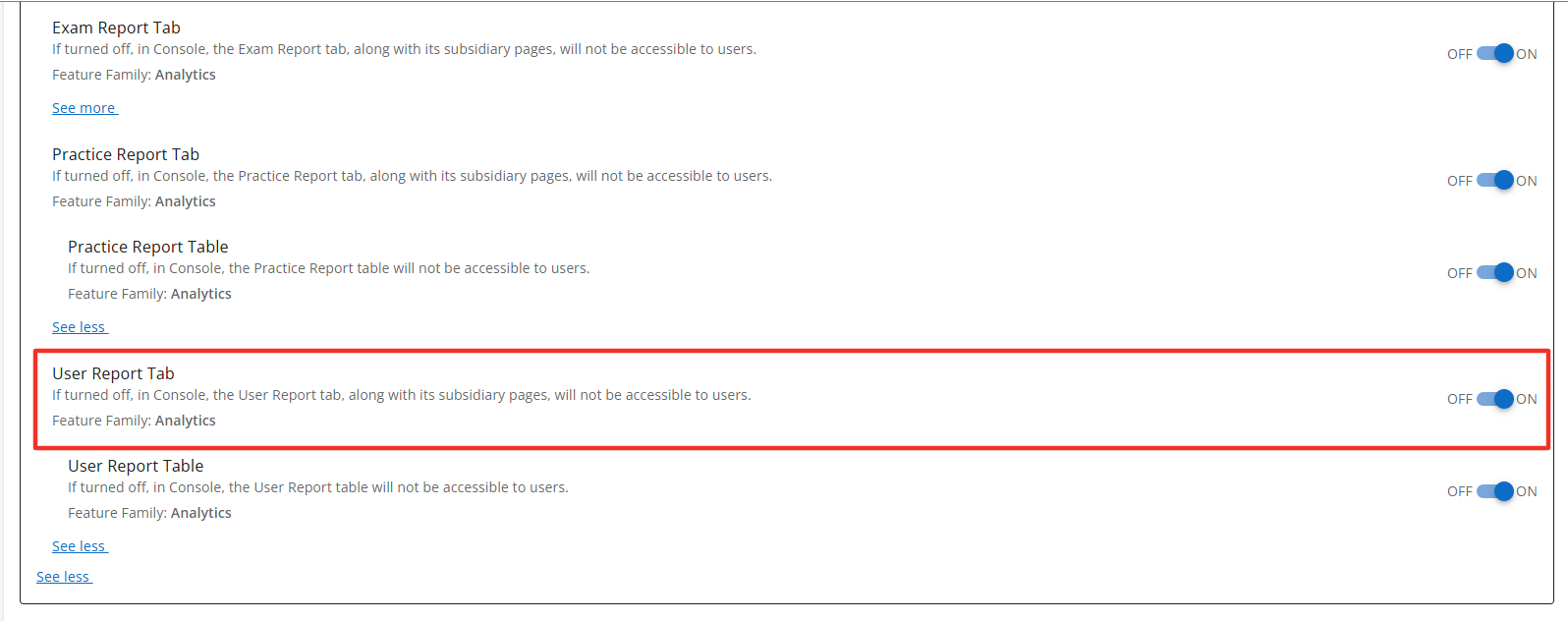
Users Report Tab
Description: The User Reports Tab is a sub-feature of the Course Report feature. When enabled the Course Report section will display the User Report Tab. The User Tab will display the User Table when it is enabled. The User Report Tab is accessible to users with the correct access context. Default State: ON
Configuration Level(s): Enabled at the Tenant and Branch level. Configurable by Admins or users with "Update Tenant" permission from Console.
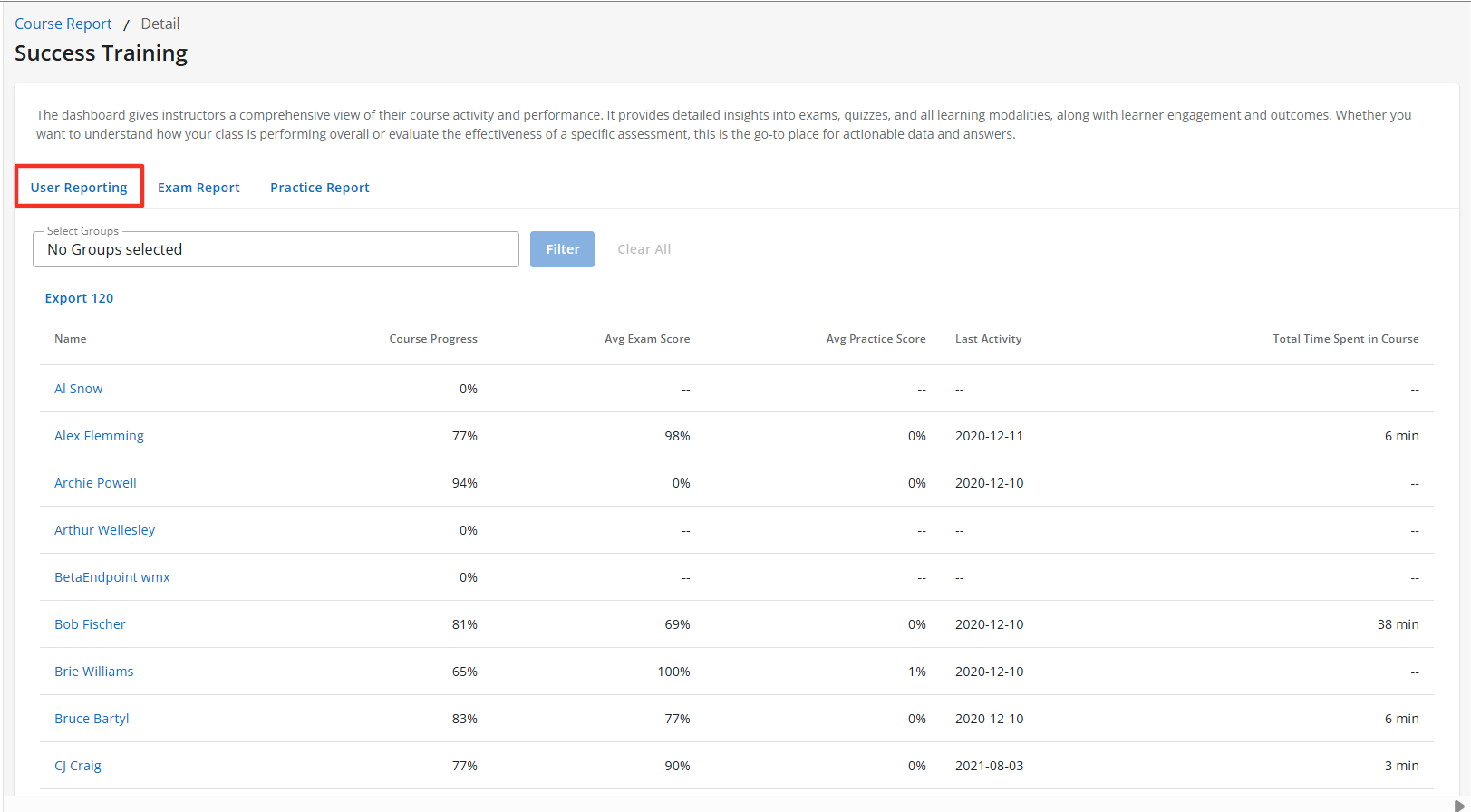
Users Report Table
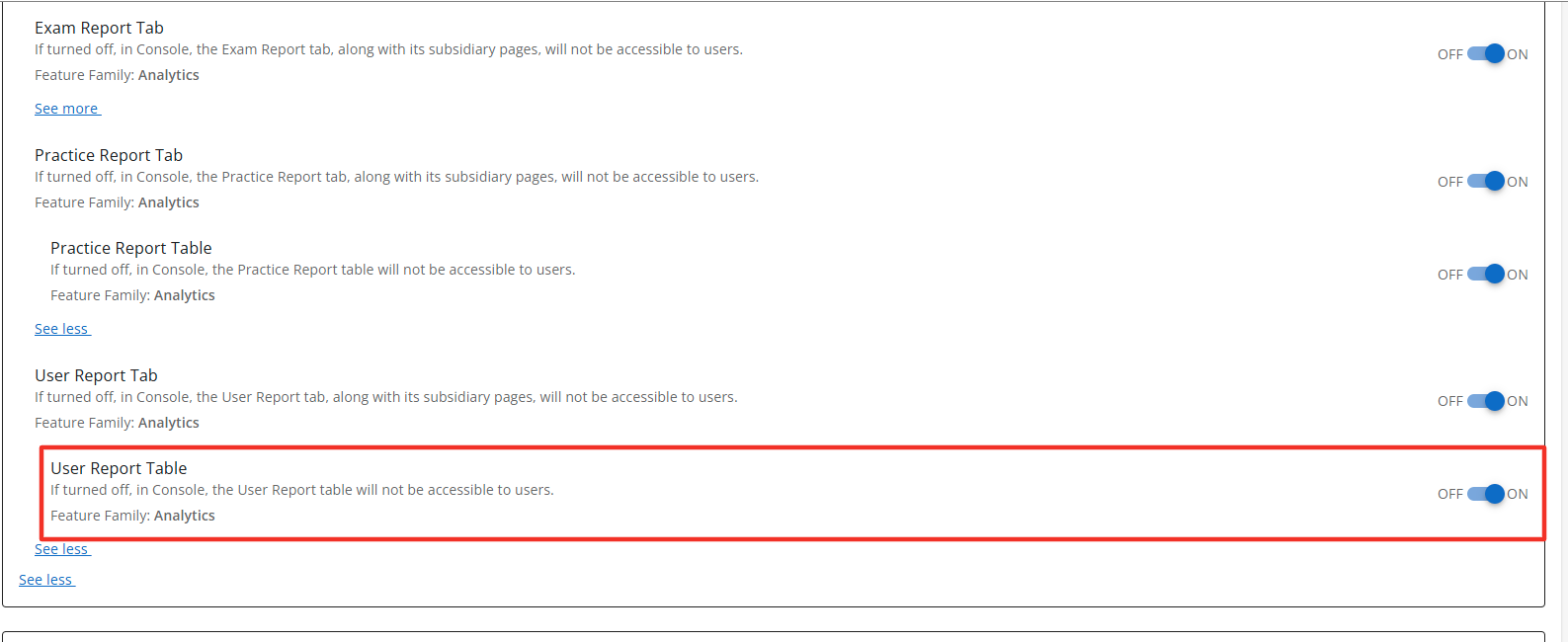
Description: The User Report Table is a sub-feature of the User Report Tab. When enabled the User Reports Tab section will display the User Report Table to users with the correct access context. The User Report Table displays the name of all active users within the course. The table also displays multiple data points across the course for each learner. Default State: ON
Configuration Level(s): Enabled at the Tenant and Branch level. Configurable by Admins or users with "Update Tenant" permission from Console.