


The ability to update course-level feature access via Console is limited to Admins or users with "Update Content Package" permission. If you don't have this permission, the Feature Access tab won't be visible to you at all in Console. Course level feature accesses can also be controlled via BluePrint. Click here for more information.
Once a feature has been enabled in Feature Access, you can enable or disable it for each course you have.
-
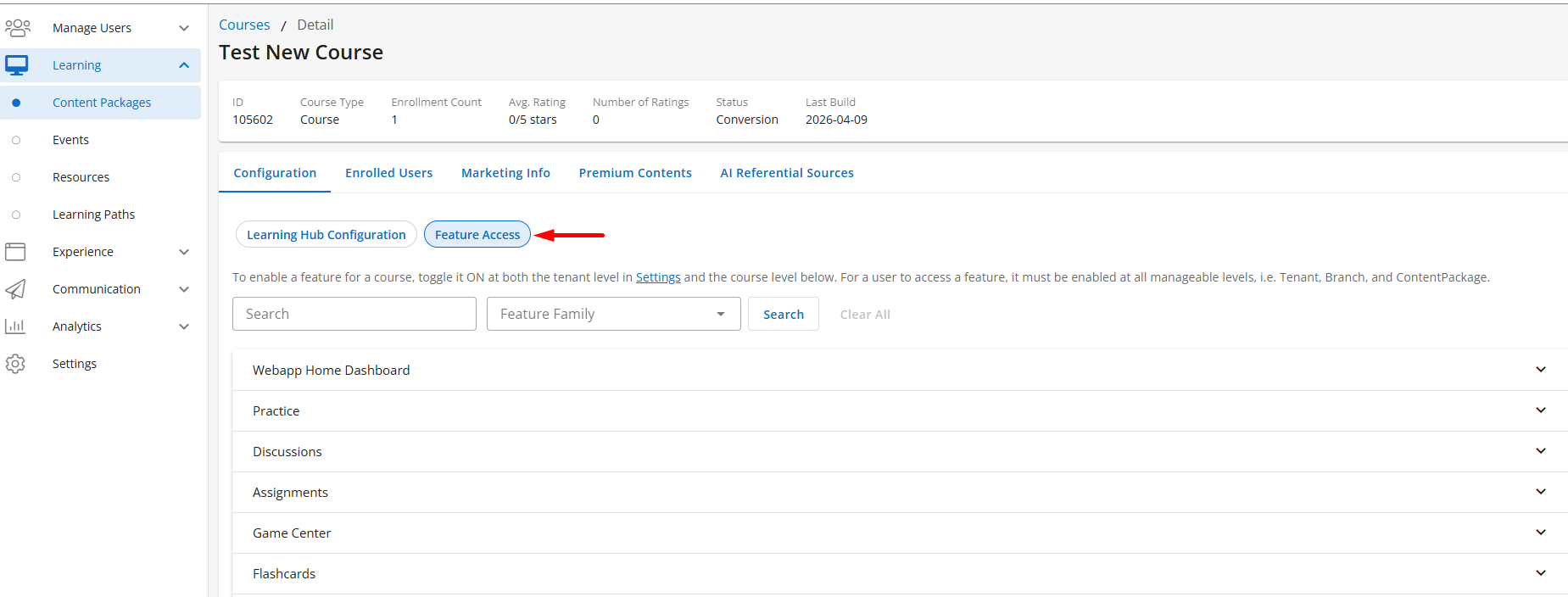
Select Learning > Content Package
-
Select appropriate Content Package Title
-
Navigate to Feature Access tab under the Configuration section
-
Features are organized by feature families, groups of related features. You can expand or collapse individual categories to find related feature access. Use the search bar to find specific features quickly. Enter a keyword, then select Search to run the search and locate the feature in question.
-
Toggle Features at the Course level
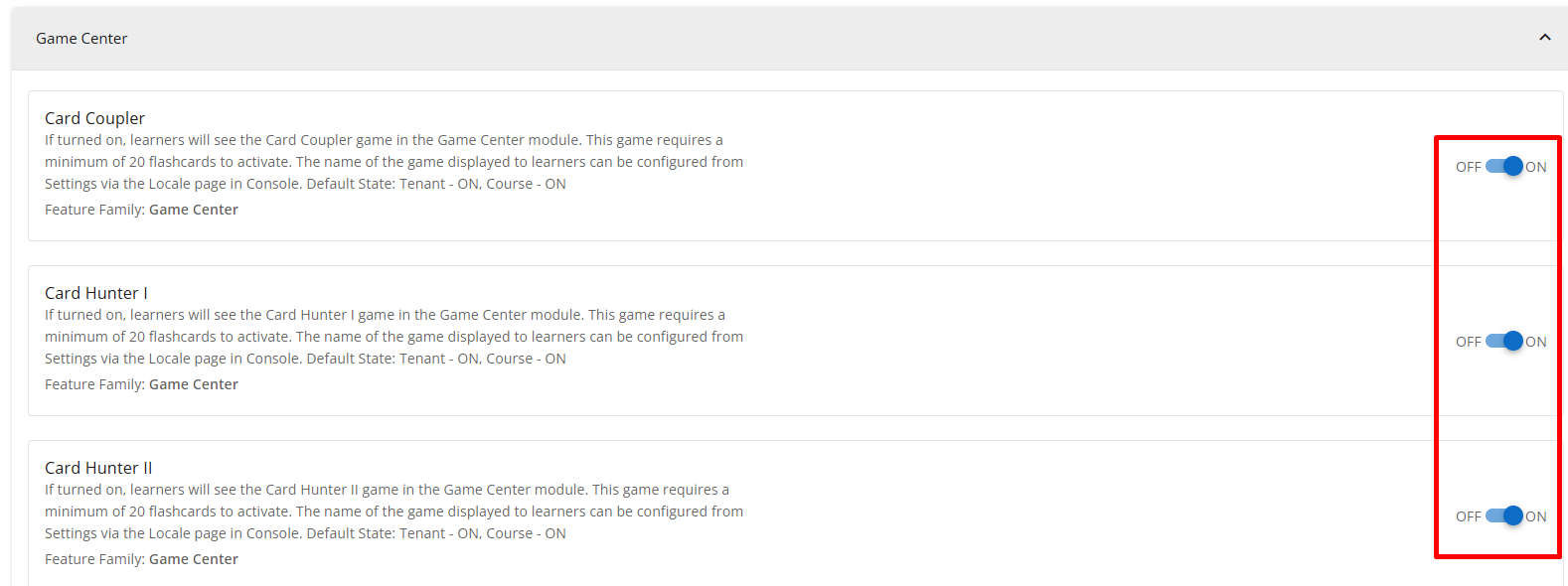
Course Level Features can also be controlled in BluePrint via Course Configuration module. Learn more about Course Configuration here.
Check out Features section for a full list of Tenant and Course specific features to guide you through configuring your desired learner experience.

