


BenchPrep's Download Exam & Practice Reports feature allows learners to generate PDF summaries of their performance in practice and exams. These reports provide insights into category-level practice results and exam performance, helping learners track their progress, share results with administrators, or keep reports for their own records.
While the Transcript feature provides an overview of course progress, Download Exam & Practice Reports offers additional performance details across practice categories and exams.
Considerations Before Enabling
Before enabling Download Exam & Practice Reports, organizations should consider how downloadable performance summaries align with their exam results visibility requirements.
Important: If an exam is configured with Exam Results Restriction, its score can still appear in the downloadable Exam Reports Summary when Download Exam & Practice Reports is enabled. Restricting exam results does not prevent those scores from being included in the summary report.
Organizations that intend to keep exam scores hidden until an administrator releases them should review this behavior before enabling the feature. We recommend testing the functionality in your Staging environment to understand how reports behave alongside Exam Results Restriction before enabling it in Production.
To learn more about restricting and releasing exam results, see Printing, Sending, and Releasing Exam Results in Console.
Enabling Download Exam & Practice Reports
This feature is turned OFF by default and can be enabled by administrators at the course level in BluePrint. Follow the steps in Course Configuration to enable the feature.
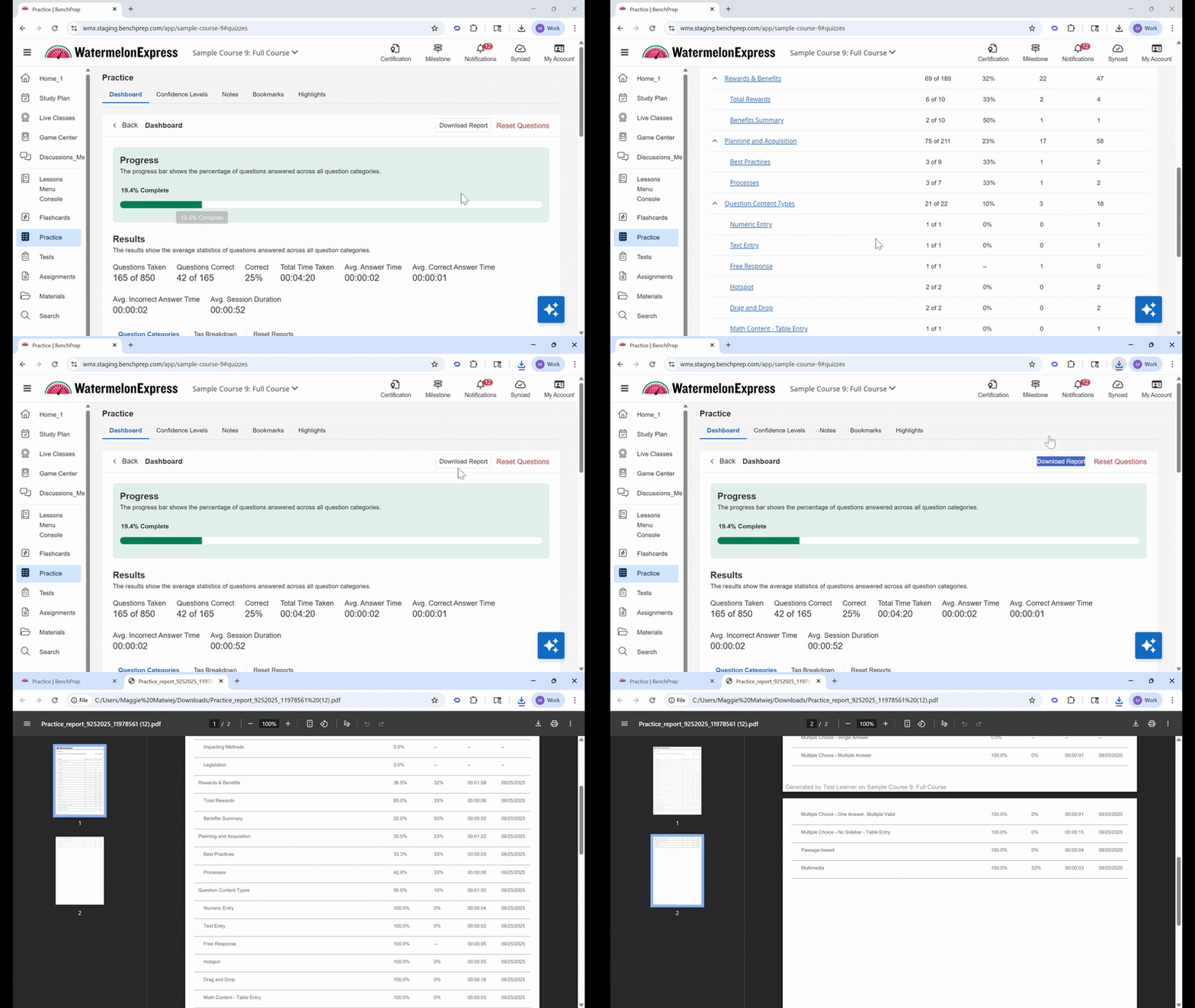
Downloading Practice and Exam Reports
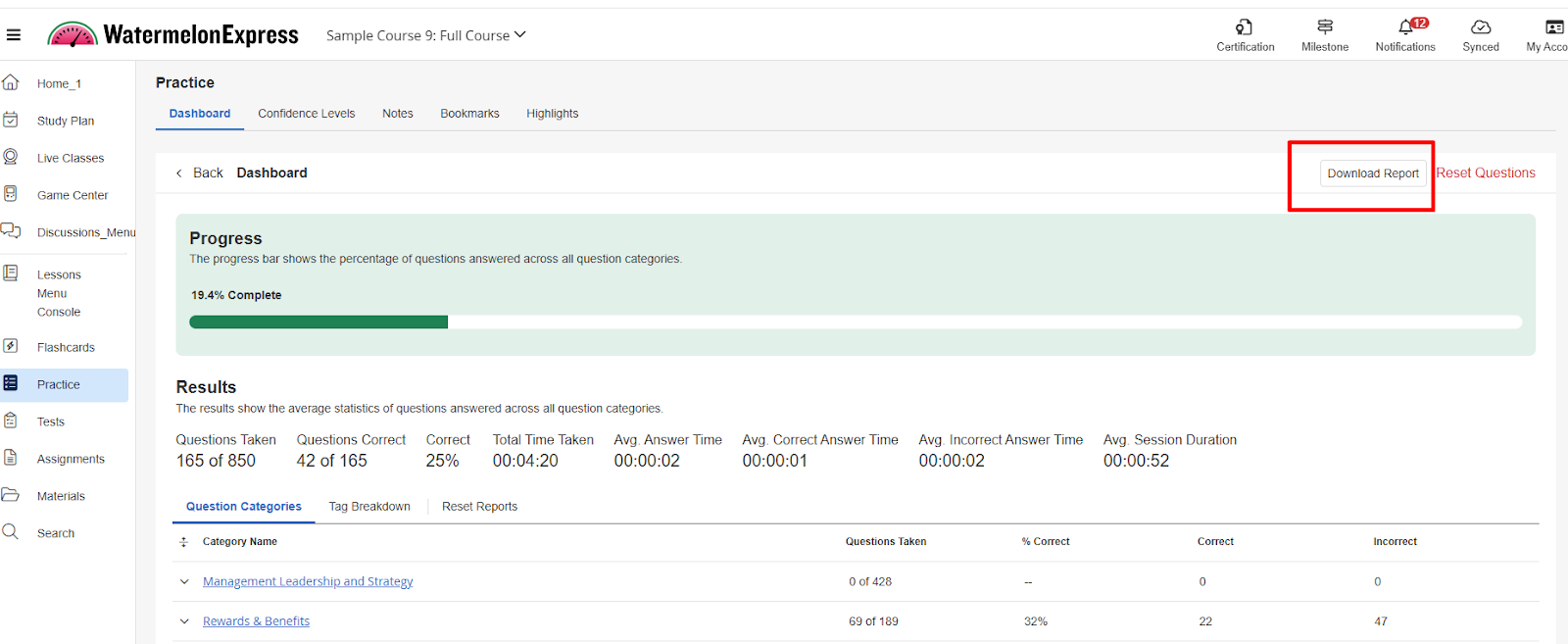
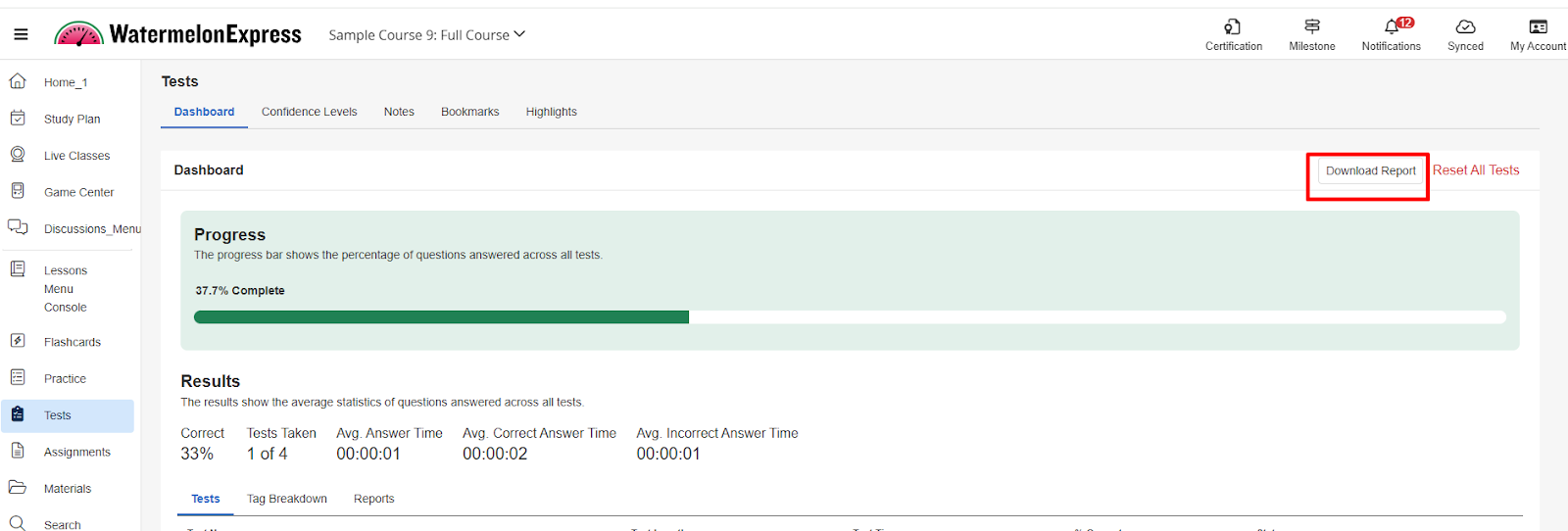
Once enabled, learners will see a Download Report button on the Practice Dashboard and Exam Dashboard in the Learning Application. Selecting this button generates a PDF summary of their performance.
Practice Reports Summary
The Practice Reports Summary provides real-time performance results across categories and subcategories in the Practice Dashboard.
Exam Reports Summary
The Exam Reports Summary provides real-time performance results across exams. If the Previous Score Reports feature is enabled, past exam score reports will also be included, allowing learners to review their performance over time.
Understanding Report Contents
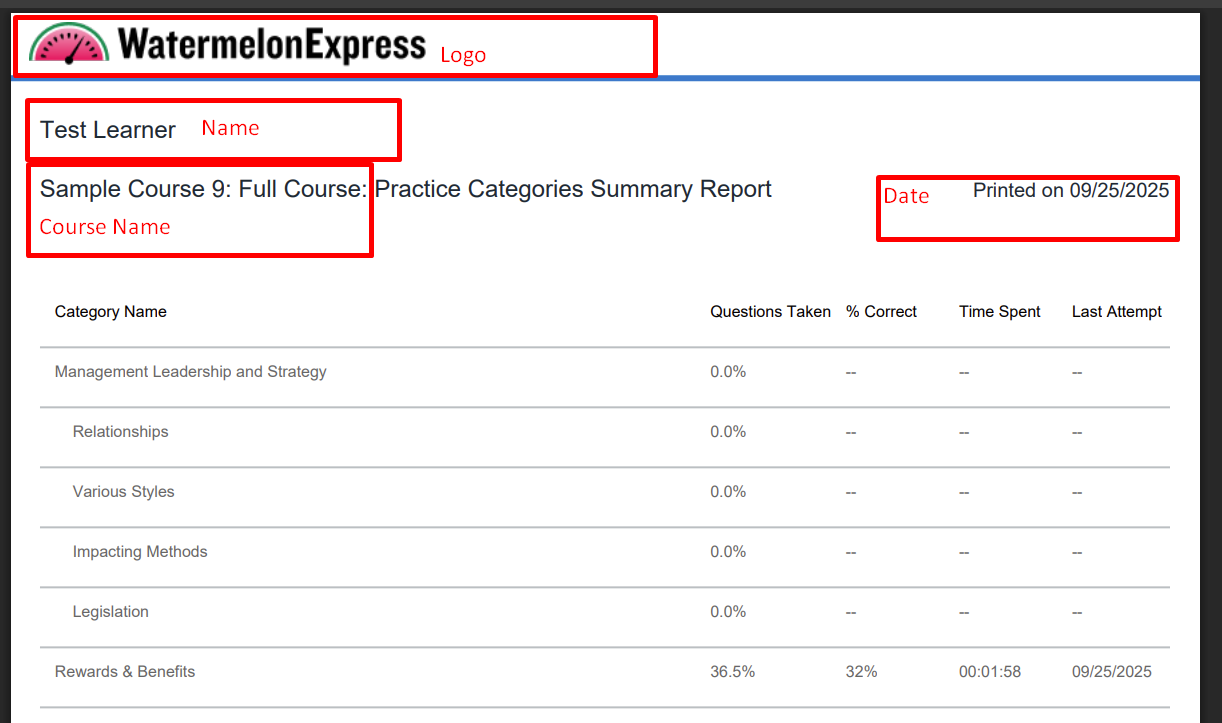
Downloaded reports are generated as PDFs and include the following information:
- Learner's name
- Date the report was generated
- Course title
- Organization logo (contact BenchPrep Support if your logo does not appear)
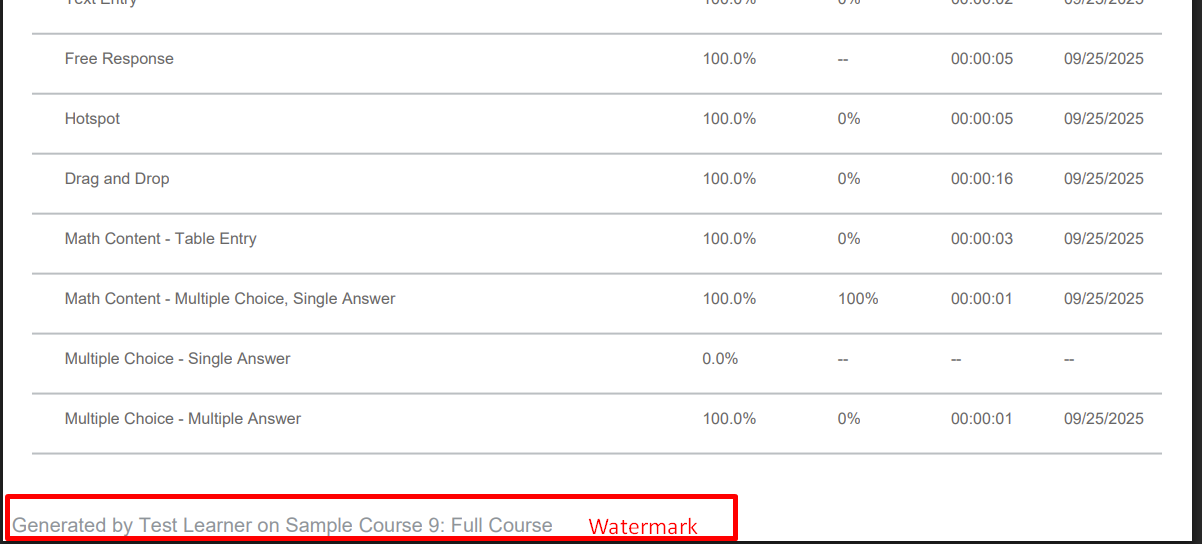
- Watermark
- Individual performance results
- Previous Exam Score Reports, if enabled
The examples below show the information included in the Practice and Exam Reports Summaries.
Note: Download Exam & Practice Reports generates performance summaries and is separate from the functionality that allows learners to download individual exam and practice questions as PDFs. To learn more about downloading question-level PDFs, see Downloading and Printing Exam and Practice Questions.

