


BenchPrep's PDF download functionality allows learners to download exam and practice questions for offline review, printing, or additional study. Depending on the activity, PDFs may include questions, answer choices, correct answers, explanations, and other question-level details.
Considerations Before Enabling PDF Downloads
Before requesting enablement, organizations should review how PDF downloads may affect access to their course content.
- Tenant-wide availability: Print PDF is enabled at the tenant level and applies to all courses within your organization. It cannot be limited to individual courses.
- Access to course content: Learners can download a PDF of exam and practice questions, answer choices, correct answers, and explanations (rationales), including content they have not yet attempted. These files can be saved, printed, or shared outside the Learning Application.
- Content-sharing requirements: Organizations that need to limit distribution of proprietary or secure assessment content should carefully evaluate whether this functionality is appropriate.
- Testing in Staging: We recommend requesting enablement in your Staging environment first to review the available download options and PDF contents before deciding whether to enable the functionality in Production.
Enabling PDF Downloads
This functionality is turned OFF by default and must be enabled by BenchPrep at the tenant level. Once enabled, PDF downloads become available to learners across all courses within your organization.
To request enablement, contact BenchPrep Support.
Accessing Your Downloaded PDF
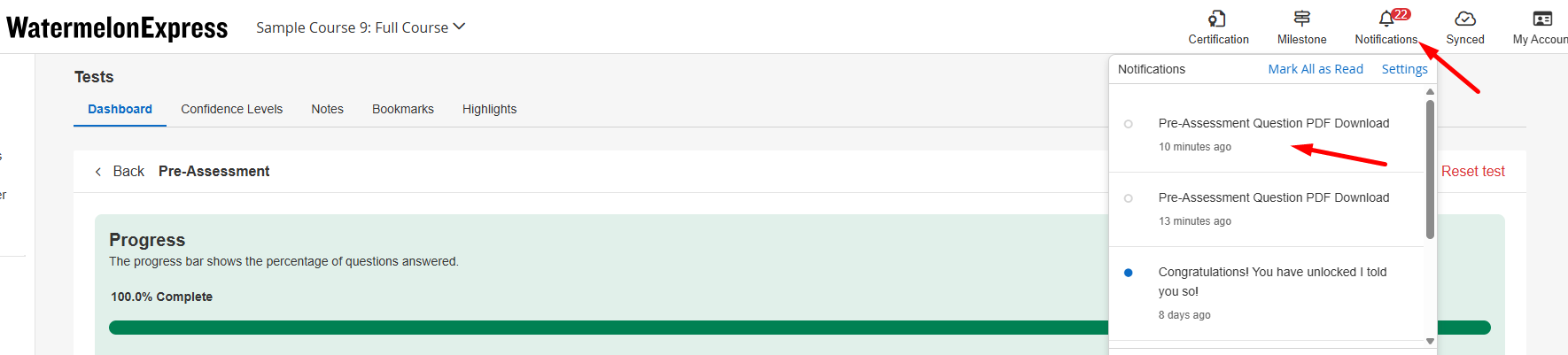
When learners select Download PDF or Download Only, BenchPrep generates the requested PDF. Once the PDF is ready, learners can access it in the following ways:
- Email: Learners receive an email containing a link to download the PDF.
- Message Center: Learners receive a notification in the Learning Application when the PDF is ready. They can access the download link directly from the Message Center.
Learners can use either option to access their generated PDF.
Downloading Exam Questions
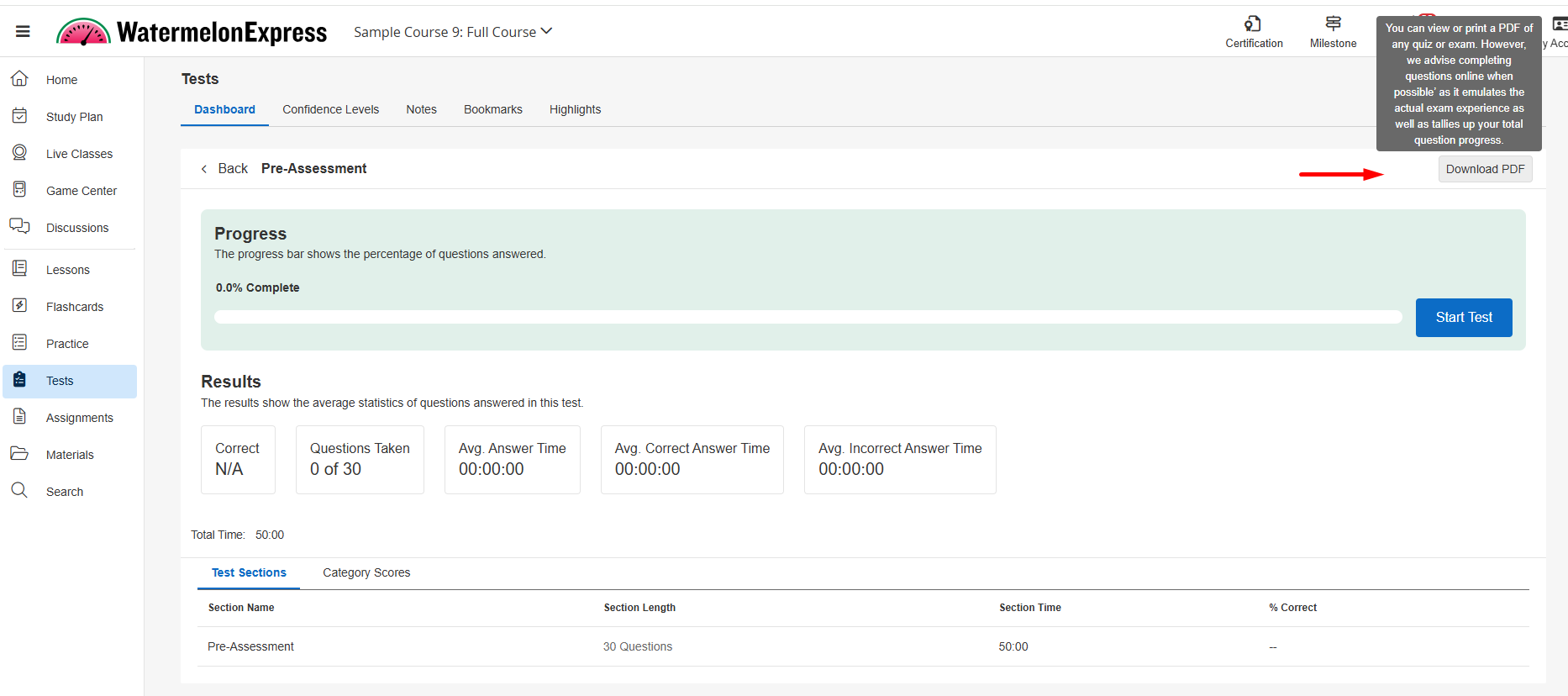
Learners can download exam questions as PDFs from the Learning Application. The information included in the PDF depends on whether the learner has completed the exam.
Before Completing an Exam
Before starting an exam, learners can select Download PDF from the Exam Dashboard to generate a PDF containing the exam questions and answer key.
The PDF includes two sections:
- Exam Questions: All exam questions and answer choices without the correct answers identified.
- Answer Key and Explanations: The questions presented again, along with the correct answers, explanations, and available question-level details such as difficulty levels and content tags.
Since the learner has not yet completed the exam, the PDF does not include exam scores, selected answers, or other learner performance data.
After Completing an Exam
After completing an exam, learners can select Download PDF from the exam details page to generate a PDF containing their exam results and detailed question review.
The PDF includes:
- Exam Results Summary: The learner's overall score, number of questions taken, average answer time, average correct answer time, and average incorrect answer time.
- Questions and Answers: Each exam question and its answer choices, along with the learner's selected answer and whether it was correct or incorrect.
- Correct Answers and Explanations: The correct answer and its explanation for each question.
- Additional Question Details: Confidence level, time spent, difficulty level, and content tags, where applicable.
Unlike the PDF generated before an exam, this version reflects the learner's completed attempt and provides a detailed review of their performance.
Downloading Category Practice Questions
Learners can download questions from individual categories in the Practice Dashboard. The available download options depend on whether the learner has answered questions in that category.
Before or During Category Practice
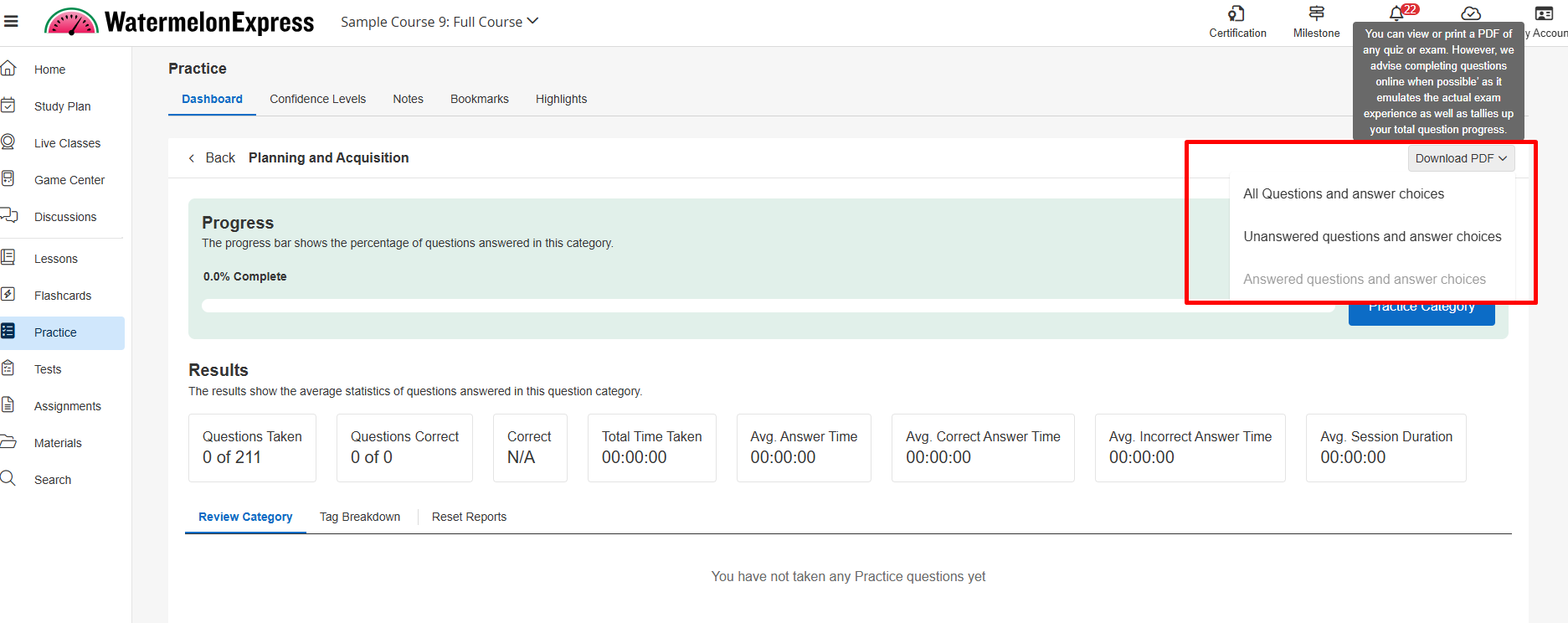
From an individual category, learners can select the dropdown next to Download PDF to choose from the following options:
- All Questions and Answer Choices: Downloads all questions in the selected category, including answer choices, correct answers, explanations, and available question-level details. The PDF also includes a results summary reflecting the learner's current progress in the category.
- Unanswered Questions and Answer Choices: Downloads only questions the learner has not yet answered, along with answer choices, correct answers, explanations, and available question-level details.
- Answered Questions and Answer Choices: Downloads only questions the learner has already answered, including their selected answers, whether they were correct or incorrect, correct answers, explanations, and available performance details such as confidence levels, time spent, difficulty levels, and content tags. This option is unavailable until at least one question has been answered.
Note: Category Practice PDFs may include correct answers and explanations, even for questions the learner has not yet attempted.
After Completing a Category Practice Session
After completing a Category Practice session, learners can open the session details page and select Download PDF to generate a PDF containing the questions from that session.
Unlike the category-level download options, this button generates a PDF for the completed session without displaying a dropdown.
Downloading Custom Practice Questions
PDF downloads are also available for Custom Practice, allowing learners to download questions before starting a session or review their results after completing it.
Before Starting a Custom Practice Session
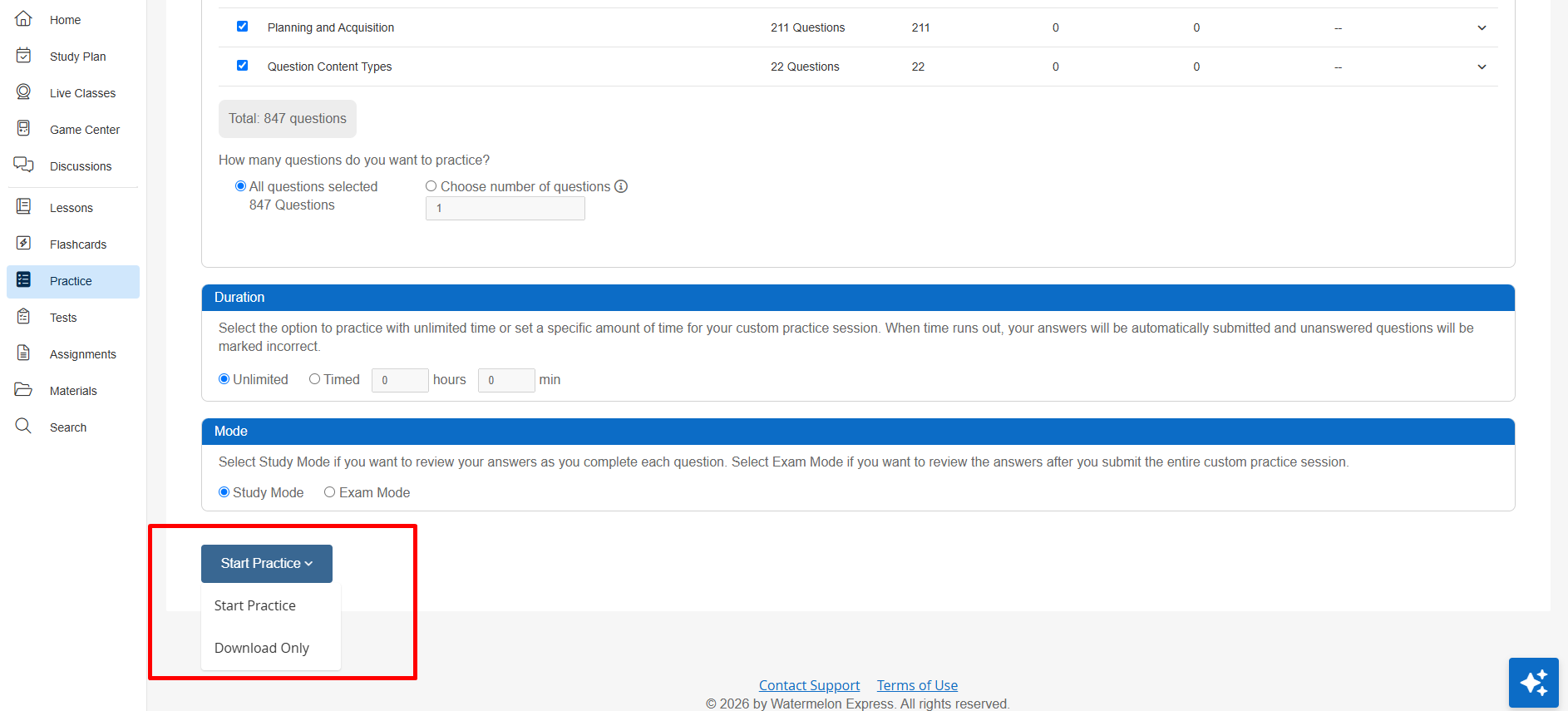
On the Custom Practice setup screen, learners can select Download Only to generate a PDF containing the questions for the configured session without starting the practice activity.
The PDF includes two sections:
- Questions and Answer Choices: The questions and their available answer choices without the correct answers identified.
- Answer Key and Explanations: The questions presented again with correct answers, explanations, and available question-level details such as difficulty levels.
Since the learner has not started the session, the PDF does not include selected answers, scores, or other learner performance data.
After Completing a Custom Practice Session
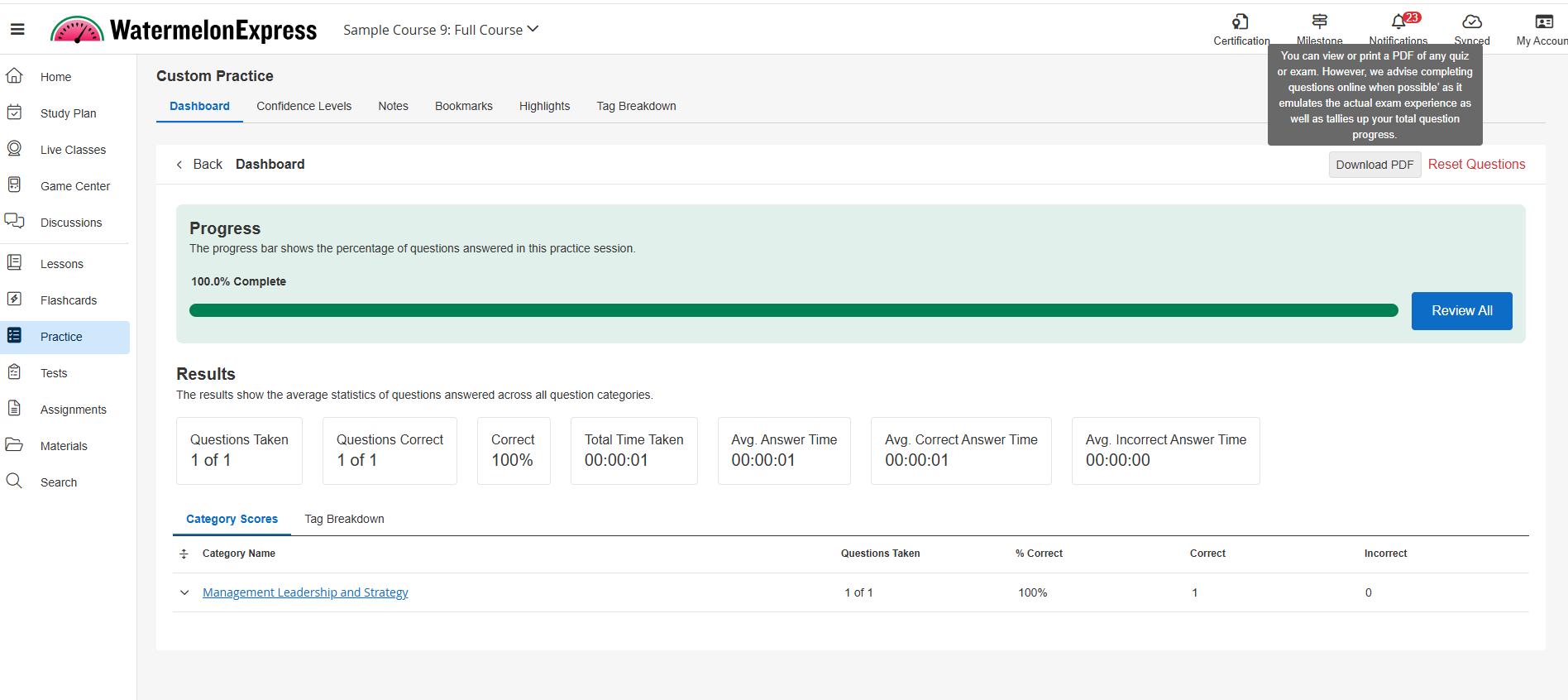
After completing a Custom Practice session, learners can open the session details page and select Download PDF to generate a detailed report of their completed session.
The PDF includes:
- Results Summary: The learner's overall score, number of questions answered correctly, total time taken, average answer time, average correct answer time, and average incorrect answer time.
- Questions and Answers: Each question and its answer choices, along with the learner's selected answer and whether it was correct or incorrect.
- Correct Answers and Explanations: The correct answer and its explanation for each question.
- Additional Question Details: Confidence level, time spent, and difficulty level, where applicable.
Unlike the PDF generated before starting a session, this version reflects the learner's completed attempt and provides a detailed review of their performance.
Understanding the Difference Between PDF Downloads and Performance Reports
PDF downloads for exam and practice questions are separate from the Download Exam & Practice Reports feature.
While PDF downloads provide access to individual questions and related content, Download Exam & Practice Reports generates performance summaries across practice categories and exams.
These features are enabled independently and may both be available within the same course.
Note: If Download Exam & Practice Reports is enabled for a course, learners may see scores from exams with restricted results in the downloadable Exam Reports Summary. Exam Results Restriction does not hide those scores in this separate performance report. Organizations that need to keep exam scores hidden until release should review this behavior before enabling the reporting feature. See Download Exam & Practice Reports for details.
Using PDF Downloads with Exam Results Restriction
PDF downloads can also be used in conjunction with Exam Results Restriction, which allows organizations to hide completed exam results from learners until an administrator releases them.
While results are restricted, learners cannot access the Download PDF option for their completed exam. However, administrators can still print or send exam reports through Console without releasing the results to learners.
Once the results are released, learners can view their exam performance and download their completed exam PDF.
To learn more about printing, sending, and releasing exam results, see Printing, Sending, and Releasing Exam Results in Console.

