


 1
1
Assignment Tasks
Assignment Tasks provide a flexible and customizable way to deliver learning content to learners. While regular assignments are built using predefined study tasks that create a consistent learning path for all learners in a course, Assignment Tasks allow instructors and administrators to create and manage study tasks directly within the assignment itself.
This enhanced approach makes it possible to not only organize learning content, but also control how, when, and for whom content is delivered. Assignment Tasks can be used to assign exams, lessons, practice questions, and flashcards to specific learners or groups, while also supporting visibility and access controls.
Compared to regular curriculums, Assignment Tasks provide additional flexibility by allowing administrators and instructors to:
- Assign content to specific learners, groups, or cohorts
- Control when learners can view and access content
- Schedule release and completion dates for assigned content
- Deliver different learning experiences within the same course
- Reduce the need to duplicate or rebuild courses for separate learner groups
This functionality introduces a more flexible model for managing course delivery while maintaining a single, consistent course structure.
Assignment Tasks are built around two key concepts: visibility and locking. By combining these controls, administrators and instructors can determine not only whether learners see content, but also when they are able to access it.
Visibility
Visibility determines whether content appears to a learner at all within a course. By default, all content is visible to all learners, appearing as soon as a learner accesses the course. With this enhanced functionality, content can also be set to hidden.
The ability to hide content is controlled by the Content Hiding feature access at the branch and course level. Once enabled, users with BluePrint access to the course can manage visibility settings directly within supported content types.
When content is set to hidden, it is completely removed from the learner experience and cannot be seen or accessed by any learners in the course.
assignment Tasks can then be used to override this setting by assigning the hidden content to specific learners, groups, or cohorts. Once assigned, the content becomes visible only to those learners, while remaining hidden for everyone else.
This approach allows administrators to:
- Prepare and manage content without exposing it prematurely
- Release content to targeted audiences in a controlled way
- Maintain a single course structure while delivering different experiences to different learners
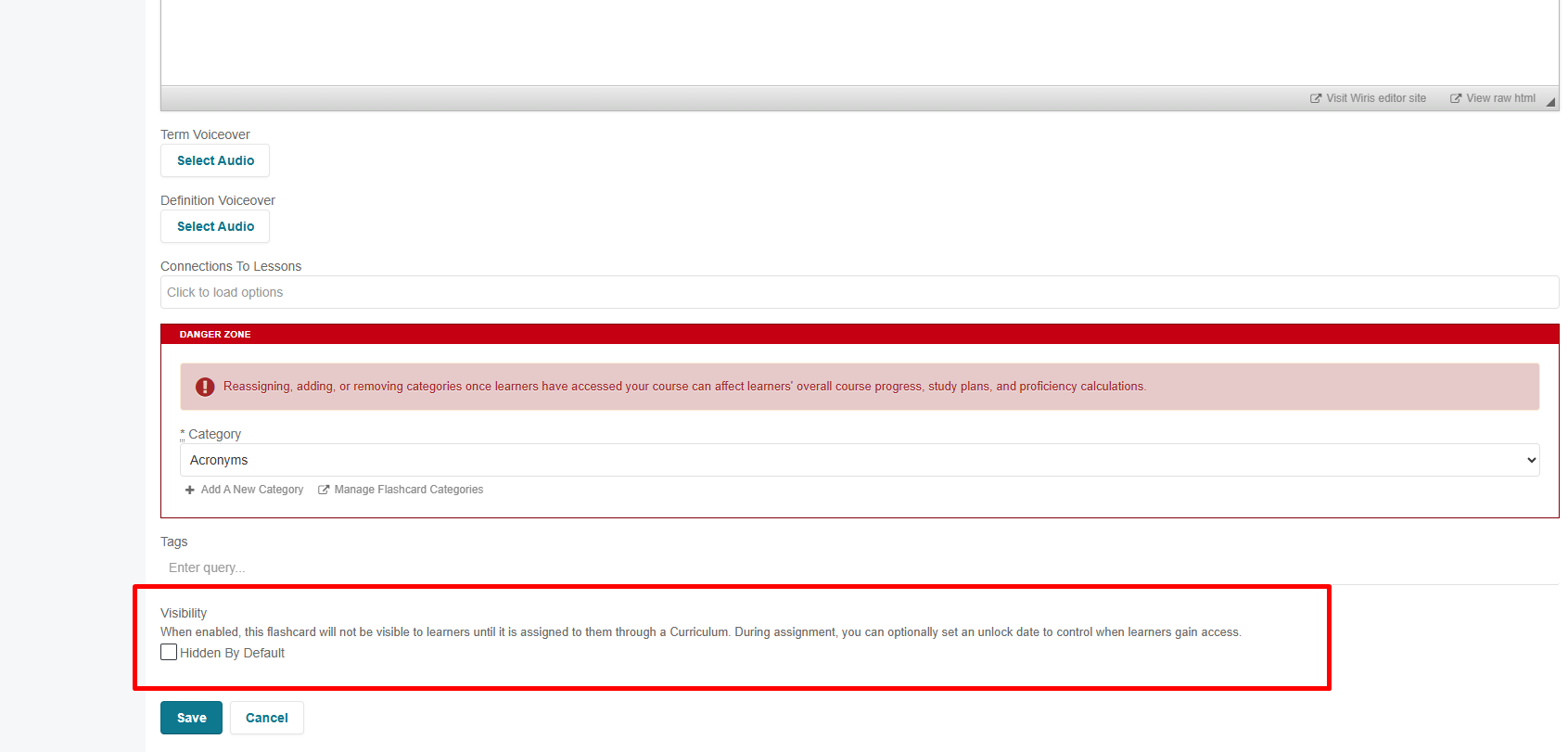
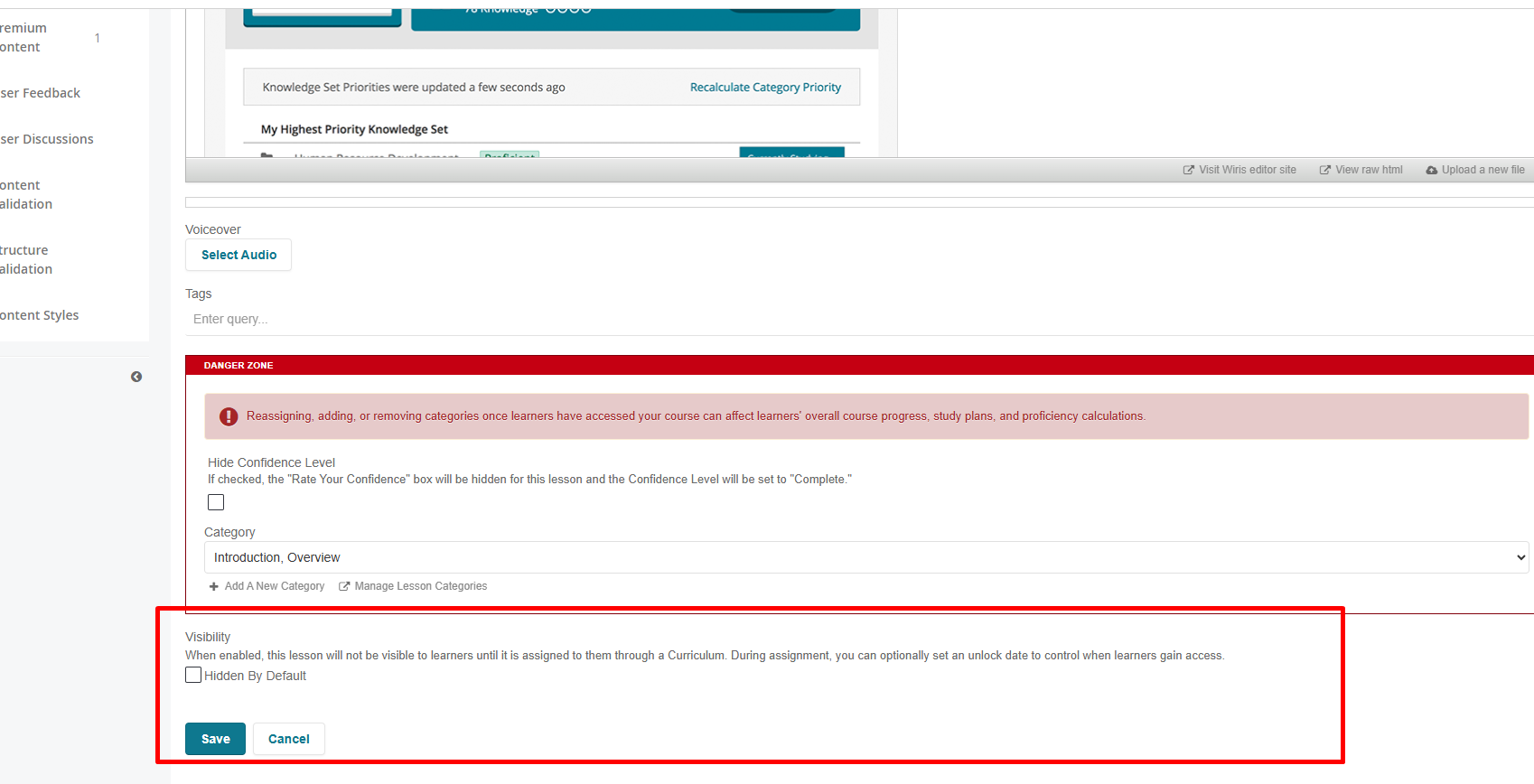
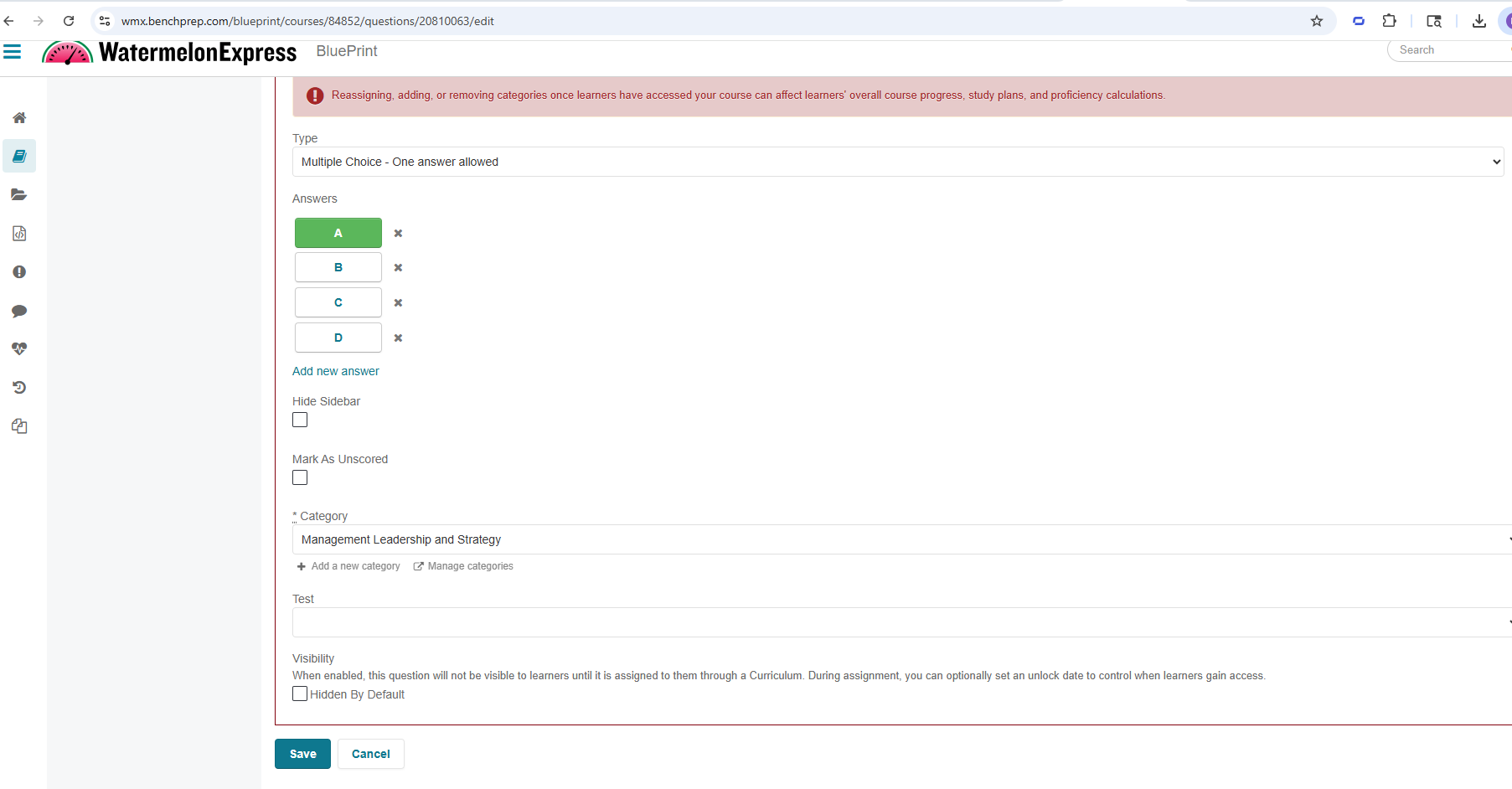
Visibility settings can be managed directly within each content type in BluePrint. The examples below show where to locate and update these settings for flashcards, lessons, questions and tests:
Flashcards:
Lessons:
Practice Questions:
Tests:
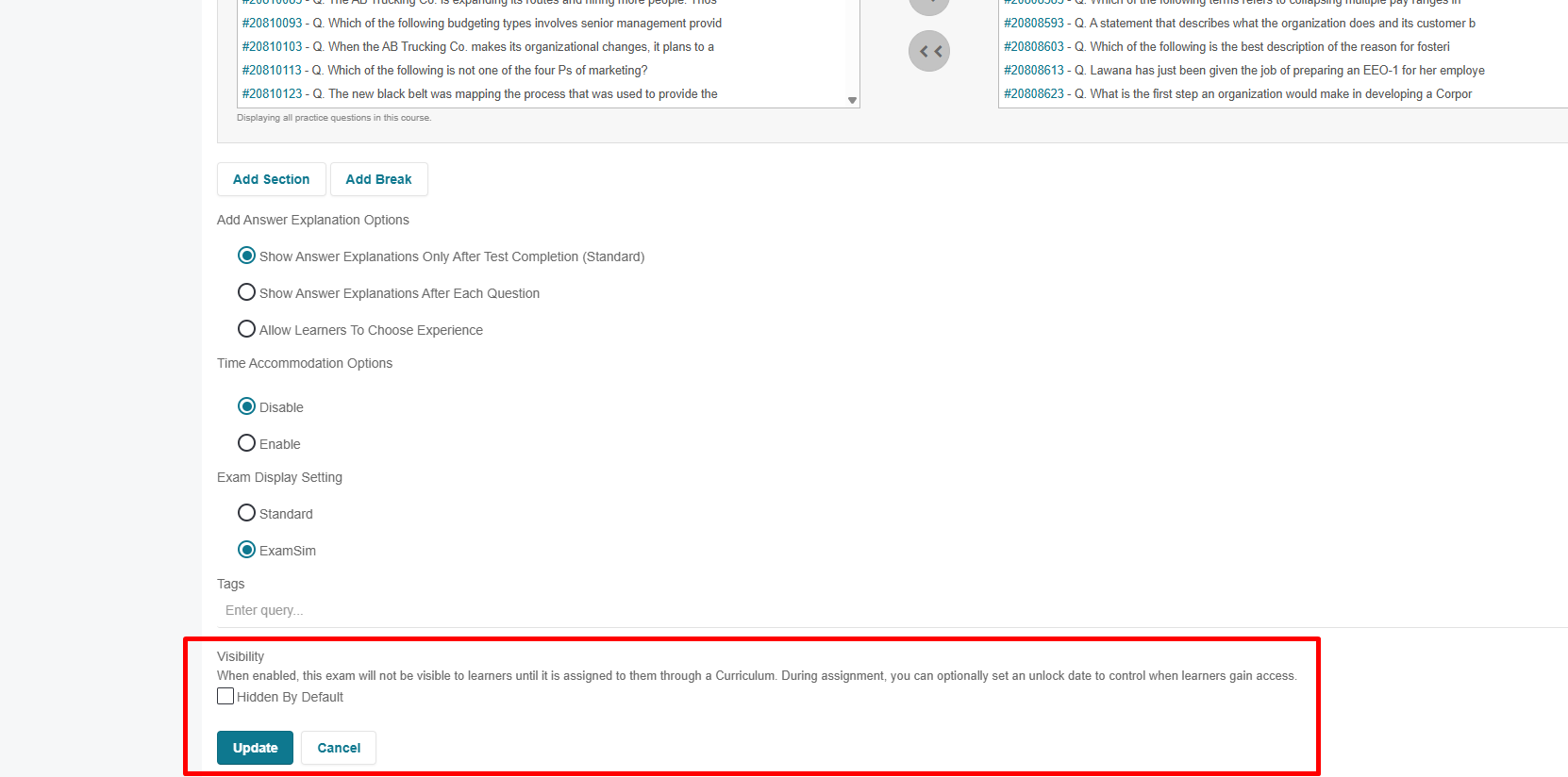
Questions associated with tests inherit the visibility setting of the test. While their visibility (hidden or standard) is displayed, it cannot be modified at the individual question level.
Locking
Locking determines when a learner can access content, even if it is visible to them in the course. This is configured through assignment tasks by assigning content with specific access dates and enabling the Restrict access outside these dates option.
When access is restricted, the content will appear to assigned learners but remain inaccessible until the defined release date. During the access window, learners can access and complete the content as expected.
After the completion date (if set), access is restricted again. Learners who completed the content within the access window will retain read-only access, but will not be able to reset or retake the content once it is locked.
This allows administrators and instructors to control pacing by ensuring that learners can only interact with content at the appropriate time, without needing to hide the content entirely.
This approach allows administrators to:
- Control when learners can access content (for example, accessing exams within a specified timeframe)
- Enforce structured schedules within a course
- Prevent early or late access to content
- Guide learners through content in a more intentional sequence

