

Notification Preferences

Jun 26, 2026
2751

To update your notification preferences, follow these steps:
1. While in your course, find the bell in the upper-right-hand corner of the screen.

2. Click on the bell icon and then click on Settings.
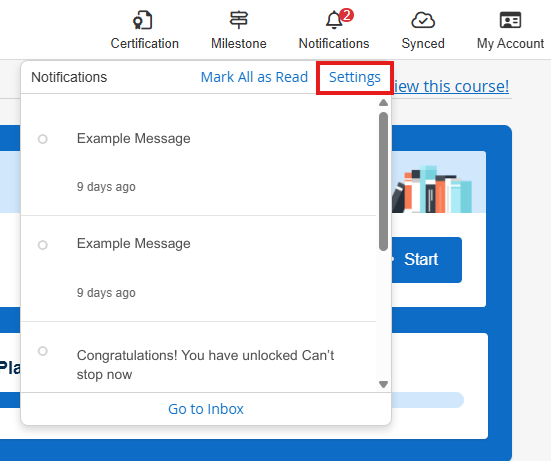
This will take you to your Notification Center Settings, where you can check and uncheck the appropriate boxes to match your preferences. Your options may be different depending on course content. Your selections will save automatically.


