


An assignment is a custom study plan that can be created and assigned to one or more learners. Assignments are created by selecting and arranging existing Study Tasks from a course’s Structured Study Plan and assigning it to learners. This helps learners break down large courses into smaller, digestible pieces, and can help focus on weak spots, since assignments do not need to follow the order of tasks within the default Study Plan. Additionally, assignments can be tailored to different audiences. You can create multiple assignments to meet the unique needs of different learners groups.
Adding a Study Task to an assignment does not remove it from the default Study Plan. Using assignment specific feature accesses further enhance the customization of the offering by allowing assignment creators to design the learner’s assignment journey.
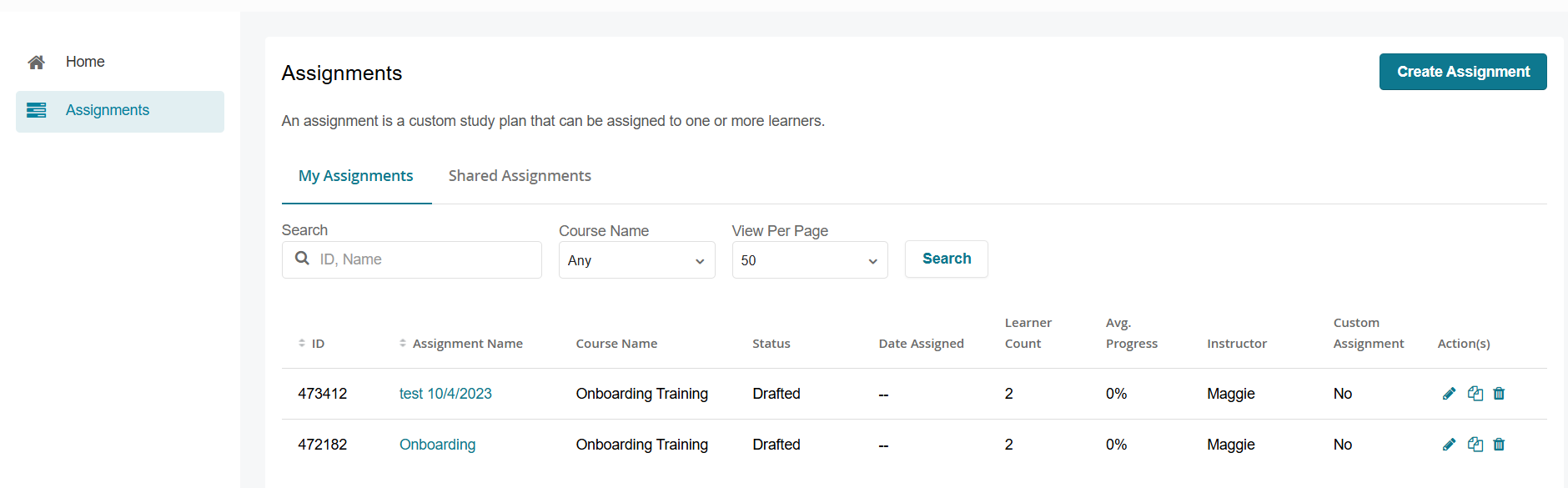
Before enabling or working with assignments, keep the following in mind:
- Not compatible with Milestones: Assignments and Milestones cannot be used together in the same course. Enabling Assignments will disable the ability to use Milestones.
- Requires structured content organization: Assignments rely on clearly defined sections and activities. Content should be properly organized before configuring an assignment to ensure accurate learner progression.
- Configuration impacts learner experience: The way assignments are structured (e.g., ordering, requirements, completion rules) directly determines how learners navigate and progress through the course.
To learn how to configure Assignments click here.
Need more flexibility? Assignment Tasks extend standard assignment functionality by allowing instructors and administrators to assign specific content without requiring predefined Study Tasks in the course. Assignment Tasks also support content visibility controls, learner access management, release dates, and targeted content delivery within a course. See the Assignment Tasks section here for additional configuration options.

