Discussions allow learners and other users to communicate and engage with course content directly within the learning application. BenchPrep supports two types of discussions: Public Discussions and Private Discussions.
Public Discussions allow users to participate in conversations that are visible to other learners, while Private Discussions provide closed discussion groups that are limited to invited participants.
Public Discussions
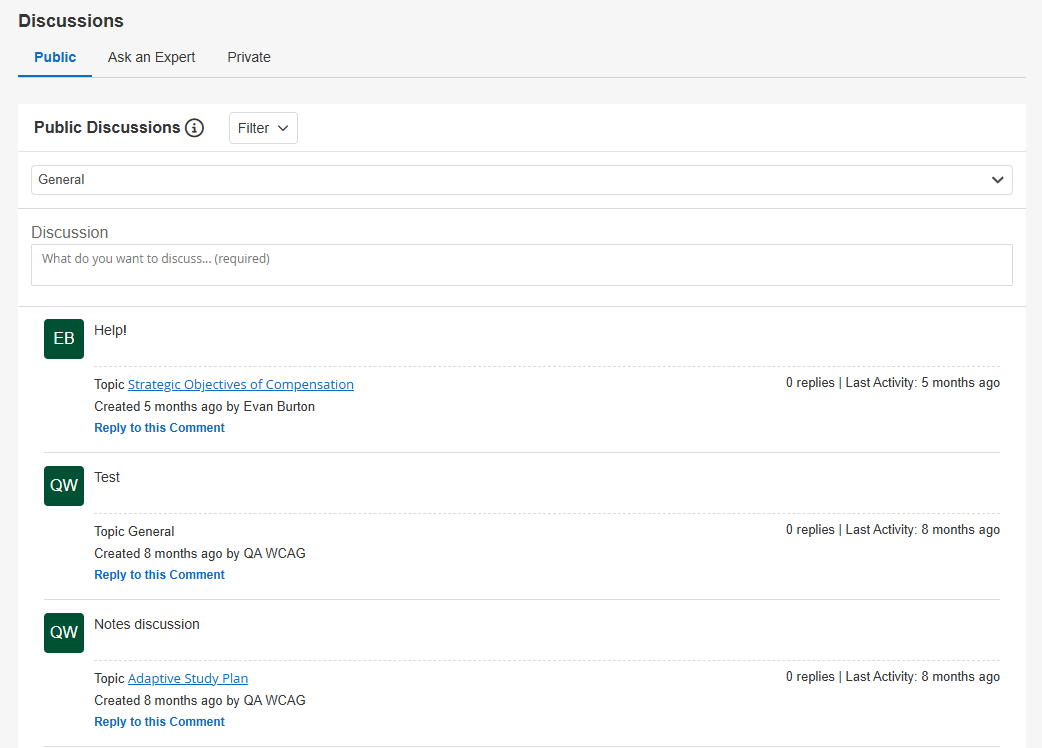
Public Discussions allow users to leave and reply to public comments within:
-
Lessons
-
Questions
-
The Discussions Page
|
Public Discussions: Learner Experience
|
Requirements
|
How To Configure
|
-
Learners can create and respond to discussions that are visible to other learners.
-
Discussions made by learners that feature certain "trigger" words will be automatically deleted as soon as they're submitted.
-
The learner will receive a false success message to dissuade them from re-submitting the offending comment.
|
-
Public Discussions is configurable at the Tenant, Course, and Branch levels.
-
The feature is OFF by default at the Tenant level and ON by default at the Course and Branch levels.
-
The feature must be enabled at the Tenant level for Public Discussions to be available.
|
-
Enable Public Discussions at the Tenant level in Console.
-
Once enabled at the Tenant level, Public Discussions are available across courses and branches by default.
-
If Public Discussions should not be available for a specific course or branch, turn the feature OFF for that course or branch.
See Public Discussions for additional information and instructions.
|
Private Discussions
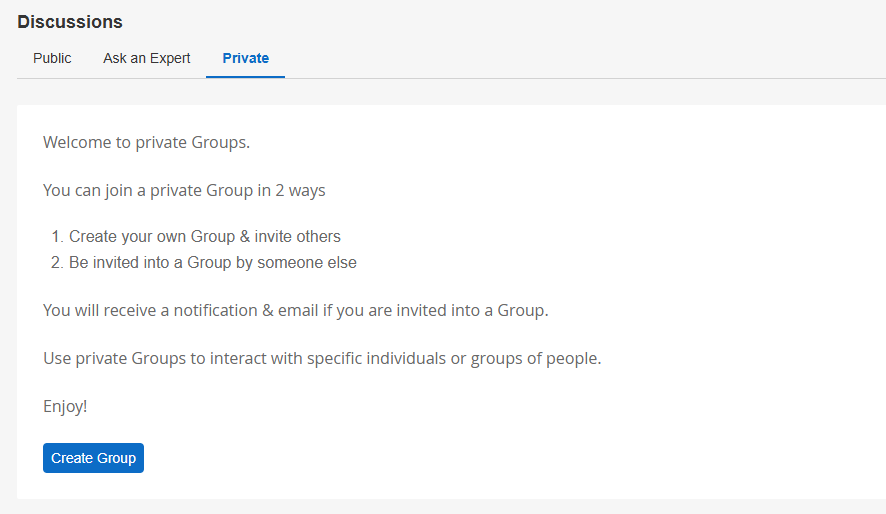
Private Discussions allow users to communicate in closed discussion groups with selected participants. Unlike Public Discussions, only users who are invited to a private discussion can participate in that discussion.
There are two separate feature accesses for Private Discussions:
- Private Discussions (created by admins/instructors): Controls private discussions initiated by users with the Create private discussions with learners permission.
- Private Discussions (created by learners): Controls whether learners can create their own private discussion groups.
|
Private Discussions: Learner Experience
|
Requirements
|
How To Configure
|
- Private Discussions allow selected users to communicate in closed discussion groups.
- Users with the Create private discussions with learners permission can create private discussion groups with learners.
- Learners can participate in private discussions they have been invited to.
- When the Private Discussions (created by learners) feature access is enabled, learners can also create their own private discussion groups.
|
For private discussions created by admins/instructors:
- The Private Discussions (created by admins/instructors) feature access is configurable at the Tenant and Branch levels.
- The feature is OFF by default at the Tenant level and ON by default at the Branch level.
- The feature must be enabled at the Tenant level.
- The user must have a role with the Create private discussions with learners permission.
- The user must have an active enrollment in the course.
For private discussions created by learners:
- The Private Discussions (created by learners) feature access is controlled at the Tenant level only.
- The feature is ON by default.
- When enabled, learners can create private discussion groups across the tenant. When disabled, learner-created private discussions are disabled for the entire tenant.
Additional requirements:
- There is no limit to how many private discussions can be created.
- There is no limit to the number of users who can be included in a private discussion.
- Private discussions can only include users within the same branch.
|
For private discussions created by admins/instructors:
- Enable the Private Discussions (created by admins/instructors) feature access at the Tenant level in Console.
- Once enabled at the Tenant level, the feature is available for branches by default.
- If private discussions should not be available for a specific branch, turn the feature OFF for that branch.
- Ensure the user has a role with the Create private discussions with learners permission.
- Confirm the user has an active enrollment in the course where they need to create private discussions.
For private discussions created by learners:
- Use the Private Discussions (created by learners) feature access in Console to allow or prevent learners from creating private discussion groups across the tenant.
See Private Discussions for complete requirements and instructions.
|
Managing Discussions
Public Discussions can be reviewed and moderated in BluePrint. For instructions on viewing, responding to, editing, or deleting discussion messages, see Moderating Public Discussions.
NOTE: Currently, the Discussions feature is not available within Asset-Based Courses. For BenchPrep Courses, Assets can be embedded within lessons to allow for discussion within the Lesson modules.


