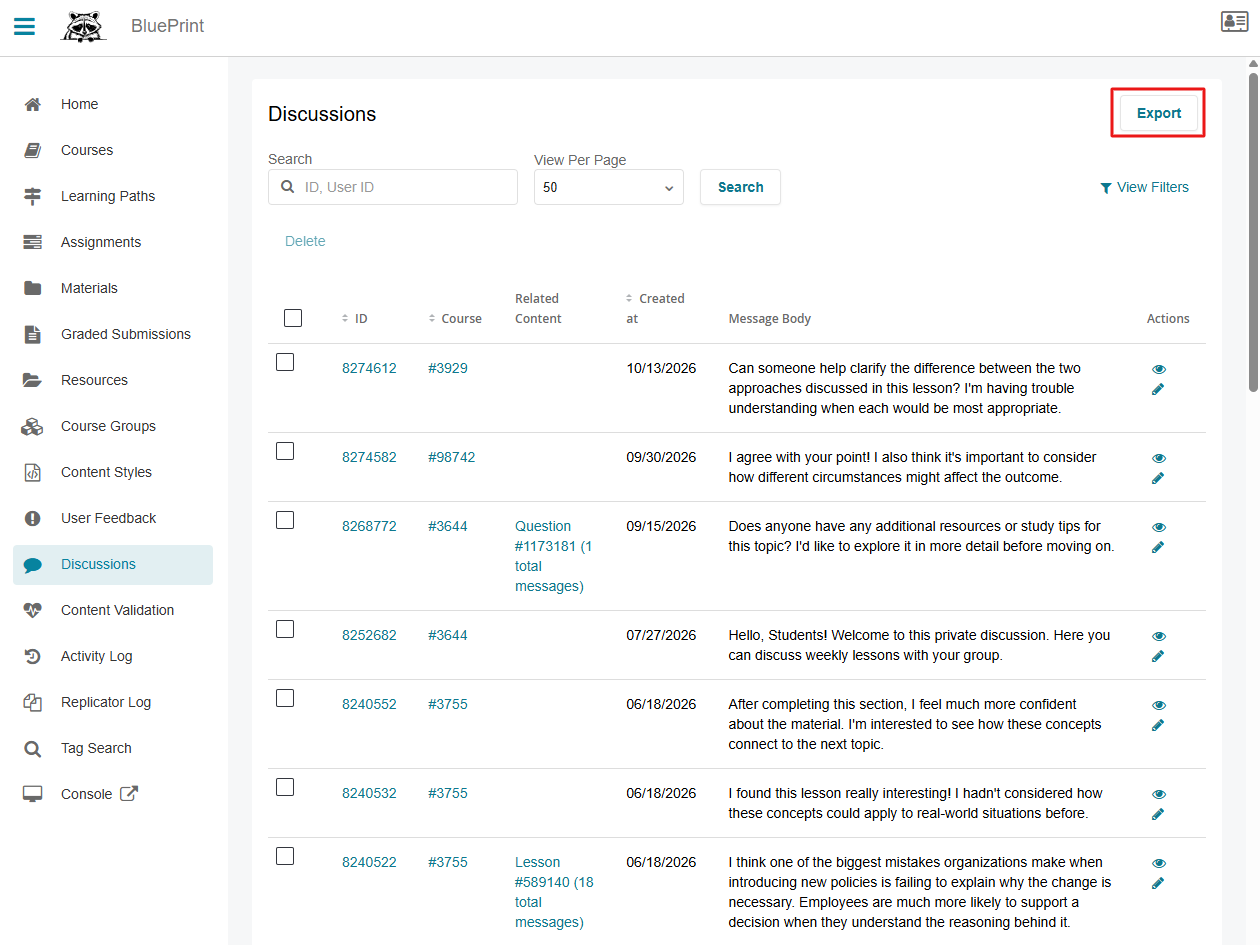
It's easy to delete or modify Public Discussion messages. To do this, you'll need BluePrint access.
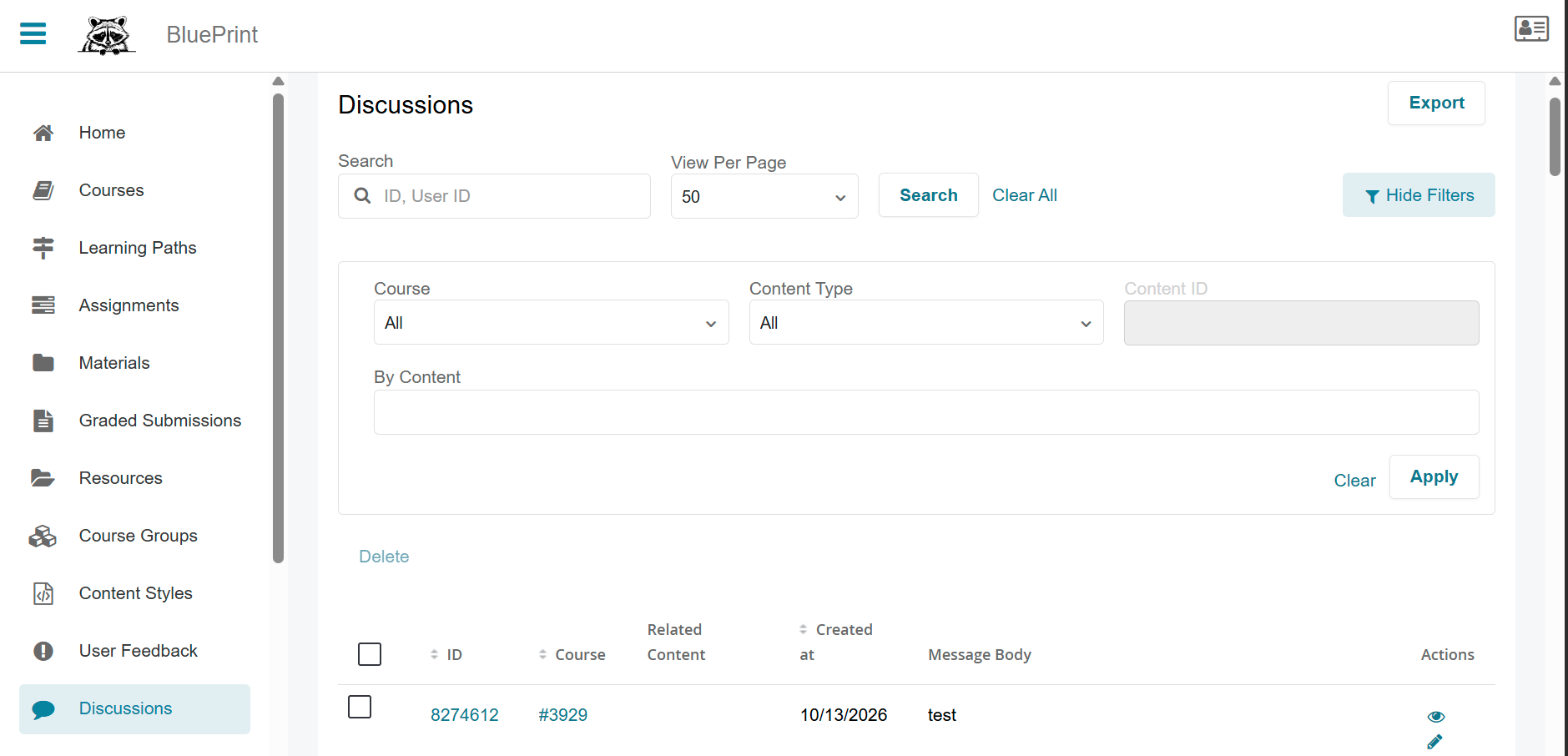
Once in BluePrint, navigate to Discussions in the left navigation bar. Here, you can view and filter discussions using the View Filters button at the top right.

Modifying Discussions
-
Open the Course in BluePrint
-
Navigate to User Discussions on the left navigation bar
-
Select the discussion you would like to view.
-
From here, you can:
-
Post a response to the discussion
-
Select Edit to modify the message

-
-
-
From Edit Discussion, you can:
-
Modify the text and select Update Discussion Message, or
-
Select Delete to remove the message from the discussion

-
Exporting Discussions
Users with BluePrint access can export Discussions to a CSV file. Before exporting, you can narrow down the Discussions included in your export by selecting View Filters and filtering by Course, Content Type, or searching by content. Only Discussions that match your applied filters will be included in the export.
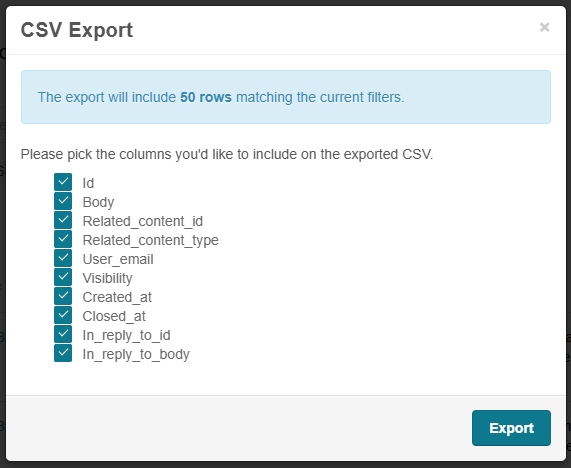
When you're ready to export, select Export. The CSV Export window will open, allowing you to choose which columns to include in your CSV file. Uncheck any columns you don't wish to include, then select Export to submit your request. Once the export is ready, you'll receive it via email.