


How do I change my target completion date?

Apr 28, 2026
 3815
3815
To change your target completion date, follow these steps:
- Your target date is displayed on the front page of both the Home and Study Plan sections.
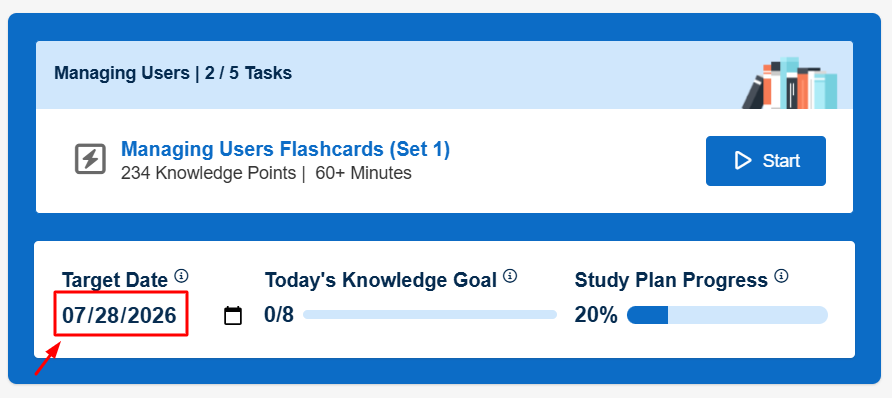
- To change the date, click on the calendar icon next to the date, which will open a drop-down calendar from which you can select a new test date.
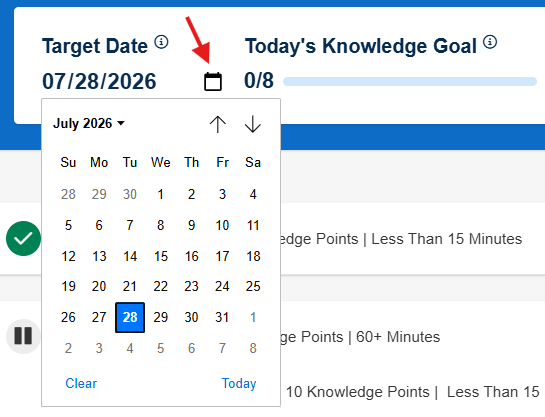
- After selecting a new date, your target date will update along with your Knowledge Goal if applicable.


