


Confidence Levels
You can mark your confidence level on each practice question from within the mobile site.
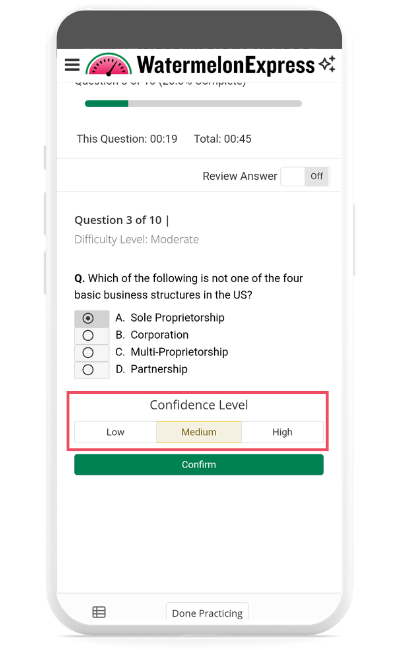
1. To mark a Confidence Level when in a practice session, select your Confidence Level below the question. If Review Answer is toggled off, you must do this before confirming your answer.
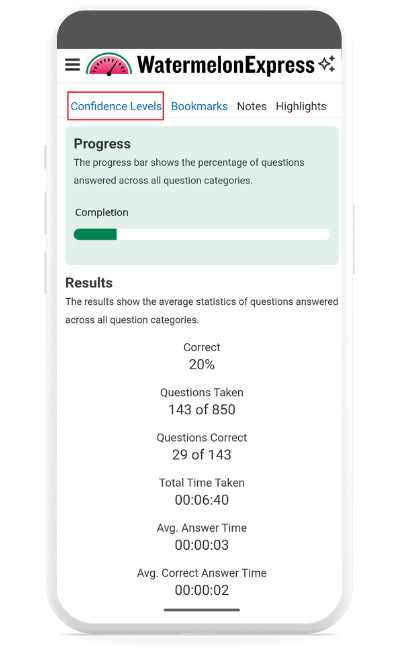
2. To review practice questions by Confidence Level, navigate to the Practice Dashboard. Select Confidence Levels at the top of the page. You will see questions you've marked confidence levels for sorted by high, medium or low confidence. Use the arrows on the right hand side to expand or collapse each section. You can select a question to see it's full text in Review.
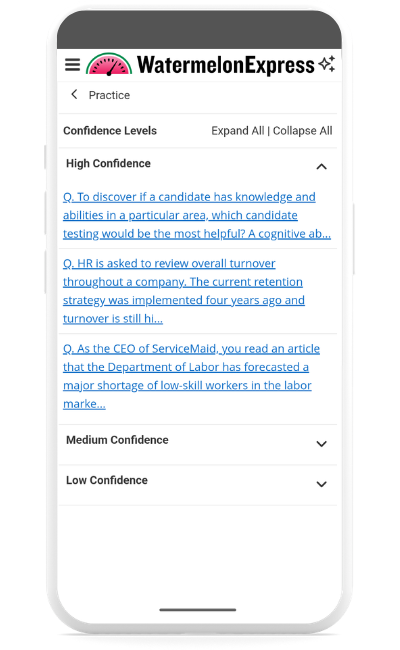
Note: Not all exam questions are reviewable. Sorting questions by confidence level will only show questions that are reviewable and that you have marked your confidence on.

